Build 21 v21.4.1
FEBRUARY 23, 2010 © 2007-2010 RED.COM INC.
67
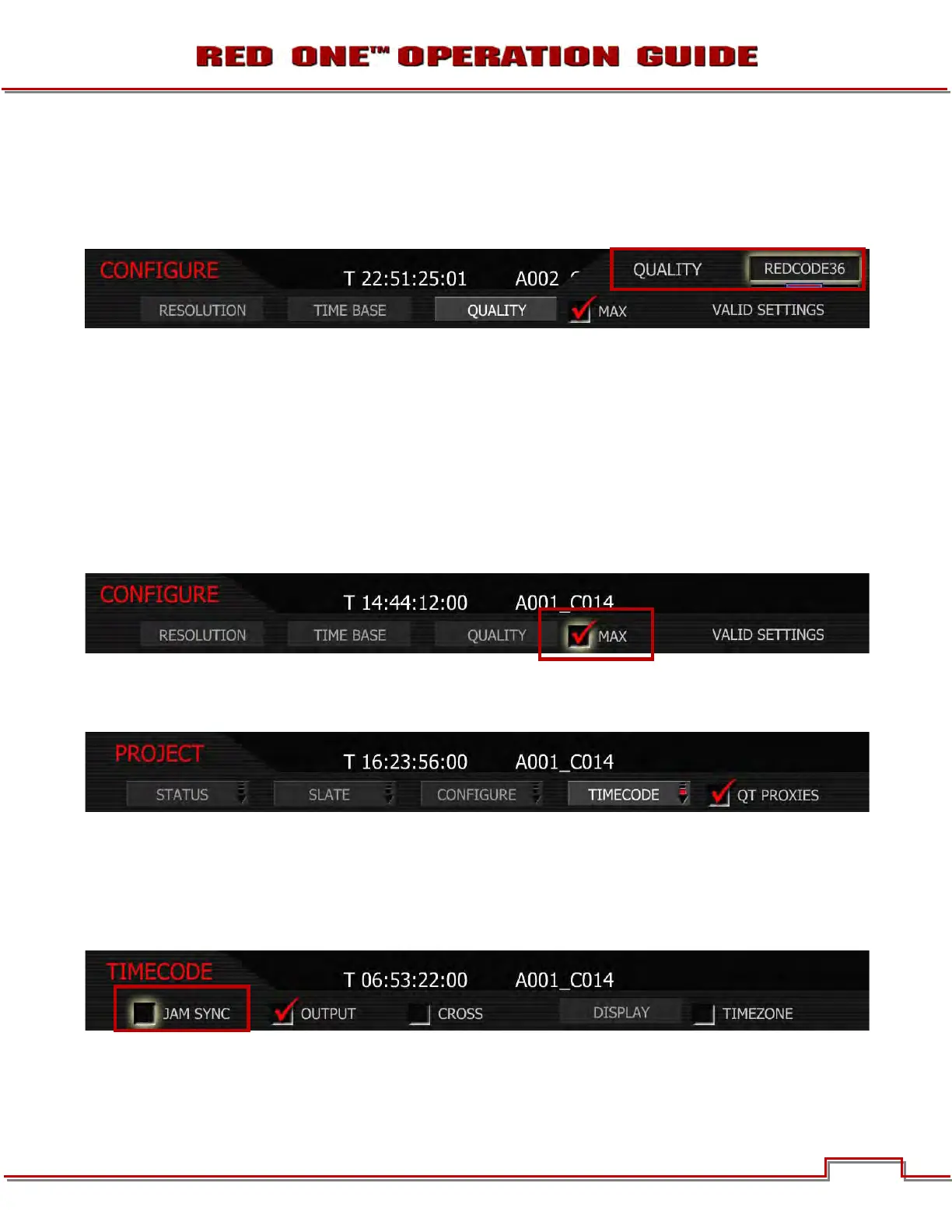
QUALITY
Quality allows the user to set the project quality at either REDCODE 28, REDCODE 36 or REDCODE 42.
NOTE: REDCODE 36 and REDCODE 42 will limit maximum frame rate and resolutions available us-
ing CF cards.
1. To set quality, select QUALITY and press in or down on joystick.
2. Twist joystick to change the highlighted QUALITY box to either REDCODE 28, REDCODE 36 (default)
or REDCODE 42.
3. Move Joystick right or up to select and exit.
MAX
Leave checked for maximum image quality recording. If shooting at 23.98 fps and 4K HD resolution, you
may wish to uncheck the MAX mode box before recording. This lowers the absolute image quality, but
permits real time .R3D decoding and scaling to 1920 x 1080 progressive RGB when using commonly
available CPU based post production applications.
TIMECODE
Select to change displayed timecode track, force Jam sync or reset camera clock.
JAM SYNC
Jam Sync instructs the camera to replace its internal Time of Day value with external timecode read from
the 5pin LEMO connector. This value is updated at the first frame of each recording, provided a valid ex-
ternal timecode source is present. If the external source is not present, the camera auto-increments the
timecode until the external source is re-connected.
CHAIN LINK ICON
When JAM SYNC is checked and an external timecode generator source is connected to the TIMECODE
connector (refer to TIME CODE INPUT / OUTPUT under APPENDIX D: INPUT/OUTPUT CONNECTORS)



 To Next Page