Build 21 v21.4.1
FEBRUARY 23, 2010 © 2007-2010 RED.COM INC.
15
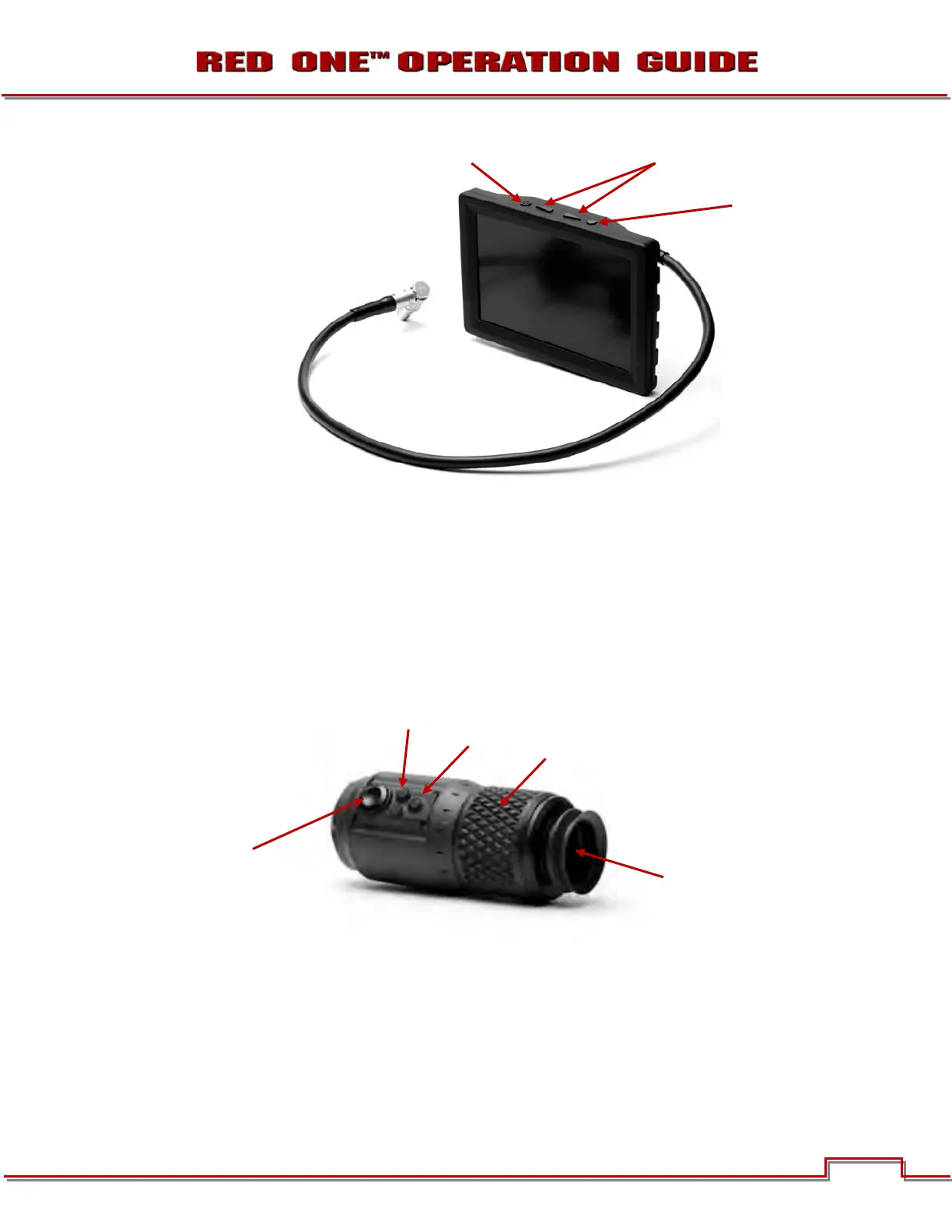
RED LCD DISPLAY
Figure 8 –RED LCD
Two (2) round and two (2) triangular buttons are located on top of the RED LCD.
• The two triangular buttons (A) in the center are used to increase or decrease backlight intensity.
• Right button (B) switches display between Video plus Frame Guides and Menus, to Video plus Frame
Guides only.
• Left button (C) is User Key 5 and can be programmed. Refer to KEY-MAP under PREFERENCES in
SET UP under SYSTEM MENU CONTROLS.
RED EVF DISPLAY
Figure 9 – RED EVF
The RED EVF comprises the following components:
A. High-resolution color display: Provides a 1280 pixel x 848-pixel resolution progressive scan color im-
age equivalent to viewing a 17” reference color monitor from a distance of approximately 4 ft.
D
C
B
A
A
E



 To Next Page