Build 21 v21.4.1
© 2007-2010 RED.COM INC. FEBRUARY 23, 2010
78 78
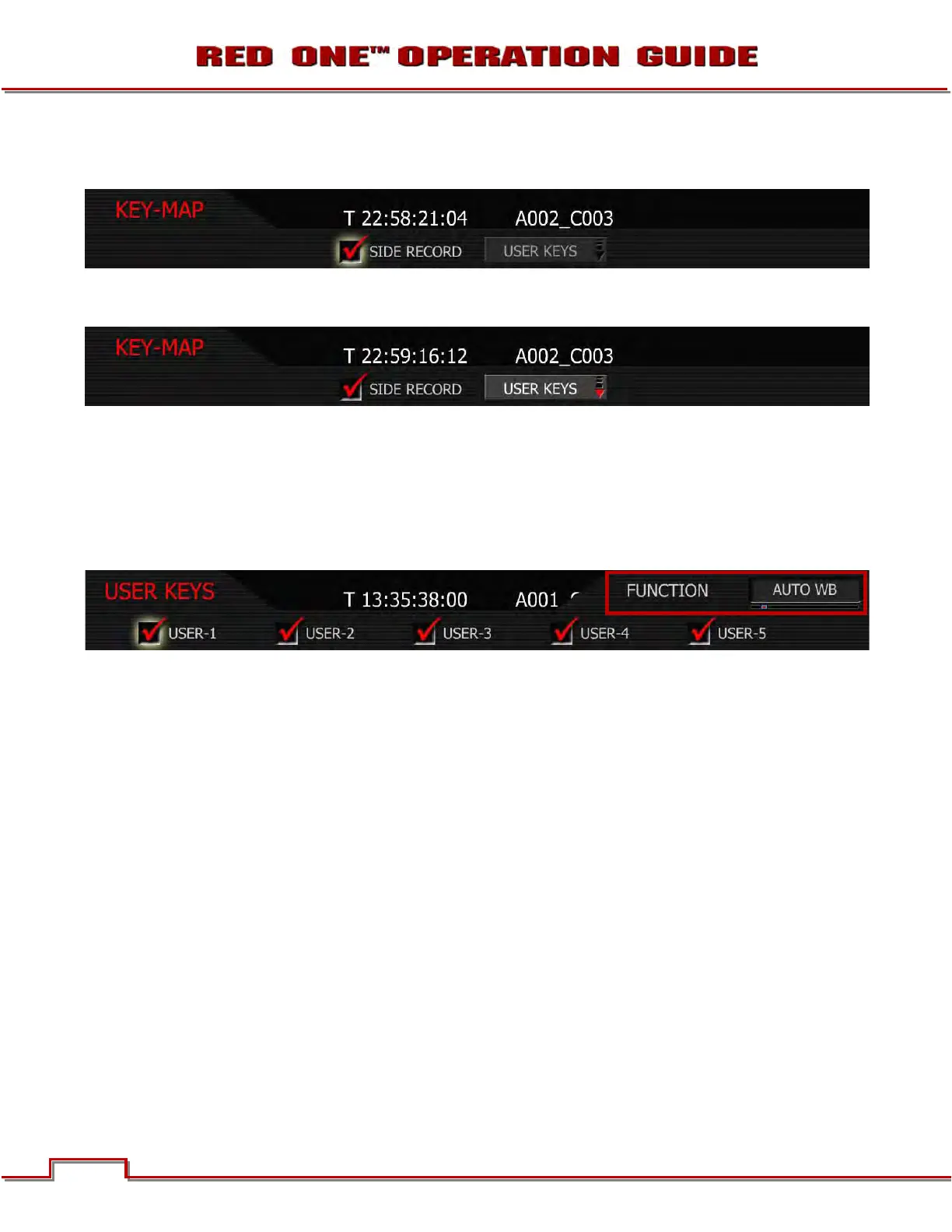
SIDE RECORD: When checked, the side RECORD key is enabled. Default is enabled. This is the record
button located on the left front side of the camera.
USER KEYS: When selected permits USER KEYS 1 thru 5 to be programmed. Multiple keys may be pro-
grammed to the same function.
1. To change user key preferences, push in or down on joystick to place checkmark in the desired user
key checkbox.
2. FUNCTION box will highlight.
3. Twist joystick to change the highlighted FUNCTION box to the desired function.
4. Move joystick left, right, up or push in to set function.
USER-1: User Key 1 is the upper user key (button) on the camera side. Default is AUTO WB. When
checked, USER-1 key is enabled, and its function is defined in the associated list.
USER-2: User Key 2 is the lower user key (button) on the camera side. Default is MAGNIFY. When
checked, USER-2 key is enabled, and its function is defined in the associated list.
USER-3: User Key 3 is the upper user key (button) on the RED EVF. Default is COLOR. When checked,
USER-3 key is enabled, and its function is defined in the associated list.
USER-4: User Key 4 is the lower user key (button) on the RED EVF. Default is VIEW RAW. When
checked, USER-4 key is enabled, and its function is defined in the associated list.
USER-5: User Key 5 is the left hand side key (button) on the RED LCD. Default is COLOR. When
checked, USER-5 key is enabled, and its function is defined in the associated list.
NOTE: To reset keys to default settings, go to RESTORE. A reboot of the camera may be necessary
to restore defaults.



 To Next Page