Build 21 v21.4.1
FEBRUARY 23, 2010 © 2007-2010 RED.COM INC.
81
1080p: Video output is 1920 x 1080 pixels. For 4K images the monitored image width corresponds to
3,840 pixels scaled down to 1920 pixels. This signal is available on the HD Preview (HD-SDI), HD Program
(Dual Link HD-SDI), RED EVF, and RED LCD outputs. RED EVF and RED LCD will display a 1280 x 720
pixel center cut of the larger 1920 x 1080 image.
LOOK
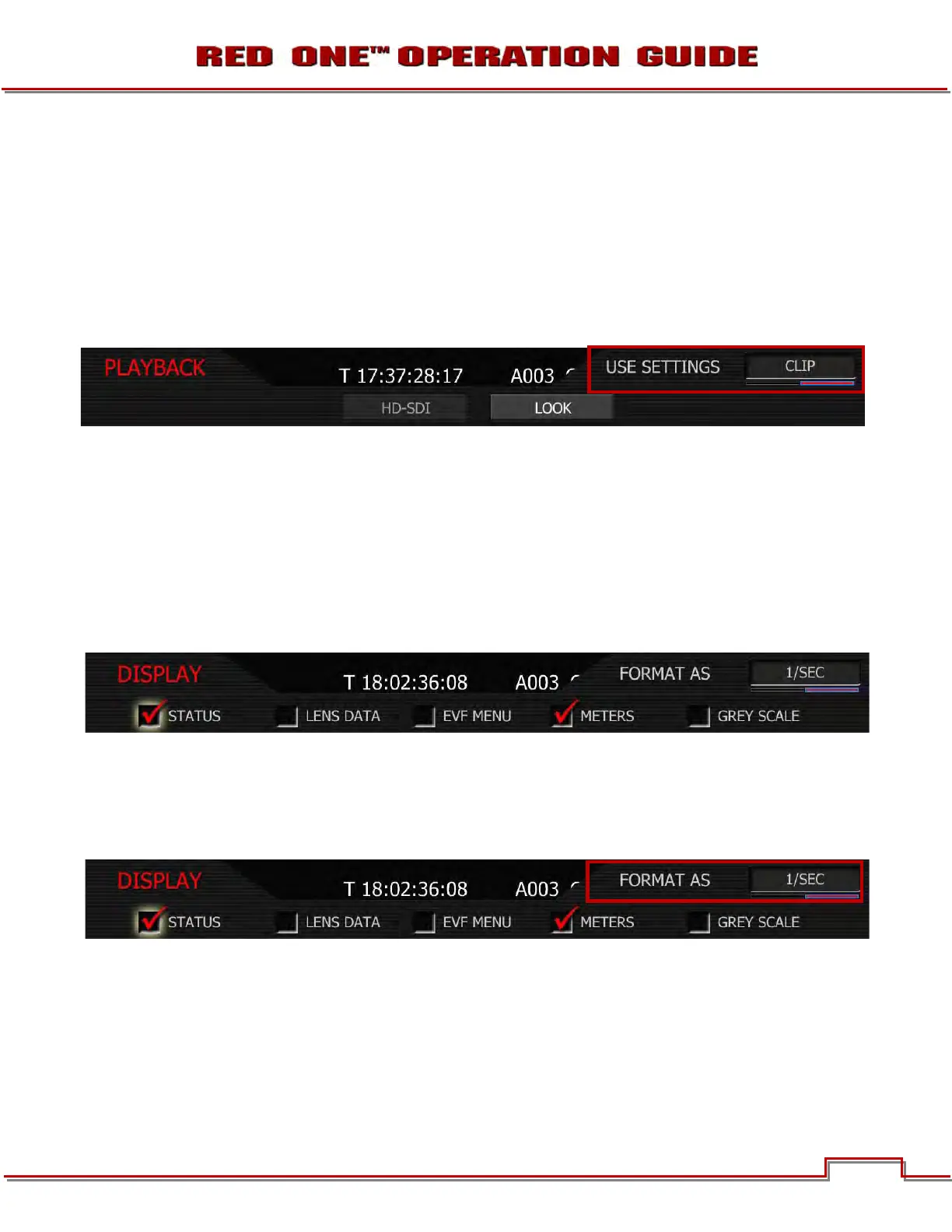
Look permits the look used by the camera on playback to be specified (default is CLIP).
NOTE: When viewing clips recorded on cameras with Build 21 v21.1.0 or later firmware, the camera
will playback the clip using the LOOK and VIEW parameters used when the clip was recorded.
CAMERA: forces the camera to use current LOOK values to color process recorded RAW data files when
played back on-camera.
CLIP: Forces the camera to use recorded LOOK metadata values to color process recorded RAW data
files when played back on-camera.
DISPLAY
Display permits specific elements of the camera external monitor display to be disabled.
NOTE: Enabling/disabling these items effects selected item on all external monitor outputs. Disabl-
ing the EVF Menu display also disables the EVF menu controls.
STATUS (PREVIOUSLY SHUTTER)
When checked, displays frame rate and sensor status on upper edge of all external monitors. Also allows
the user to choose if camera shutter value is reported in Degrees or 1/Seconds format.
NOTE: Status values are always input in 1/seconds format, irrespective of this choice.
1. To change status preferences, push in or down on joystick to place checkmark in the STATUS check-
box.
2. FORMAT AS box will highlight.
3. Twist joystick to change the highlighted FORMAT AS box to the desired setting.
4. Move joystick right, up or push in to set.



 To Next Page