Build 21 v21.4.1
© 2007-2010 RED.COM INC. FEBRUARY 23, 2010
58 58
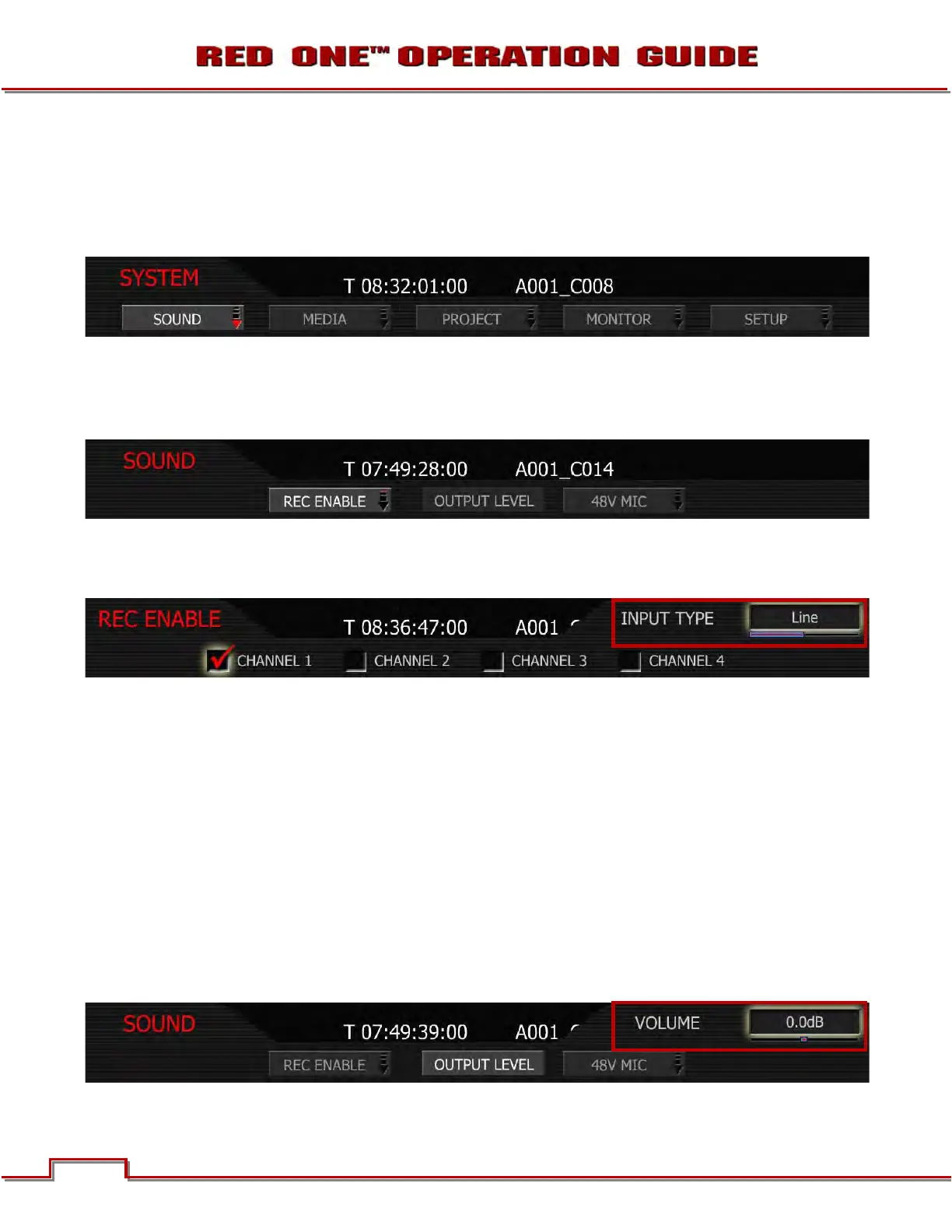
SYSTEM MENU CONTROLS
This section describes the various controls available to configure the camera. These parameters are ac-
cessed from the SYSTEM menu key, located below and left of the RECORD button. Options available are
SOUND, MEDIA, PROJECT, MONITOR and SETUP.
SOUND MENU
Sound menu provides output level adjustment, channel configuration and 48V management. Options
available are REC ENABLE, OUTPUT LEVEL and 48V MIC.
REC ENABLE
Push REC ENABLE to access the channel enable sub-menu.
Once enabled, the input type may be selected as either Line Level or Microphone Level. To help protect
against accidentally enabling +48V Phantom Power for Line Level input sources, or microphones that are
not capable of operating with 48V Phantom Power, 48V selection is provided in a separate sub menu ac-
cessed from the 48V ENABLE key of the Sound Menu.
1. Push in or down on joystick to place checkmark in desired channel checkbox.
2. INPUT TYPE box will highlight to allow you to choose between LINE and MIC.
3. Twist joystick to change the highlighted INPUT TYPE box to the desired setting.
4. Move joystick left or right to select and exit.
OUTPUT LEVEL
The OUTPUT LEVEL parameter permits the line level audio monitor output provided from the 5-pin mini-
XLR connector to be trimmed to achieve a 0dBu / 0.775V RMS / - 20dBFS when receiving or an equiva-
lent 0dBu / 0.775V RMS / - 20dBFS reference level input.
1. Select OUTPUT LEVEL and push in or down on Joystick.



 To Next Page