Build 21 v21.4.1
© 2007-2010 RED.COM INC. FEBRUARY 23, 2010
80 80
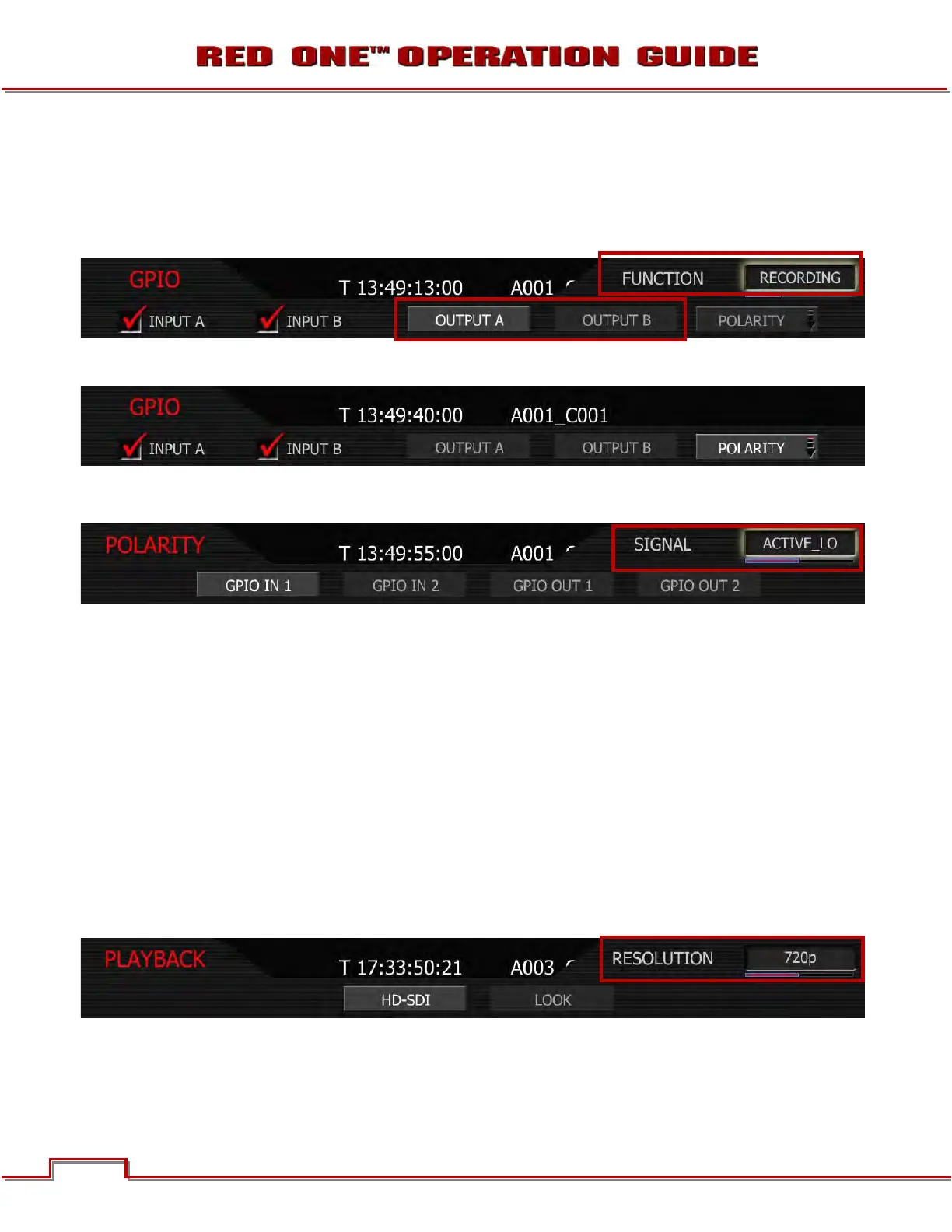
RECORDING: Transitions the output of the GPO at the Start and End of a recording.
NOTE: if in Time-lapse mode, GPO will maintain status until Time-lapse mode has been exited.
PLAYING: Transitions the output of the GPO when a Clip is playing in Playback mode.
CUED: Transitions the output of the GPO when a Clip is cued for Playback.
POLARITY
This menu permits the signal polarity of GPIO IN 1 and 2 and GPIO OUT 1 and 2 to be defined as either
ACTIVE_LO or ACTIVE_HI.
GPIO IN: ACTIVE_LO is the default, which means the GPIO IN command will be activated on a high to
low edge of an external control pulse. Set to ACTIVE_HI to use a low to high edge.
GPIO OUT: ACTIVE_HI is the default, which means the GPIO OUT tally output will be high when in nor-
mal, burst or ramp record modes, and low when not. Set to ACTIVE_LO to reverse this.
PLAYBACK
Playback selects the Playback Video Format sub-menu. This menu permits the video format and look
used by the camera on playback to be specified.
HD-SDI
HD-SDI sets the video format to be used by the HD-SDI output when camera is in PLAYBACK mode to
720p or 1080p. Default is 720p.
NOTE: When 1080p is selected, the HDMI output will not be compatible with the majority of DVI or
HDMI based computer monitors; therefore it should be considered as deactivated.
720p: Video output is 1280 x 720 pixels. For 4K images the monitored image width corresponds to 4,096
pixels scaled down to 1280 pixels. This signal is available on the HD Preview (HD-SDI and HDMI), HD
Program (Dual Link HD-SDI), RED EVF, and RED LCD outputs.



 To Next Page