Build 21 v21.4.1
© 2007-2010 RED.COM INC. FEBRUARY 23, 2010
34 34
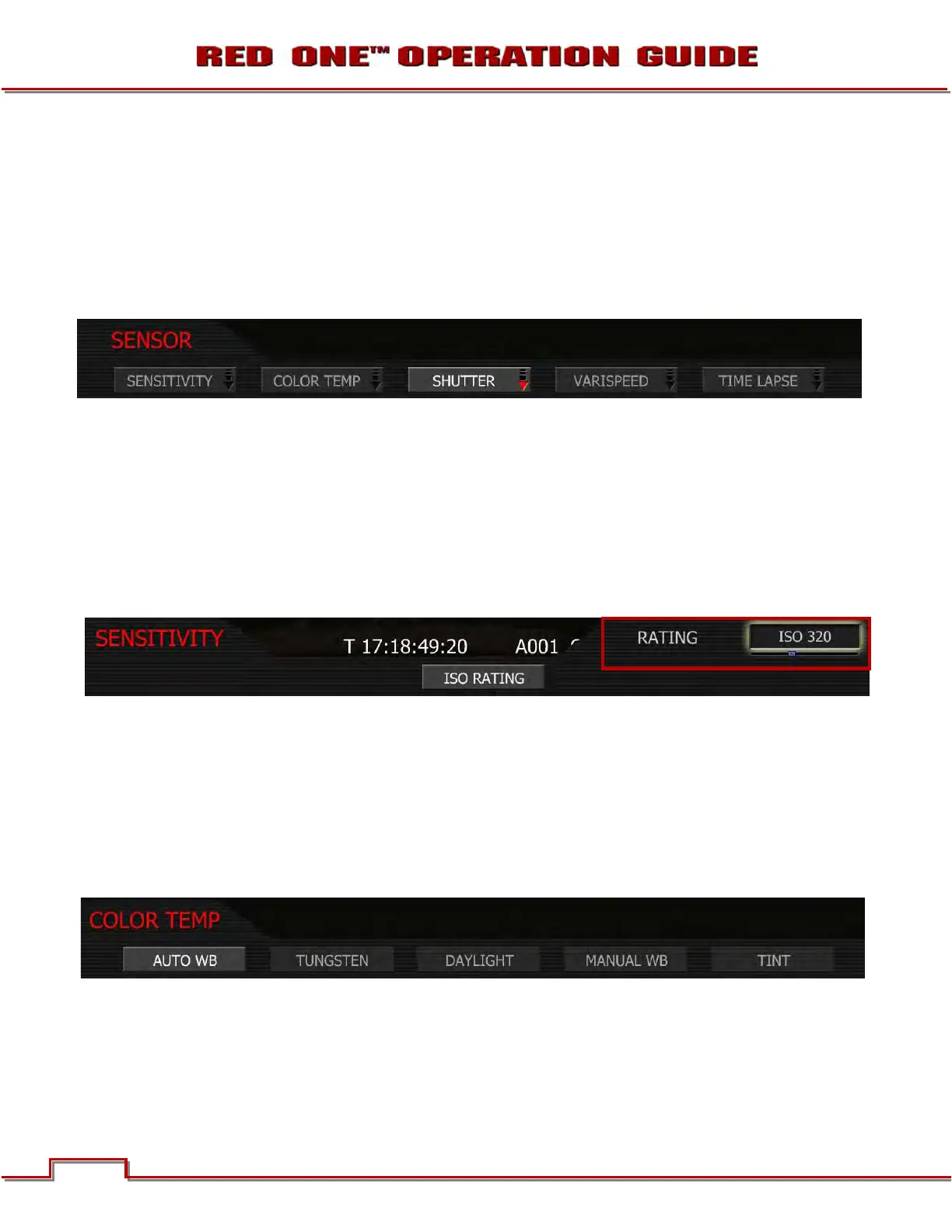
SENSOR MENU CONTROLS
This section describes how to set sensor specific menu parameters including Sensitivity, Shutter Speed,
Color Temperature, Varispeed and Time-lapse.
To access the Sensor main menu push the SENSOR menu button on the rear of the camera. To enter the
available sub-menus, use the joystick to highlight the desired selection and push joystick in or down.
NOTE: Sensitivity and Color Temperature metadata values are stored as metadata and are also
used to modify the RED LCD, RED EVF, Preview HD-SDI and HDMI monitor outputs. They do not
affect 12-bit REDCODE RAW data recording; the stored metadata values may be used by RED-
CODE RAW compatible NLE and image processing applications if desired.
SENSITIVITY
The sensitivity sub-menu allows you to adjust the camera’s operating sensitivity. The default sensitivity
value is ISO 320; adjustable in 1/3
rd stop increments from ISO 100 to ISO 2000. When sensitivity is ad-
justed, the camera metadata logs the change and the monitor path reacts accordingly.
1. To adjust, twist joystick to change the highlighted RATING box to the desired setting (default is ISO
320).
2. Push up on the joystick to set and return to the previous menu (SENSOR main menu) or push the EXIT
button to exit the menu completely.
COLOR TEMP
The Color Temperature sub-menu adjusts the purity of white reproduction of the RGB monitoring paths at
different Color Temperatures of ambient light. Factory default is 5,600 degrees Kelvin.
AUTO WB: The Automatic White Balance (AUTO WB) function allows the camera to calculate a Color
Temperature that will render a white object as white. AWB mode analyzes the central 25% of the image
visible in the monitor.
To use AUTO WB, place a white or gray object under the ambient light, select the AUTO WB parameter
and then push in on the joystick once. AUTO WB may also be assigned to a User Key.



 To Next Page