Build 21 v21.4.1
© 2007-2010 RED.COM INC. FEBRUARY 23, 2010
44 44
AUDIO / VIDEO MENU CONTROLS
This section describes monitor path parameters such as viewfinder, and RGB color and gains. These pa-
rameters are accessed from the VIDEO menu access key.
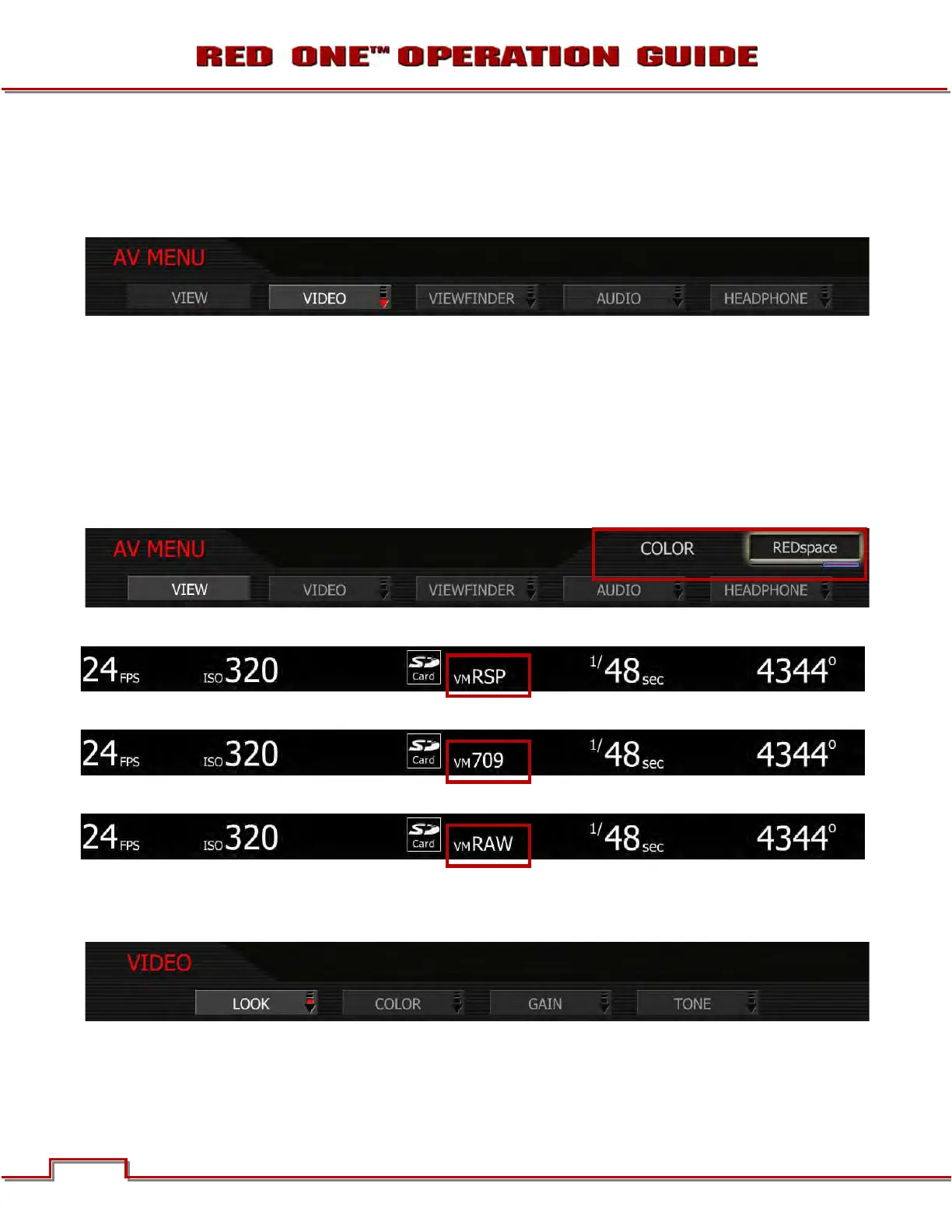
Available sub menus include VIEW, VIDEO, VIEWFINDER, AUDIO and HEADPHONE. To access the AV
MENU push the VIDEO menu button on the rear of the camera. To enter the available sub-menus, use the
joystick to highlight the desired selection and push joystick in or down.
VIEW
The VIEW sub menu allows the user to choose the mode of monitor path image processing. Choices are
REDspace, REC 709 and RAW. To adjust: Select VIEW and twist joystick to change the highlighted CO-
LOC box to the desired setting (default is REDspace.) The corresponding view will be displayed at the top
of the screen.
REDspace: Monitor path image processing uses custom REDspace tonal response curve (default).
REC709: Monitor path image processing uses SMPTE REC 709 tonal response curve.
RAW: Monitor path image represents the RAW sensor data, bypassing the color matrix.
VIDEO
The four available submenus are LOOK, COLOR, GAIN and TONE.
NOTE: Color and Gain and Tone values used by the monitor path are stored as metadata for use in
REDCODE RAW compatible image processing applications. They can be used to visualize a specif-
ic color “look” but do not affect the REDCODE RAW recorded data.



 To Next Page