Build 21 v21.4.1
FEBRUARY 23, 2010 © 2007-2010 RED.COM INC.
35
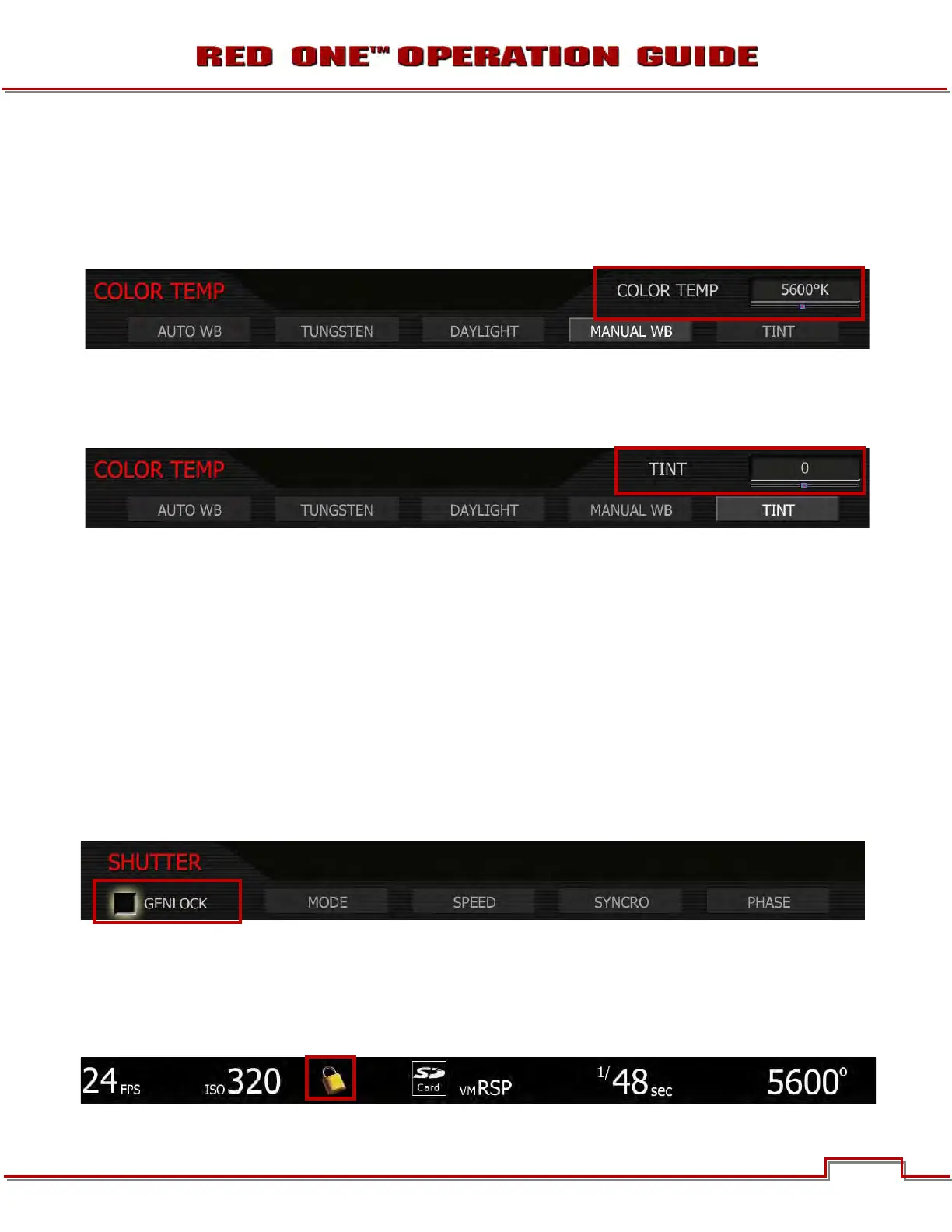
TUNGSTEN: Preset to 3,200K.
DAYLIGHT: Preset to 5,600K.
MANUAL WB: Allows you to manually set Color Temperature in the range from 1,700 to 10,000 degrees
Kelvin. To adjust: Select MANUAL WB and twist joystick to change the highlighted COLOR TEMP box to
the desired setting (default is 5,600K).
TINT: Color Temperature calculations assume a pure light source that may not be true in the specific
scene the camera is imaging. To compensate for any residual colorcast, the TINT parameter can adjust
the RGB color balance with a compensating Magenta - Green color component. To adjust: Select TINT
and twist joystick to change the highlighted TINT box to the desired setting.
NOTE: Pushing AUTO WB calculates a new Tint value. This is maintained if the Color Temp is ad-
justed via the Manual WB parameter. If you select the Tungsten or Daylight presets, Tint will be re-
set to zero, which is the default value.
SHUTTER MENU
Adjusts exposure time of each frame captured by the MYSTERIUM sensor. Shutter speed presets are
available for all common speeds (and corresponding angles) at 24 / 25 fps and 50 / 60 fps.
Preset shutter speeds may be adjusted using the RELATIVE and SYNCRO shutter parameters.
GENLOCK
References Shutter scan start time (phase) to an external Tri-Level Sync genlock signal. For 3D and multi-
camera, permits scan time and scan phase of all cameras to be matched. To select: Use joystick to high-
light GENLOCK checkbox. Push in or down on joystick to place checkmark in GENLOCK checkbox.
GENLOCK ICON
When GENLOCK is checked, a PADLOCK icon will be displayed at the top of the EVF, LCD and all exter-
nal monitors. An external GENLOCK signal generator will need to be connected to the GENLOCK connec-
tor to allow full use of this feature (refer to GENLOCK INPUT under APPENDIX D: INPUT/OUTPUT CON-
NECTORS).



 To Next Page