Build 21 v21.4.1
© 2007-2010 RED.COM INC. FEBRUARY 23, 2010
66 66
REDCODE 36 REDFLASH 8GB REDFLASH 16GB RED-DRIVE RED-RAM
2K 2:1 60 fps 60 fps 60 fps 60 fps
2K 16:9 60 fps 60 fps 60 fps 60 fps
2K ANA 60 fps 60 fps 60 fps 60 fps
3K 2:1 30 fps 30 fps 50 fps 60 fps
3K 16:9 30 fps 30 fps 50 fps 50 fps
3K ANA 50 fps 60 fps 60 fps 60 fps
4K 2:1 25 fps 30 fps 30 fps 30 fps
4K HD ---- 25 fps 30 fps 30 fps
4K 16:9 ---- 25 fps 25 fps 30 fps
4K ANA 25 fps 30 fps 30 fps 30 fps
4.5K WS ---- 30 fps 30 fps 30 fps
REDCODE 42 REDFLASH 8GB REDFLASH 16GB RED-DRIVE RED-RAM
4K 2:1 ---- 25 fps 25 fps 25 fps
4K HD ---- 25 fps 25 fps 25 fps
4K ANA ---- 25 fps 25 fps 25 fps
4.5K WS ---- 25 fps 25 fps 25 fps
NOTE: Frame rates of “30” and “60” should be read as “29.97” and “59.94” respectively.
NOTE: An individual project should only use one Time Base, as it defines the frame rate used for
timecode and editing. To vary the capture frame rate above or below the base frame rate defined
by the project’s time base, enable VARISPEED in the SHUTTER menu.
NOTE: When in 2K, 3K or 4K ANA mode, RED EVF, RED LCD and PVW HD-SDI and HDMI outputs
will be stretched 2:1 horizontally to provide a 2.40:1 aspect ratio image display.
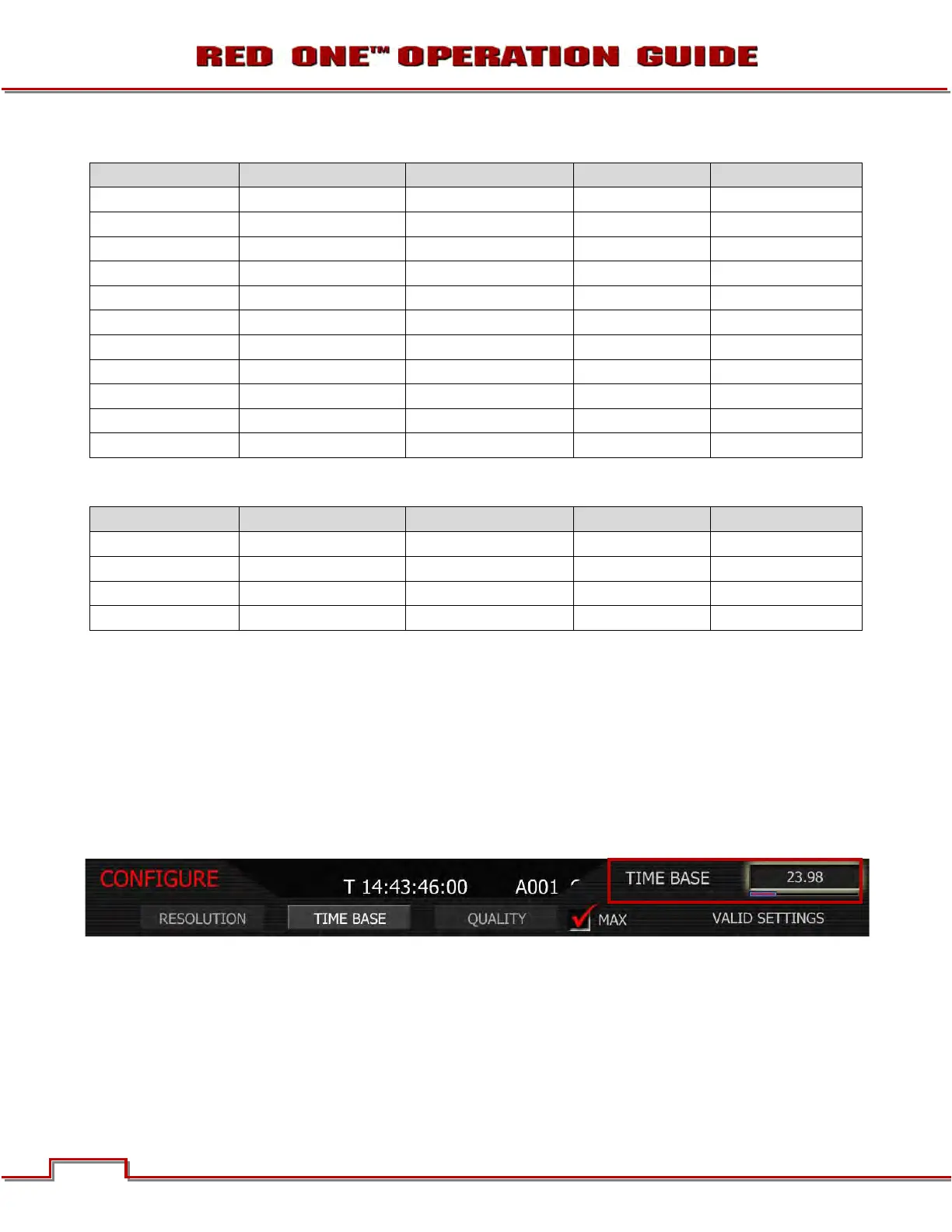
TIME BASE
Time base allows the user to set the project time base - the playback & editing frame rate.
1. To set time base, select TIME BASE and press in or down on joystick.
2. Twist joystick to change the highlighted TIME BASE box to select between 23.98 and 29.97.
3. Move Joystick right or up to select and exit.



 To Next Page