Build 21 v21.4.1
© 2007-2010 RED.COM INC. FEBRUARY 23, 2010
50 50
With camera sensitivity set to ISO 320, and viewing REDSPACE or REC 709, the equivalent IRE val-
ues for green and pink are:
Color
IRE Values
REC 709
IRE Values
REDSPACE
Green 45 - 47 56 - 59
Pink 60 - 63 67 - 70
• To adjust Sensitivity to ISO 320, go to SENSITIVITY under SENSOR MENU CONTROLS.
• To set view as REC 709 or REDSPACE, refer to VIEW under AUDIO/VIDEO MENU CONTROLS.
EDGE HIGHLIGHT: Items that are in focus are outlined in red over monochrome.
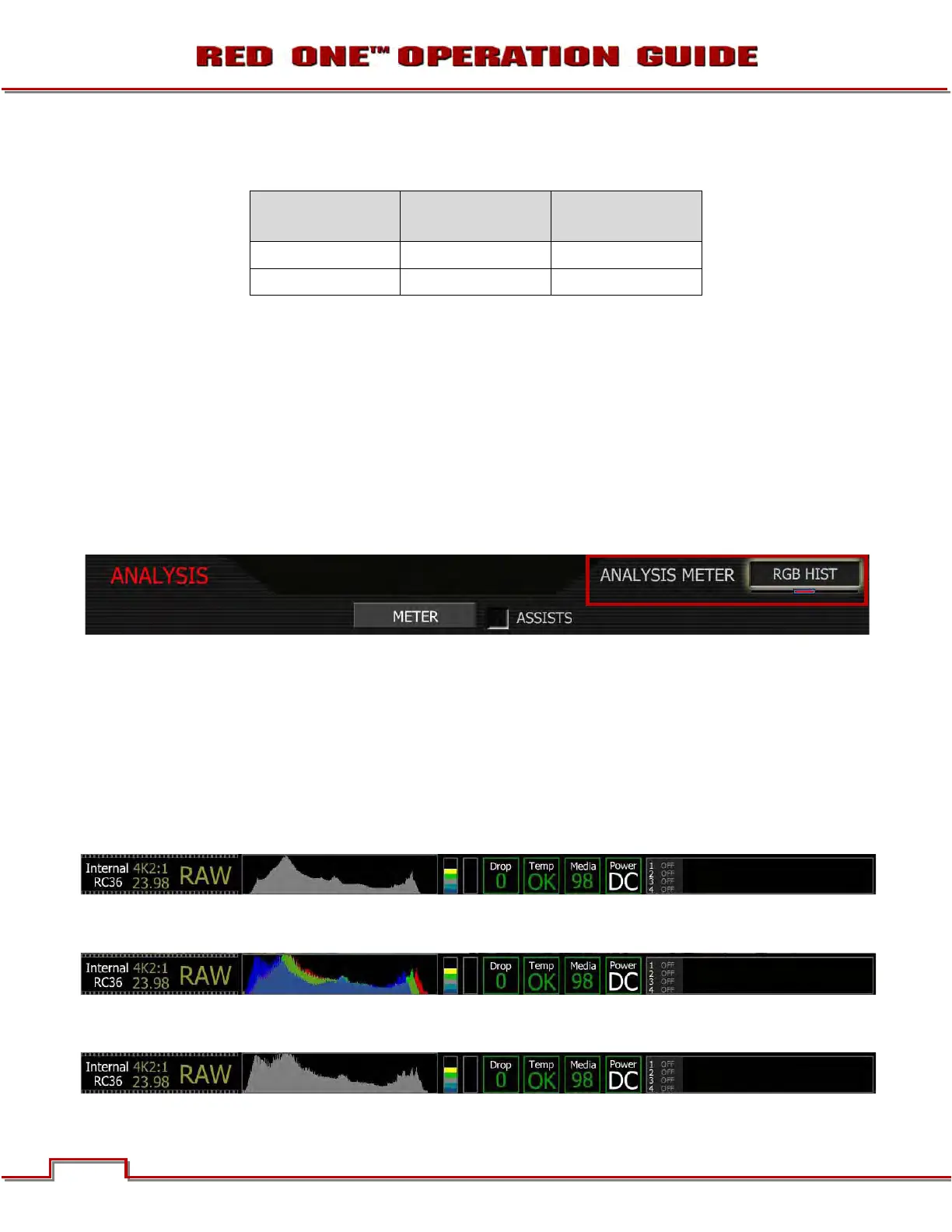
METER
Meters allow the operator to verify camera exposure independently of False Color overlays. Selections
include SPOT METER and five types of histogram: LUMA (luminance), RGB (a composite of Red Green
and Blue), MONO (equal to the RGB area but without color) and RAW (a composite of colorless RGB
overlaid by true sensor exposure)
To adjust: Select METER and twist joystick to change the ANALYSIS METER to the desired setting.
LUMA HIST/RGB HIST/MONO HIST/RAW HIST: Select a histogram that best illustrates the exposure
distribution of your scene.
NOTE: Histograms are affected by White Balance, ISO, VIEW and LOOK settings, however if VIEW
is set to RAW, histograms will represent the exposure levels at the sensor i.e. prior to White Bal-
ance, ISO, VIEW and LOOK settings. The RAW histogram is the exception to this rule, in this case
the sensor exposure graph always represents true sensor exposure even though the underlying
colorless RGB graph will still be affected by White Balance, ISO, VIEW and LOOK settings.
LUMA HISTOGRAM: Displays the luminance values of the RGB monitor path (or sensor exposure when
VIEW is set to RAW).
RGB HISTOGRAM: Displays the RGB values of the RGB monitor path (or sensor exposure when VIEW is
set to RAW).
MONO HISTOGRAM: Displays the area of the RGB values of the RGB monitor path (or sensor exposure
when VIEW is set to RAW).



 To Next Page