Build 21 v21.4.1
FEBRUARY 23, 2010 © 2007-2010 RED.COM INC.
45
LOOK
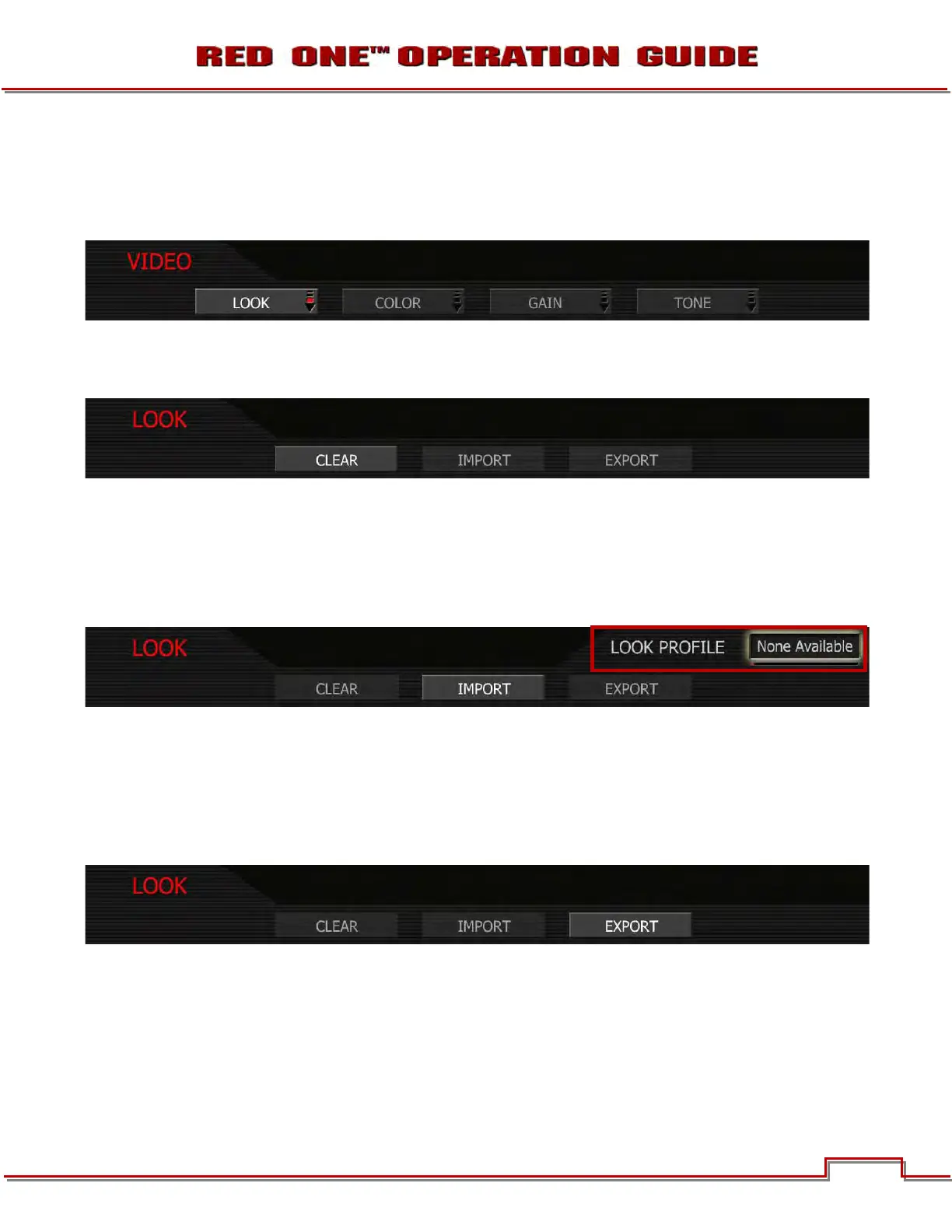
The LOOK menu permits Video, Gain and Tone values to be exported or imported from an SD Card. Look
files may be read by another camera, but not RED Alert! or REDCINE. Push joystick down or in to select
desired change.
CLEAR: Resets the settings for Color, Gain and Tone menu parameters to their default values. When se-
lected, camera will display “SUCCESSFULLY RESTORED SETTINGS ‘look’ settings restored to Factory
Default Values. Select OK.
IMPORT: The current settings for Color and Gain parameters will be overwritten by the values stored on
the SD Card. The available LOOK files will be listed in alphabetical order, e.g.
• PROFILE_1
• PROFILE_2
• MAGENTA_TINT
To adjust: When IMPORT is selected, the LOOK PROFILE box will be highlighted. Twist joystick like a
knob to select, push joystick down or in to set.
NOTE: If no profiles are available, NONE AVAILABLE will be displayed in the LOOK PROFILE box.
EXPORT: The current settings for Color and Gain parameters are stored to the SD Card. The camera ge-
nerates a file name of the format PROFILE_**.RLK. For detailed information on exporting LOOK files, go to
APPENDIX C: SAVING LOOK/USER PROFILE.



 To Next Page