Build 21 v21.4.1
© 2007-2010 RED.COM INC. FEBRUARY 23, 2010
42 42
INTERVAL: The camera waits for the period of time defined by the Interval parameter. See INTERVAL.
ONE-SHOT: The camera waits for a side record command or external GPI contact closure.
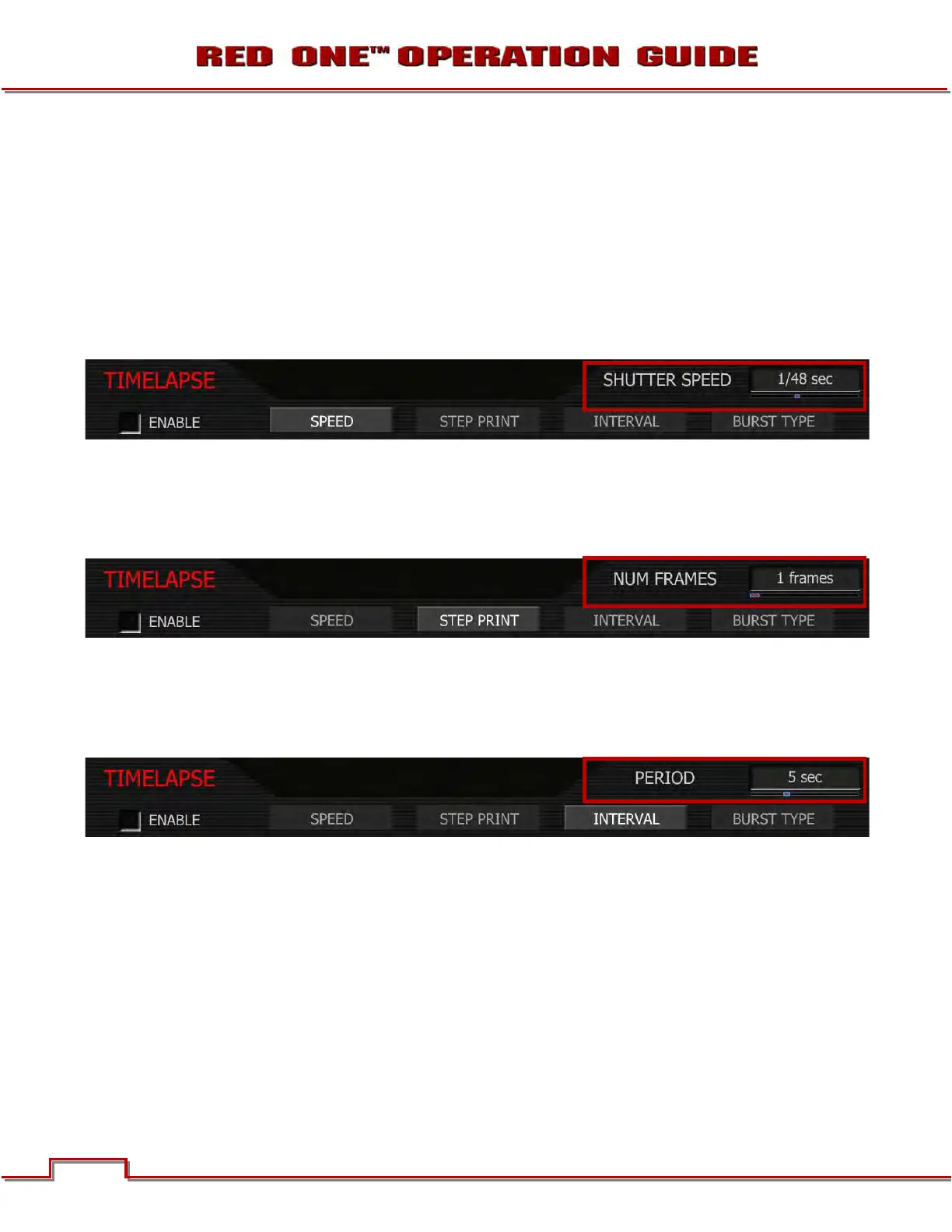
SPEED
Specifies the shutter speed to be used during Time-lapse. This control is the same as is available in the
Shutter menu, but it provides access to additional shutter speeds that may be used in Time-lapse record-
ing. To adjust: Select SPEED and twist joystick to change the highlighted SHUTTER SPEED box to the
desired setting.
The additional exposure time presets are 1/2, 1/3 1/4, 1/6, 1/8, 1/12, 1/16 second.
STEP PRINT
Specifies the number of times each single frame captured in Time-lapse mode is to be recorded to the
digital media. Range is 1 to 10 frames. To adjust: Select STEP PRINT and twist joystick to change the
highlighted NUM FRAMES box to the desired setting (default is 1 frame.)
INTERVAL
Specifies the number of seconds the camera will wait before the next image is captured. Range is 1 to
1024 seconds. To adjust: Select INTERVAL and twist joystick to change the highlighted PERIOD box to
the desired setting (default is 5 seconds.)



 To Next Page