Build 21 v21.4.1
FEBRUARY 23, 2010 © 2007-2010 RED.COM INC.
31
QUALITY
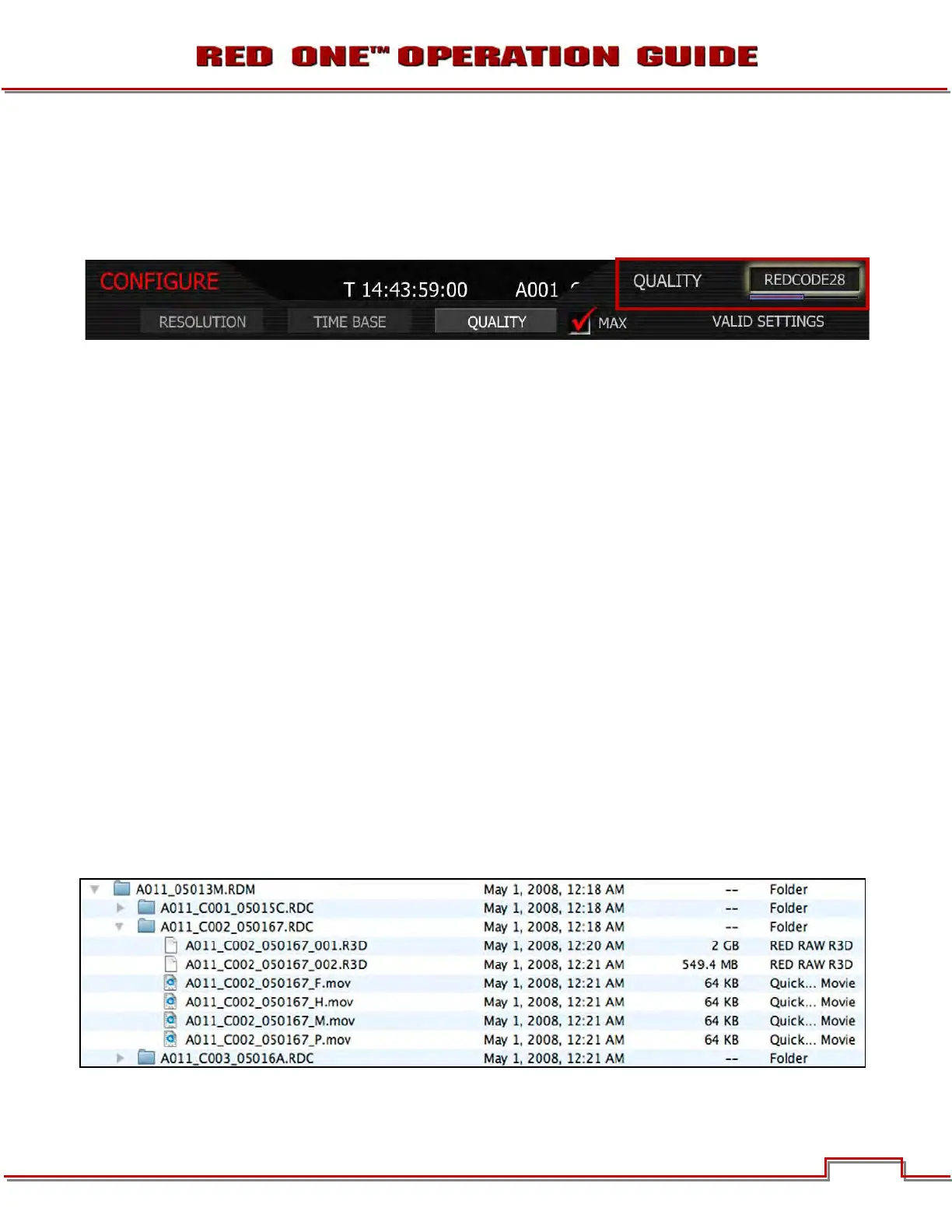
Selecting QUALITY will highlight the upper right hand menu item and give you the following options:
• REDCODE 28 • REDCODE 36 • REDCODE 42
1. To view options, twist joystick.
2. Choose between REDCODE 28, REDCODE 36 (Default) and REDCODE 42.
3. Push joystick in or down to set the selected quality.
NOTE: Choosing REDCODE 36 limits available frame rates and resolutions to CF cards.
RECORDING
Ensure a RED-DRIVE or RED-RAM are connected or a REDFLASH Compact Flash card is inserted in the
camera. To record, use either of the RECORD buttons located on the rear and left side of the camera.
Push once to begin recording, push again to stop recording. The camera will automatically create a file
name for every clip recorded on the digital magazine or media.
REDCODE RAW data recordings store the Color Temperature and Exposure (ISO) and any RGB color
processing values you use in the monitor path as metadata. This metadata is used in RED Alert! or other
post production software as initial white balance, exposure and color correction points i.e. you can
change these if you wish when you process the RAW footage.
Time Code and Edge Code values used by the camera are Non Drop Frame (NDF); Drop Frame (DF) is not
supported. Audio is captured at 48KHz 24-bit resolution per channel, uncompressed.
Digital media should be treated with equal care as exposed film or a videotape master. We recommend
storing digital media that contains your footage in a secure location and backing up the data on another
digital media, such as data tape or a hard disk drive.
Each clip is recorded to the digital media in a separate folder and with a unique clip name. To copy the
clip from the digital media to a Macintosh or Windows computer, just drag and drop its folder to the com-
puter’s storage device. If you open the Clip folder, it will look like this:
The Clip folders (.RDC) are held in a root directory (.RDM) on the digital magazine. In each folder there will
be one or more REDCODE RAW data files (.R3D) containing RAW sensor data, plus audio and metadata,



 To Next Page