Build 21 v21.4.1
© 2007-2010 RED.COM INC. FEBRUARY 23, 2010
14 14
CAMERA DISPLAYS
The LCD status display mounted at the rear of the RED ONE camera provides a snapshot of the camera
setup.
RED LCD and RED EVF monitors are factory preset digital displays. There are no saturation, peaking or
contrast adjustments as found on analog monitors to correct color reproduction.
Monitor outputs on the RED ONE camera are set up for REC 709 gamma and color space.
Image intensity can be adjusted to compensate for ambient lighting conditions. For the RED LCD, use the
Up / Down keys on top of the display. For the RED EVF use the rotary encoder.
To assist with exposure, all monitor outputs can display a dual Zebra pattern and a False Color exposure
meter overlaid on the video. In addition the RED EVF and RED LCD outputs can display a RGB histogram,
exposure “stop lights” and RAW sensor data exposure meter.
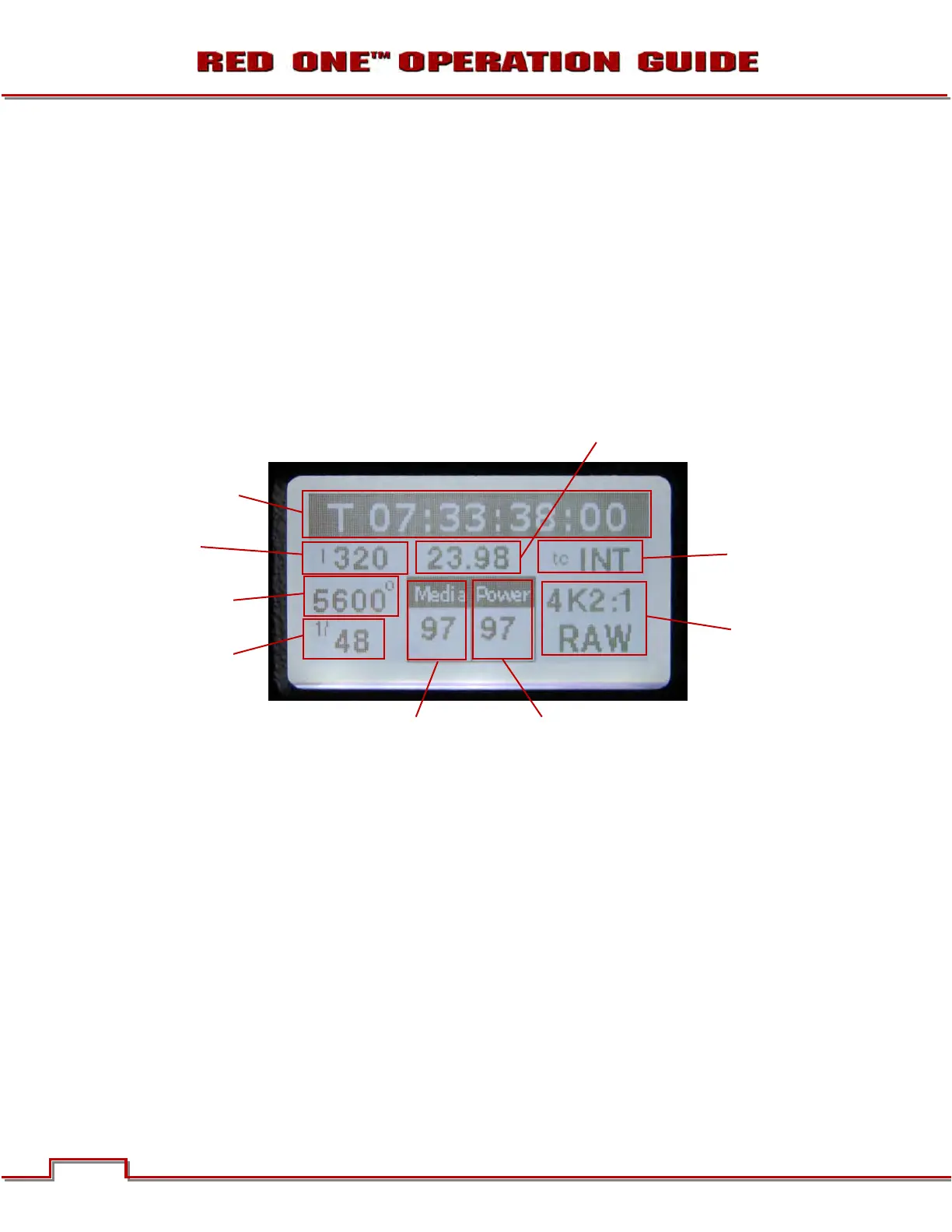
CAMERA LCD STATUS DISPLAY
Figure 7 – Camera LCD Display
The LCD status display elements include:
• Timecode / Status: Displays current timecode
value, clip name or system messages
• ASA Value: Displays current exposure index
• Project Frame Rate: Displays the project frame
rate, 23.98 fps in this example
• Timecode: Displays timecode lock status
• White Balance: Displays current color temp
• Media: Displays remaining media capacity in %
• Power: Displays remaining battery capacity in
% (as shown) or connection to DC power
• Shutter Speed: Displays current exposure time
• Format: Displays video recording format, 4K
RAW in this example
NOTE: The timecode value reported is Edge Code or Time Code, as selected by the user in the
TIMECODE menu. During recording, the Clip Name is reported in this display field.
TIMECODE / STATUS
ASA VALUE
WHITE BALANCE
SHUTTER SPEED
TIMECODE
FORMAT
PROJECT FRAME RATE
MEDIA POWER



 To Next Page