Build 21 v21.4.1
© 2007-2010 RED.COM INC. FEBRUARY 23, 2010
54 54
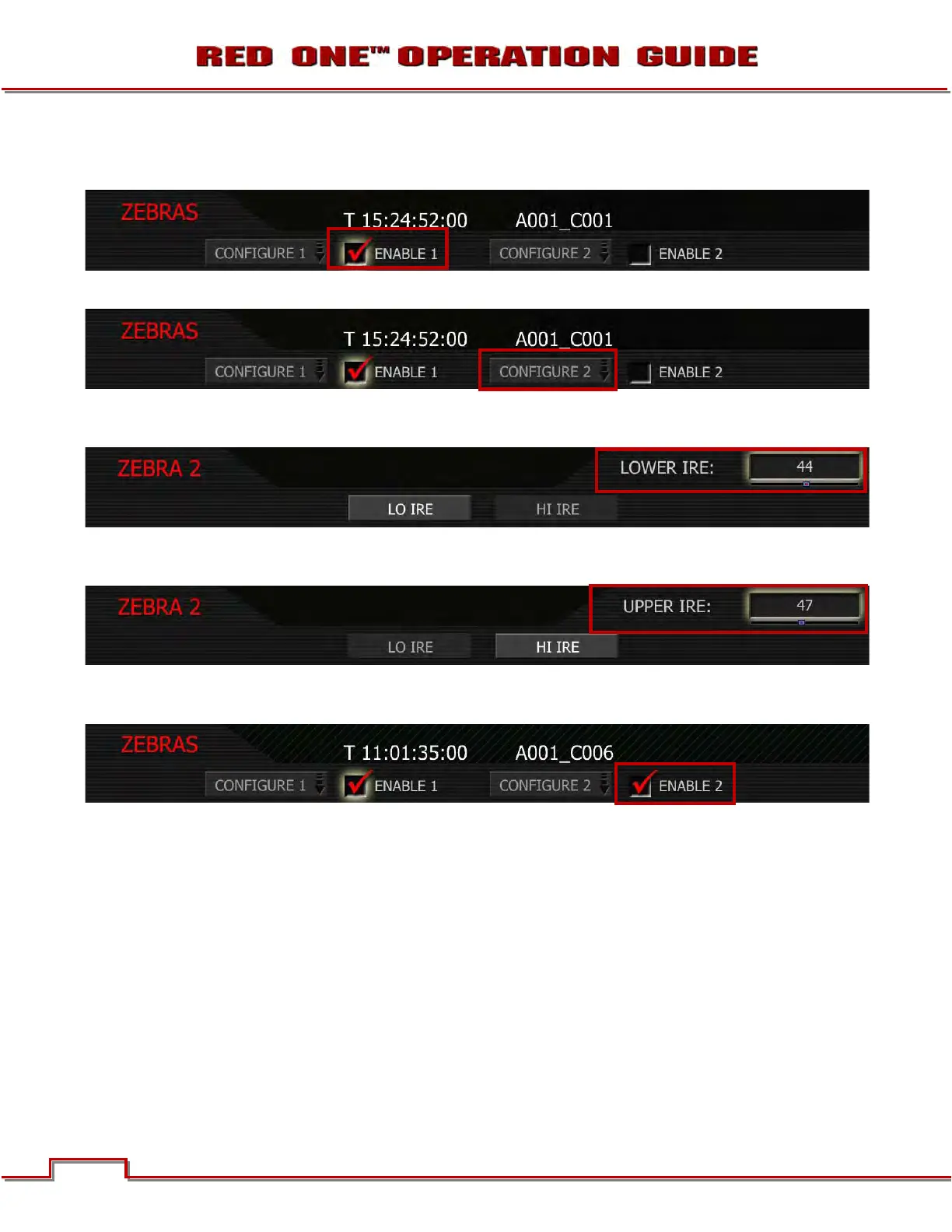
ENABLE 1: By selecting this checkbox, settings under CONFIGURE 1 are used. To select: Highlight and
push in or down on joystick to place checkmark in ENABLE 1 checkbox. Default is Enabled.
CONFIGURE 2: Takes you to ZEBRA 2 sub-menu. Choose between LOW IRE and HI IRE settings.
To adjust LO IRE: Select LO IRE and twist joystick to change the LOWER IRE: box to the desired setting
between 0 and 84 (default is 0).
To adjust HI IRE: Select HI IRE and twist joystick to change the UPPER IRE: box to the desired setting
between 5 and 93 (default is 3).
ENABLE 2: By selecting this checkbox, settings under CONFIGURE 2 are used. To select: Highlight and
push in or down on joystick to place checkmark in ENABLE 2 checkbox. Default is Disabled.
ZEBRA CONFIGURE 1: default settings are ENABLED with highlight indication set as LOW IRE: 101 / HI
IRE: 108.
ZEBRA CONFIGURE 2: default settings are ENABLED with shadow indication set as LOW IRE: 0 / HI
IRE: 3.
Areas of the image exposed within these ranges will be indicated by crosshatched overlays.
Zebra 1 crosshatch pattern is oriented NW/SE and Zebra 2 is oriented NE/SW. If the Zebras overlap, Ze-
bra 1 has display priority.



 To Next Page