Build 21 v21.4.1
© 2007-2010 RED.COM INC. FEBRUARY 23, 2010
48 48
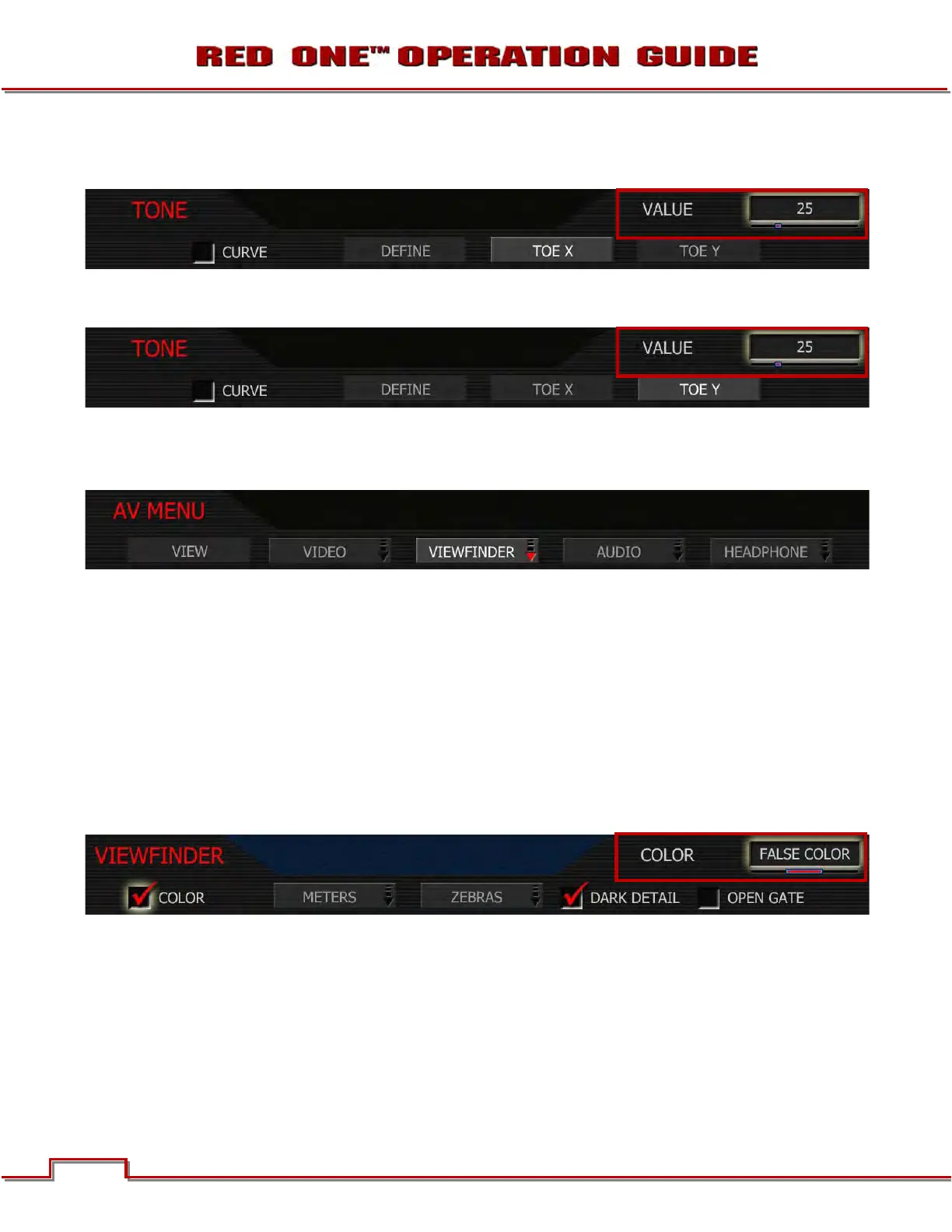
TOE X: Adjusts the location of a control point along the X-axis on the tonal response curve. Label will
change based on DEFINE selection.
TOE Y: Adjust the location of a control point along the Y-axis on the tonal response curve. Label will
change based on DEFINE selection.
VIEWFINDER MENU
This menu permits the operator to adjust operation of the viewfinder.
COLOR
When checked, forces the RED EVF and RED LCD outputs to monochrome or a false color exposure as-
sist or Edge Highlight.
1. To select and adjust, use joystick to highlight COLOR checkbox.
2. Push in or down on joystick to place checkmark in COLOR checkbox.
3. COLOR box will highlight to allow you to choose between MONOCHROME, FALSE COLOR or EDGE
HIGHLIGHT.
4. Twist joystick to change the highlighted COLOR box to the desired setting.
5. Move joystick right to select and exit.
MONOCHROME: The color component of the image is removed.
FALSE COLOR: When False Color is selected, the color component of the image is replaced by an over-
lay of colored bands representing the exposure levels with the image. Bluer colors represent underex-
posed areas, green represents 18% ND, yellows and reds represent more exposed areas.



 To Next Page