Build 21 v21.4.1
FEBRUARY 23, 2010 © 2007-2010 RED.COM INC.
69
3. Move Joystick right or up to select and exit.
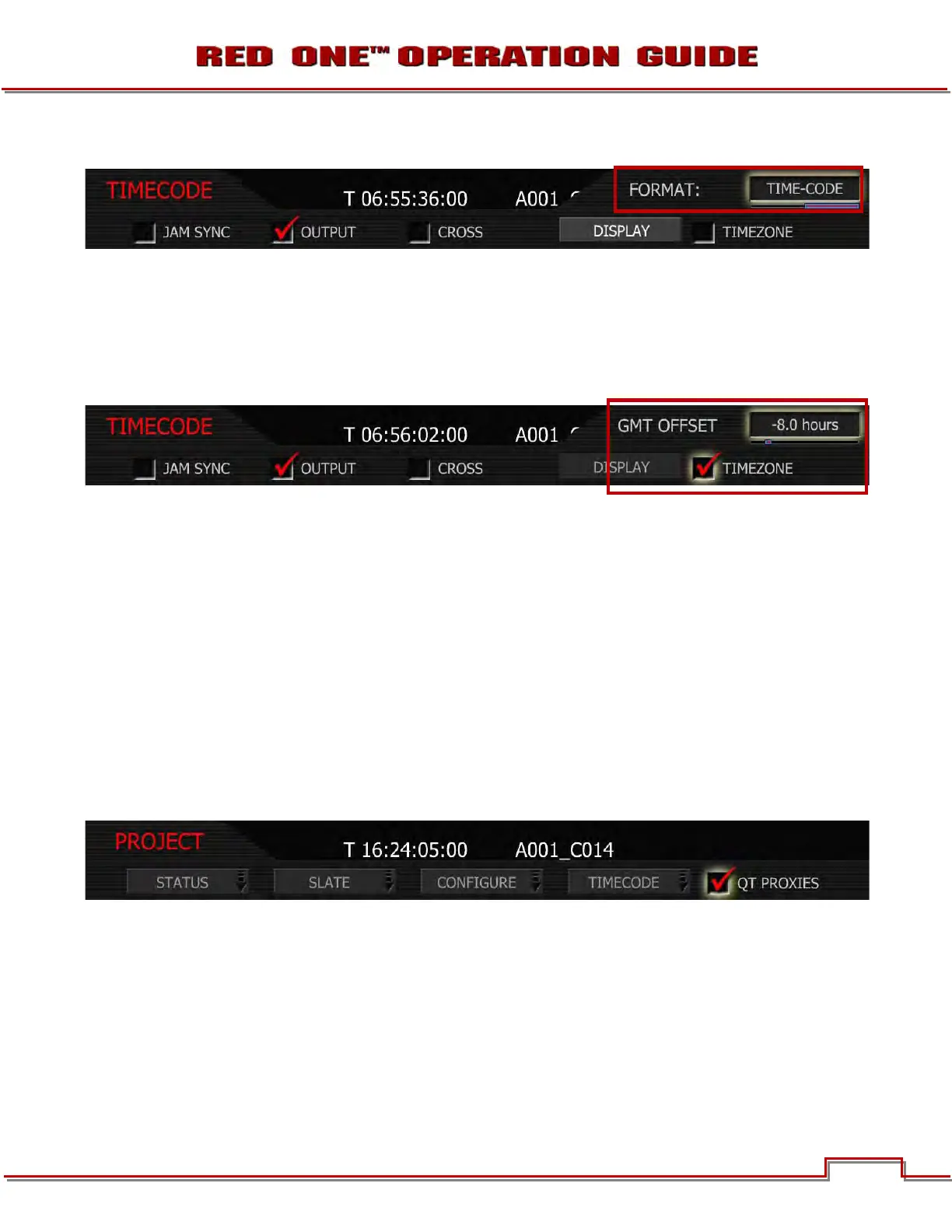
EDGE-CODE: If Edge Code is selected, “E” precedes the value shown in the status display.
TIME-CODE: If Time Code is selected, "T," precedes the value shown in the status display. Default set-
ting is Time Code.
TIMEZONE
Applies a time offset to the SET CLOCK value established for the camera.
1. Push in or down on joystick to place checkmark in TIMEZONE checkbox.
2. GMT OFFSET box will highlight to allow you to choose between -12.0 hours and 14.0 hours.
3. Twist joystick to change the highlighted GMT OFFSET box to the desired setting.
4. Move joystick left or up to select and exit.
If camera Date and Time are set to GMT, and then set TIMEZONE to –8 for West Coast US (Pacific) time
etc. Or set Date and Time to local time, and set the TIMEZONE value to 0.
NOTE: Current GMT date and time can be found using this web site or equivalent service –
http://wwp.greenwichmeantime.com/info/current-time.htm
QT PROXIES
When checked, the camera will create a QuickTime reference movie at the completion of each clip record.
These movies are placed in the same folder as the .R3D file. While the movies are being created the cam-
era reports “POST” in the status display. Checked by default.



 To Next Page