Build 21 v21.4.1
© 2007-2010 RED.COM INC. FEBRUARY 23, 2010
92 92
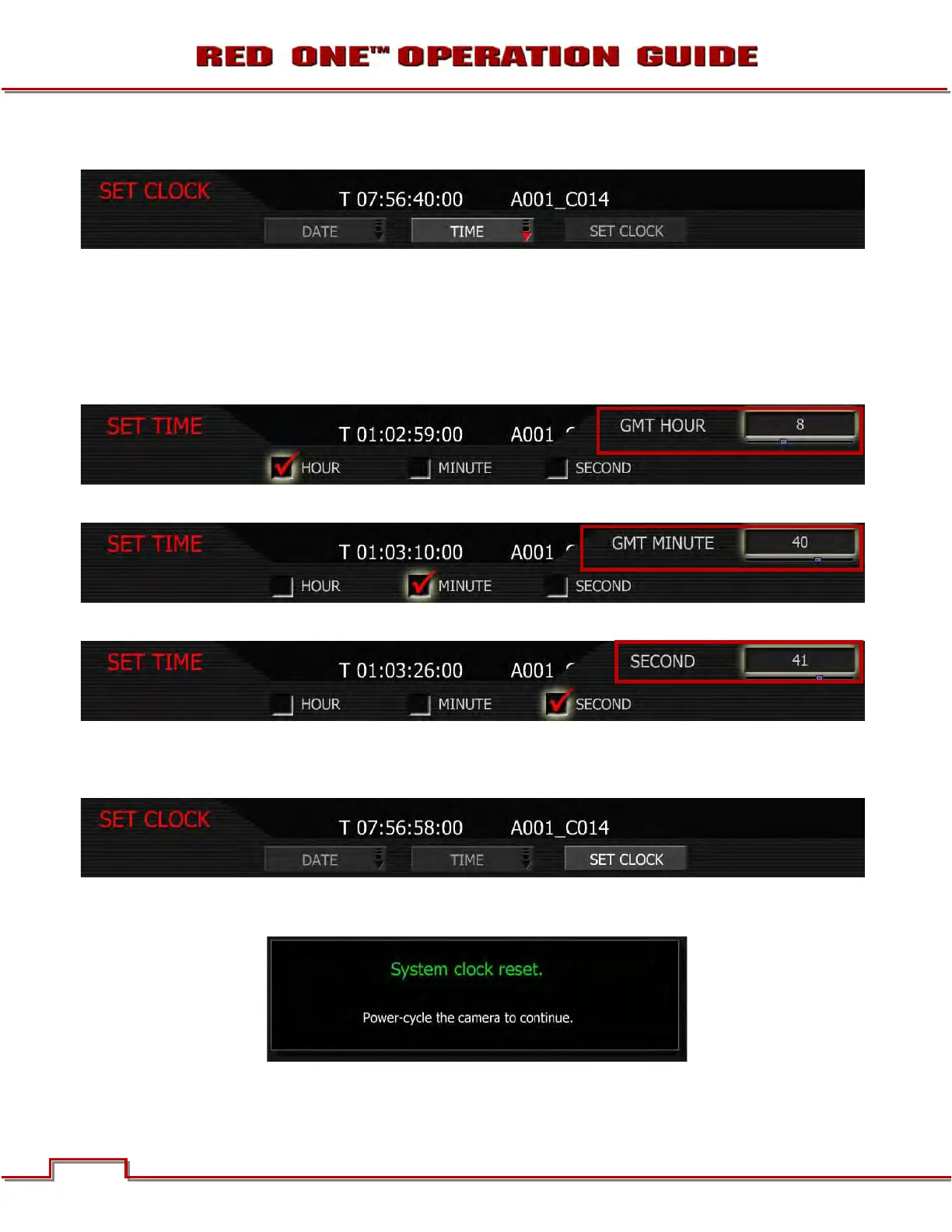
SET TIME
1. To change time, push in or down on joystick to place checkmark in the desired checkbox.
2. Box on lower right will highlight.
3. Twist joystick to change the highlighted box to the desired setting.
4. Move Joystick up or push in to set.
HOURS: allows the operator to enter new value for hours (24 hour format) between 0 – 23.
MINUTES: allows the operator to enter new value for minutes between 0 – 59.
SECONDS: allows the operator to enter new value for seconds. Range 0 – 59.
SET CLOCK
Set Clock loads the selected Date and Time parameters into the camera’s system memory.
NOTE: After pushing this key the camera will require re-boot as displayed. The new parameters will
take effect, and be visible as TIME CODE, on completion of the re-boot cycle.



 To Next Page