Build 21 v21.4.1
© 2007-2010 RED.COM INC. FEBRUARY 23, 2010
46 46
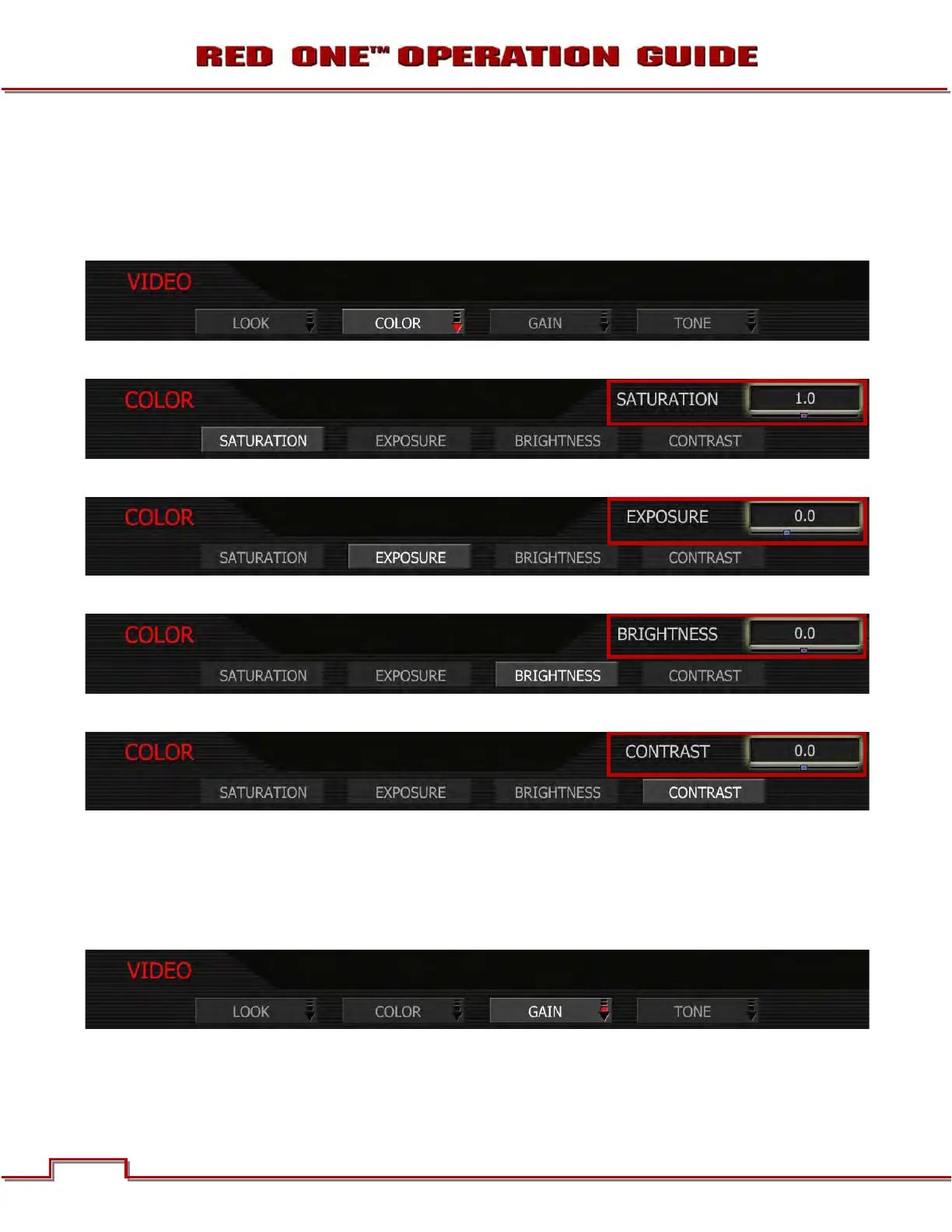
COLOR
The Color sub-menu selects various image processing parameters that may be applied to the monitor
path (SATURATION, EXPOSURE, BRIGHTNESS and CONTRAST). They do not affect the actual RED-
CODE RAW data being recorded. To adjust: Select the desired setting and twist joystick to change the
highlighted box to the desired setting.
SATURATION: Adjusts color saturation. Range is 0.0 (monochrome) to + 2.0 (super color).
EXPOSURE: Adjusts exposure compensation. Available exposure range is – 2.0 to +4.0.
BRIGHTNESS: Adjusts brightness without crushing highlights. Available range is – 10 to + 10.
CONTRAST: Adjusts the overall contrast of the image. Range is -1.0 (flat) to +1.0 (max contrast)
GAIN
The Gain sub-menu selects various image processing parameters that may be applied to the monitor path
(MASTER, RED GAIN, BLUE GAIN and GREEN GAIN). They do not affect the actual REDCODE RAW data
being recorded. To adjust: Select the desired setting and twist joystick to change the highlighted box to
the desired setting.



 To Next Page