Build 21 v21.4.1
FEBRUARY 23, 2010 © 2007-2010 RED.COM INC.
93
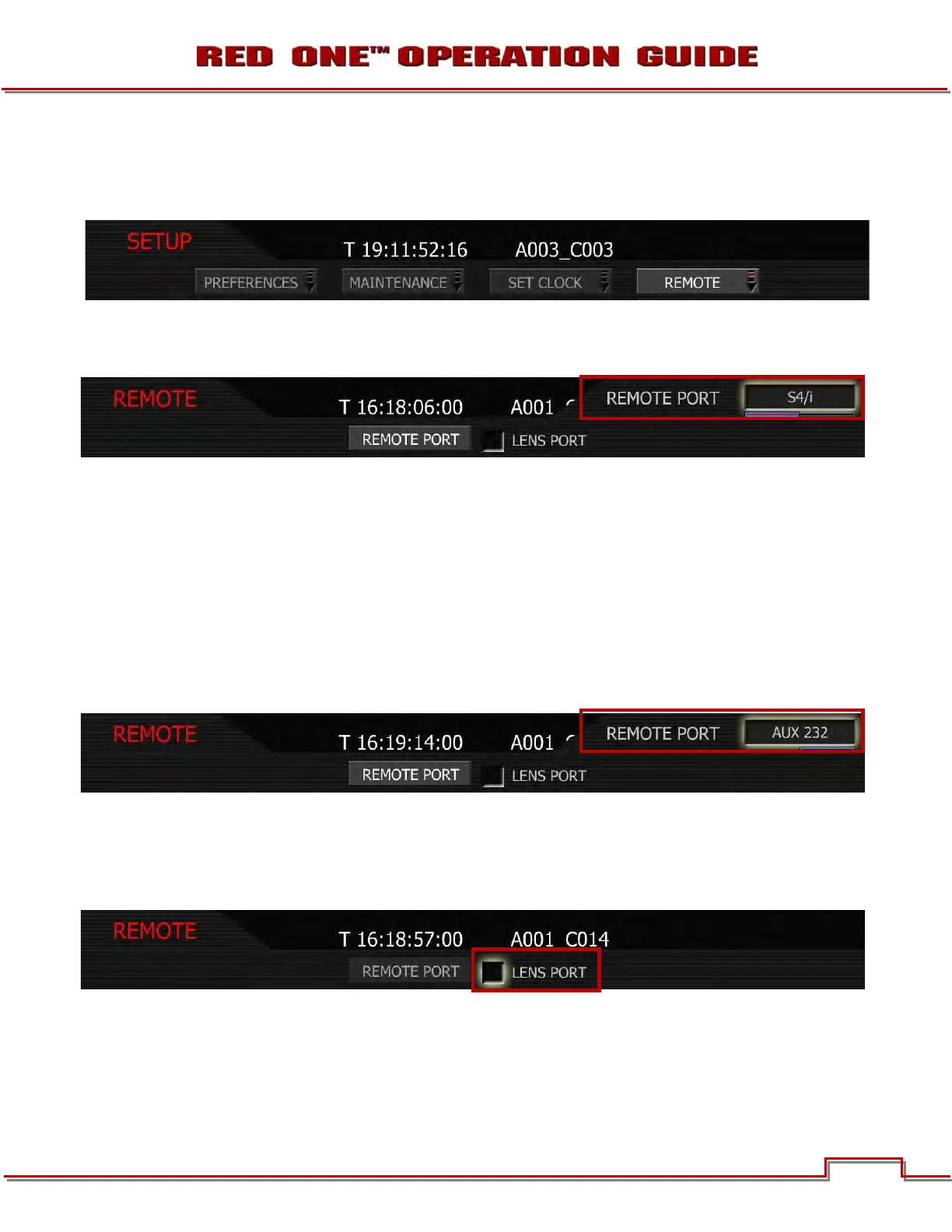
REMOTE
Used to enable (and reset if necessary) the S4/i Lens Data Port. Controls include REMOTE PORT and
LENS PORT check box.
REMOTE PORT
Allows you to select between S4/I and AUX 232 (default is S4/i).
S4/i
Select S4/i to enable communication between the RED ONE and an S4/i compatible lens, and to enable
recording of the lens data as metadata in the RED ONE .R3D files. Refer to LENS DATA under DISPLAY
located in PREFERENCES under SETUP in SYSTEM MENU SETTNGS.
NOTE: S4/i communications requires appropriate hardware to be present in the camera body and
P/L lens mount. Cameras shipped prior to Sept 15 2008 will require a factory installed hardware
upgrade to enable this function.
AUX 232
This setting is reserved for factory use. If selected, the S4/i port will not be active.
LENS PORT
When active, the check box will automatically be checked by the camera. If the camera needs to de-
activate the lens data port for any reason, this menu will indicate by unchecking the LENS PORT check-
box. The lens data port may then be re-activated by checking the checkbox.



 To Next Page