Build 21 v21.4.1
FEBRUARY 23, 2010 © 2007-2010 RED.COM INC.
47
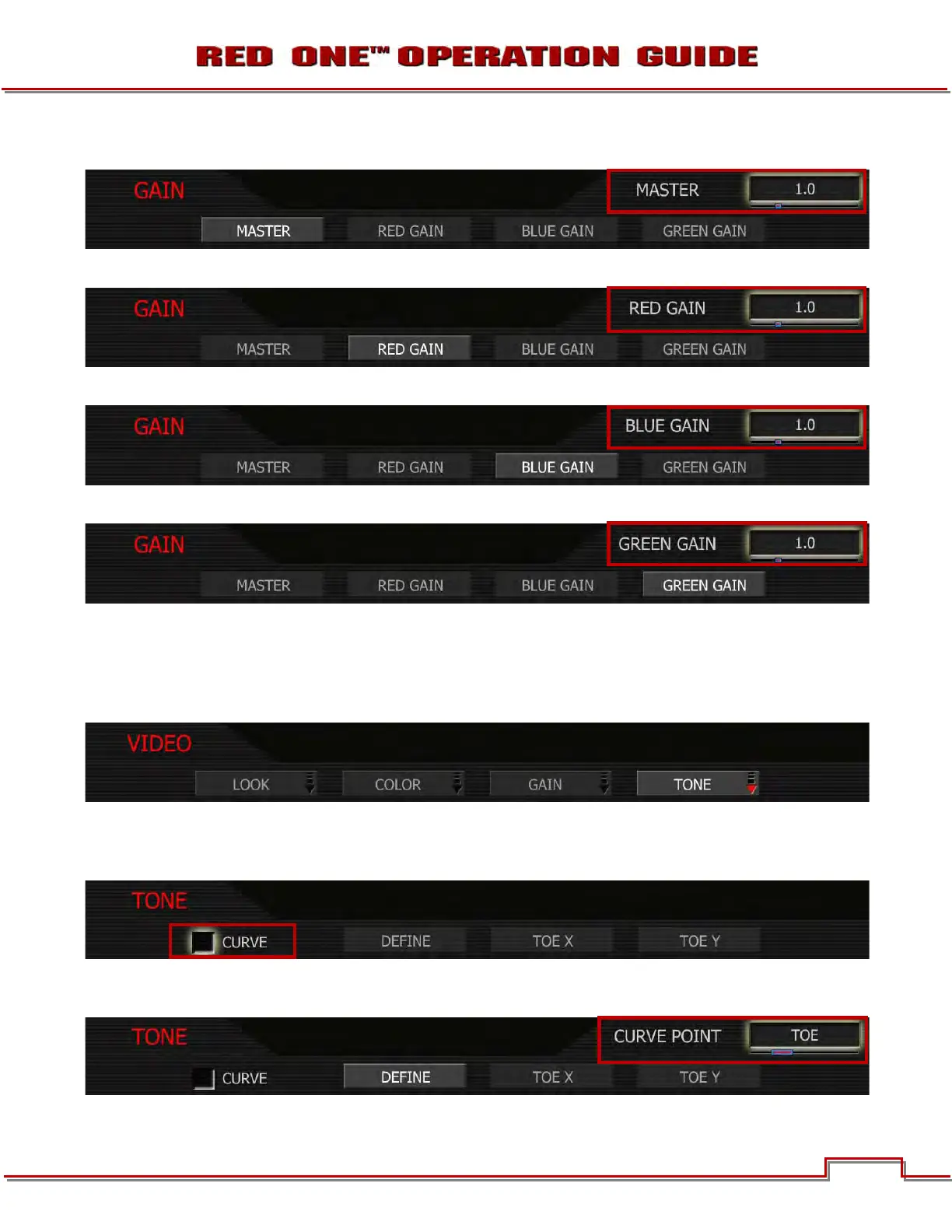
MASTER: Adjusts the gain of RED, BLUE and GREEN equally. Range is 0.0 to +4.0.
RED GAIN: Adjusts the gain of the RED channel only. Range is 0.0 (no Red) to +4.0.
BLUE GAIN: Adjusts the gain of the BLUE channel only. Range is 0.0 (no Blue) to +4.0.
GREEN GAIN: Adjusts the gain of the GREEN channel only. Range is 0.0 (no Green) to +4.0.
TONE
The TONE sub-menu allows a Tonal Response Curve to be overlaid on the video monitor path. The curves
parameter values are stored in metadata, and may be visualized in RED Alert! Post-production software
as Curve data.
CURVE: This checkbox enables the Tonal Response Curve. Default setting is enabled. To select: use
joystick to highlight ENABLE checkbox and push in or down on joystick to place checkmark in CURVE
checkbox.
DEFINE: Selects the curve control point to be adjusted - Black, Toe, Center, Knee or White. Each con-
trol point comprises two independent values, one each for X and Y-axis locations.



 To Next Page