Build 21 v21.4.1
FEBRUARY 23, 2010 © 2007-2010 RED.COM INC.
29
CONNECTING MEDIA
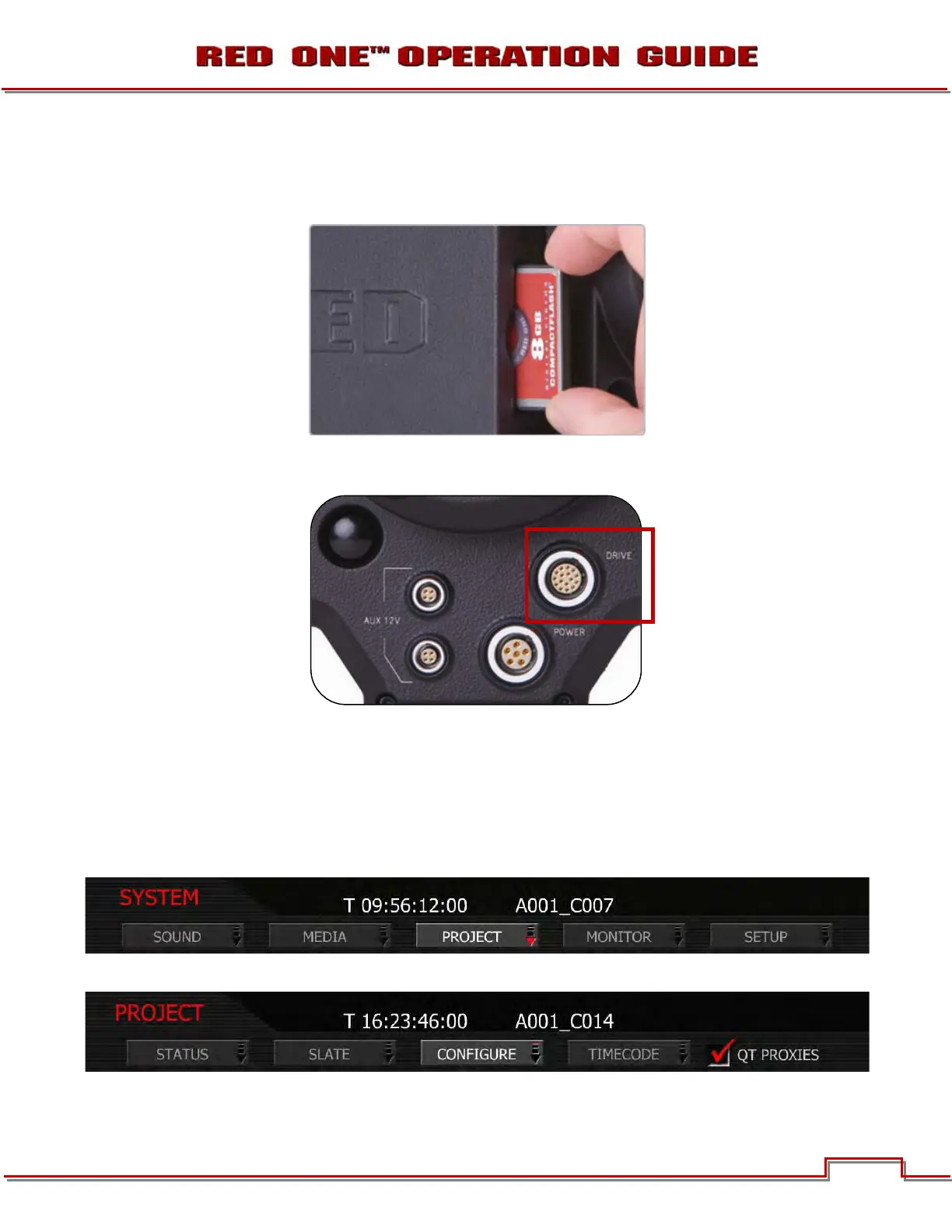
Insert the CF card with the manufacturer’s label facing outward (away from camera body). Push the CF
firmly into the CF slot, but without using excessive force to prevent damage.
Or attach a RED-DRIVE or RED-RAM magazine to the DRIVE connector (e-SATA port) located on the rear
of the camera using the 16-pin e-SATA cable provided.
Go to SYSTEM > MEDIA > FORMAT to format REDFLASH, RED-DRIVE or RED-RAM.
For additional information formatting media, refer to APPENDIX B: MANAGING DIGITAL MEDIA.
PROJECT SETUP
1. Push the SYSTEM menu button.
2. Using the joystick, highlight PROJECT. Push joystick in or down to select PROJECT.
3. Using the joystick, highlight CONFIGURE. Push joystick in or down to select.
4. CONFIGURE menu will be displayed.



 To Next Page