Build 21 v21.4.1
FEBRUARY 23, 2010 © 2007-2010 RED.COM INC.
9
A
User Menus Select
F
UNDO / Alternate Action
B
Sensor Menu
G
System Menu
C
Audio / Video Menu
H
Record Start / Stop
D
EXIT Menu I Record/Ready (OK) LED
E
Joystick J
LCD Display
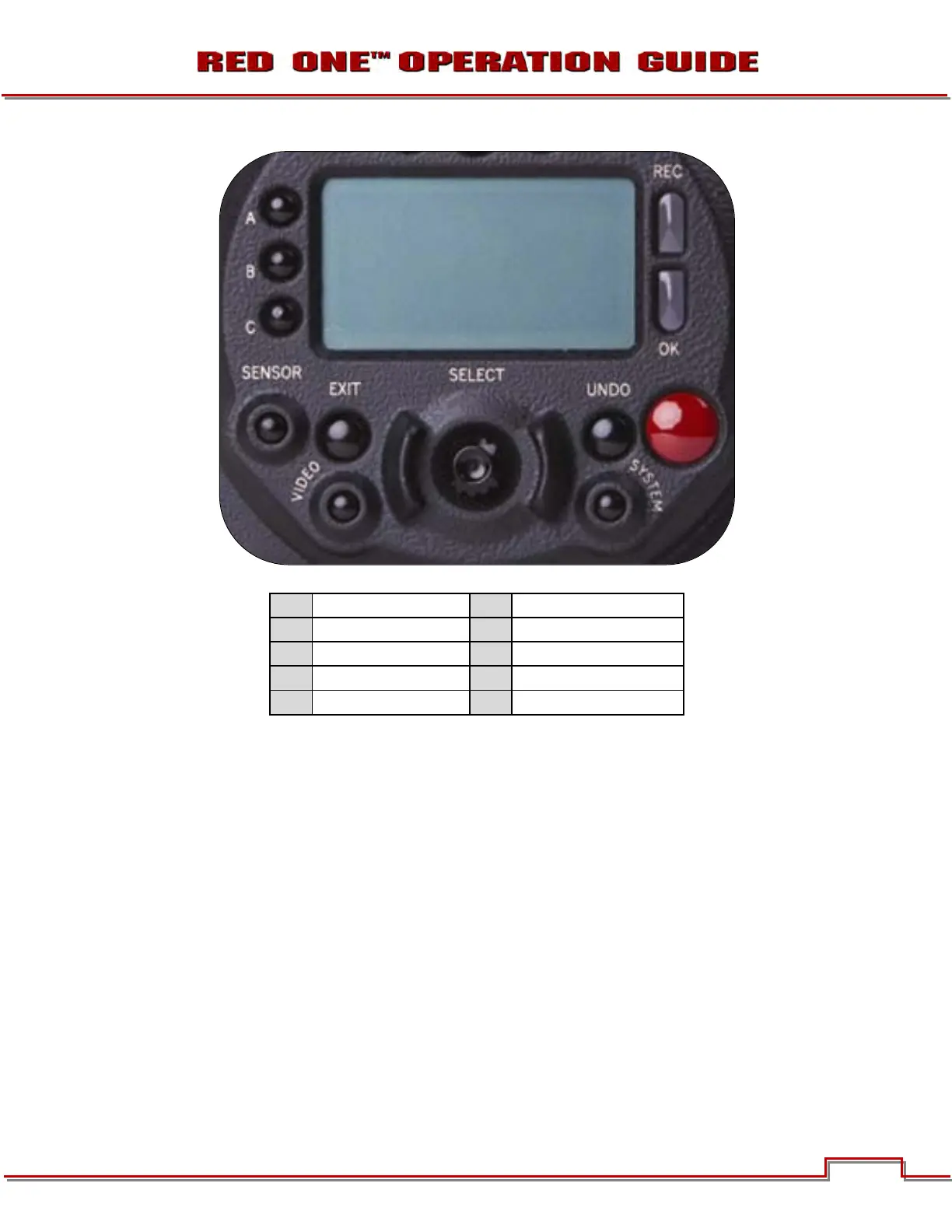
Figure 3 – Rear Center Camera Controls
On the rear of the camera, several buttons surround a daylight readable LCD status display (J).
To the left of the status display are three User Menu buttons (A), which by default provide direct access to
SENSITIVITY (A), SHUTTER (B) and COLOR TEMPERATURE (C) menus. The specific function of these
keys may be re-programmed by the user, to provide quick access to other functions. Refer to KEY-MAP
under PREFERENCES in SET UP under SYSTEM MENU CONTROLS.
NOTE: For quick programming of the keys, navigate to the desired menu you wish to program the
A, B or C key to, then push and hold the desired key until external monitors display “User button
A/B/C has been assigned to this menu. The selected key will now be programmed to the new menu
destination. To reset keys to default settings, go to RESTORE. A reboot of the camera may be ne-
cessary to restore defaults.
Below the LCD status display are the Joystick (E), Exit (D), Undo / Alternate Action (F) and RECORD (H)
buttons, plus the SENSOR (B), AUDIO / VIDEO (C) and SYSTEM (G) menu buttons. The camera control
menus are logically grouped under these last three buttons to provide streamlined camera operations.
The status display reports key camera status values, and is complimented by two LED’s (I): the REC LED
provides record status (illuminates Red when recording), while the OK LED indicates the camera is ready
for operation (illuminates Green when ready).
A
B
C
D
E
F
G
H
I
J



 To Next Page