Build 21 v21.4.1
FEBRUARY 23, 2010 © 2007-2010 RED.COM INC.
17
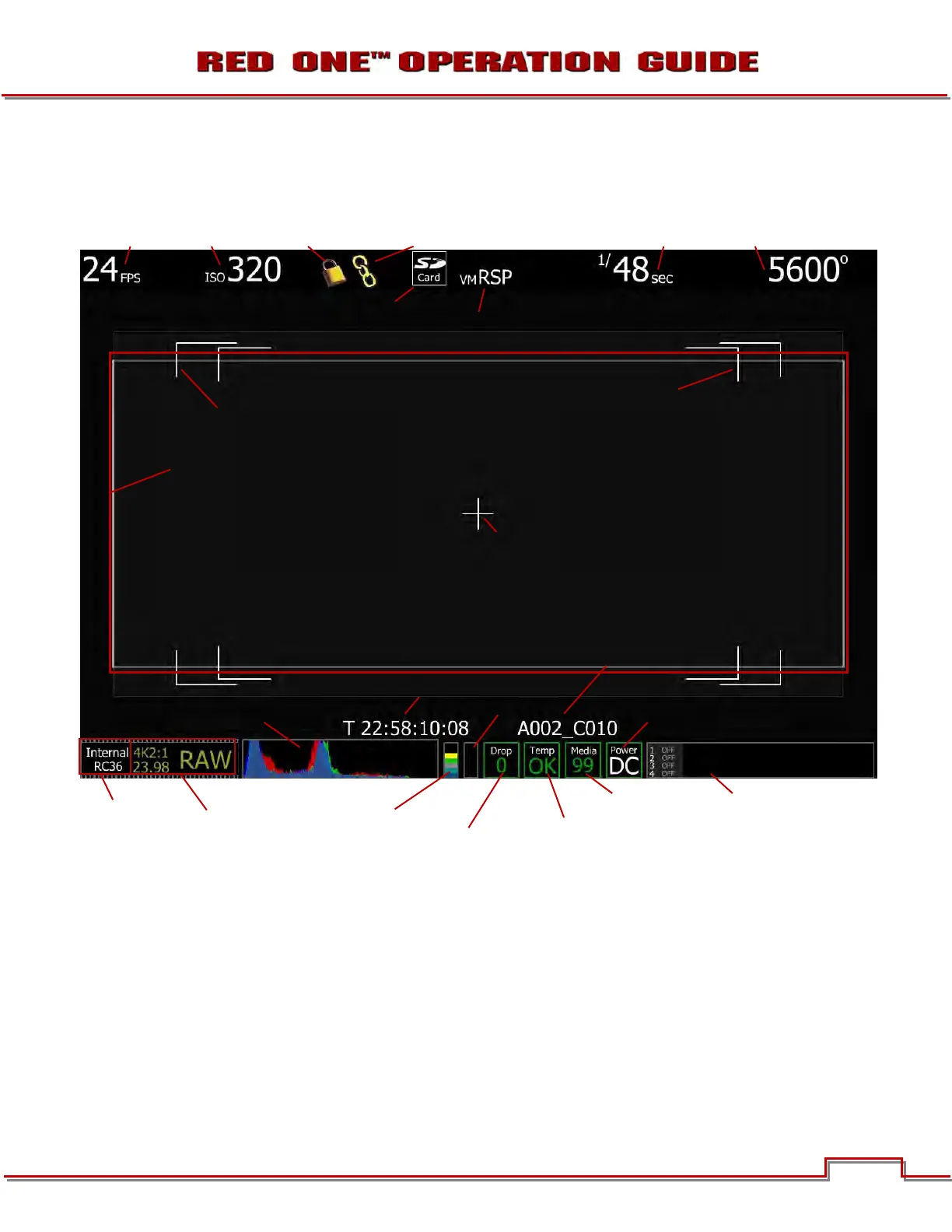
RED LCD / RED EVF / HD-SDI / HDMI DISPLAY ELEMENTS
The following is a general representation of elements displayed on RED LCD, RED EVF and external moni-
tor outputs (HD-SDI, HDMI).
Figure 10 – RED LCD Display
The RED LCD status display elements include:
• Frame Rate: Current frame rate, 24 fps in this
example
• ISO Rating: Displays current exposure rating
• Genlock: Displays current Genlock status
• Jam Sync: Displays current Jam Sync status
• View: Current view settings
• Shutter Speed: Current exposure time
• White Balance: Current color temp
• Cursors: Reference cursors – Safe Action, Safe
Title, Picture Center
• Frame Guide: Film projection area
• Timecode: Current timecode value
• Next Clip Filename: Displays the filename of
the next clip that will be shot
TIMECODE
ISO RATING
WHITE BALANCE SHUTTER SPEED
MEDIA /
QUALITY
FORMAT /
PROJECT
FRAME RATE
FRAME RATE
MEDIA
POWER
HISTOGRAM
DROP
SENSOR
RAW METER
RGB CLIP
METER
TEMPERATURE
VIEW
SD MEMORY CARD
INSTALLED
NEXT CLIP FILENAME
FRAME GUIDE
PICTURE CENTER
SAFE ACTION
SAFE TITLE
GENLOCK JAM SYNC



 To Next Page