Roche Diagnostics
108 Operator’s Manual · Version 3.0
5 Operation Multiplate® analyzer
Performing a measurement
2
Search the worklist for the orders you want to run.
o Choose a column header to sort the worklist.
or,
o Choose the Fi lter button and select a filter criteria to filter the worklist.
or,
o Select an entry from the Hide old items drop-down list, to hide orders that are
older then the specified number of days.
3
If the worklist is empty or if the orders are not listed, you have to download them
from the LIS:
o To download all available orders from the LIS, choose the Request all button.
or,
o To download the orders for an individual sample, place the cursor in the
Sample ID field and read the sample barcode using the hand-held barcode
reader.
4
Select the orders for the next run and choose the Assign channel button.
Up to 5 orders can be selected.
The orders are highlighted in green and are automatically assigned to the free
channels.
5
In the Worklist window, choose the Autopipette button.
An information window is displayed. The channels that require test cells are listed
in the window.
Figure 5-10 Check and start measurement series window
6
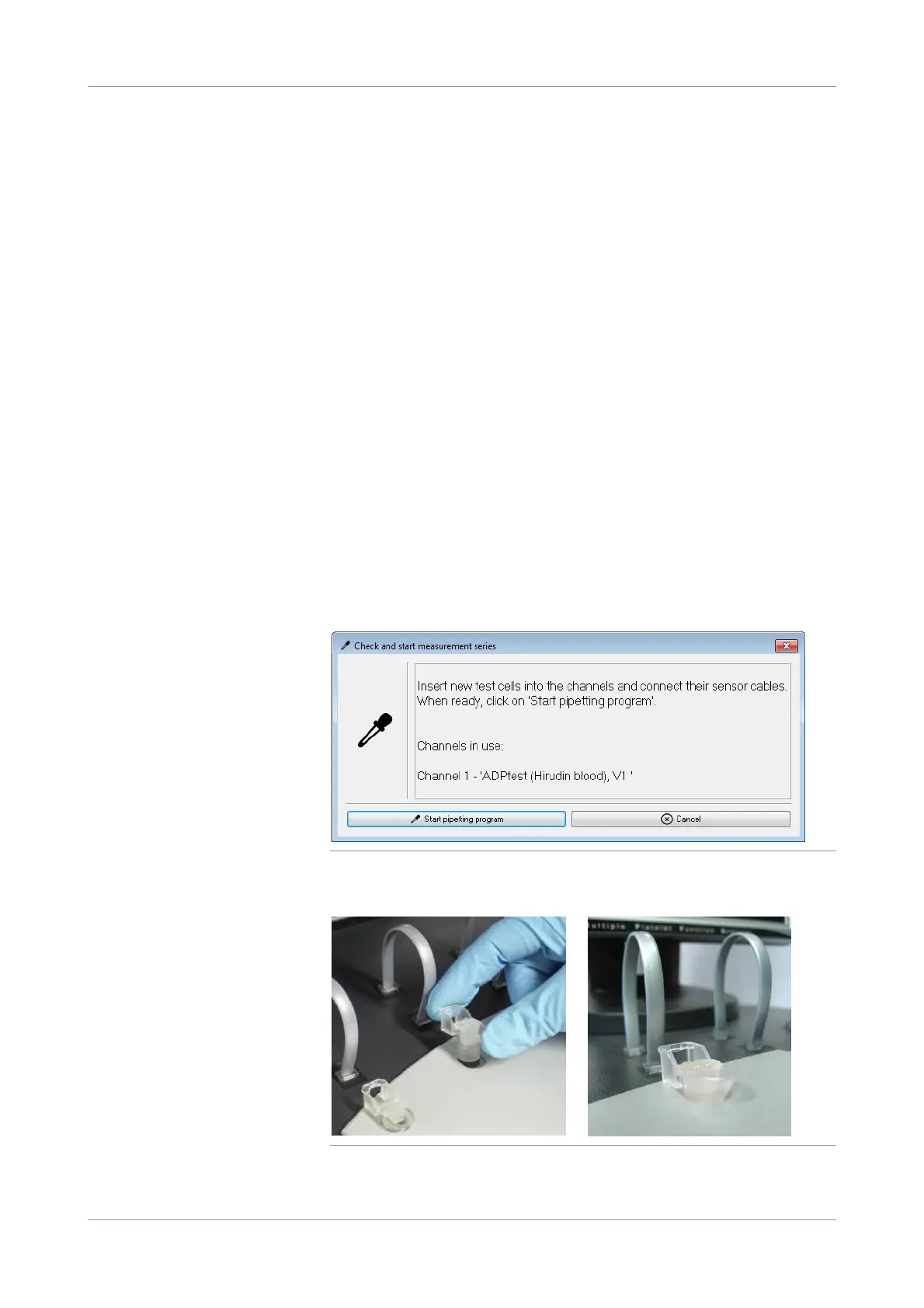
Place the test cells into the measuring positions.
Figure 5-11 Placing test cells











 To Next Page