Roche Diagnostics
112 Operator’s Manual · Version 3.0
5 Operation Multiplate® analyzer
Performing a measurement
Pre-analytical sample handling Allow a standby time of at least 30 or 60 minutes (depending on reagent and sample
tube type) after collection when analyzing whole blood samples. If whole blood
samples are analyzed earlier, low result recovery may occur.
u For correct standby time, refer to the package insert.
Make sure to swivel the tube with whole blood gently before pipetting the sample, to
avoid that blood cells are settling down in the tube.
p To perform measurements using the electronic pipette
1
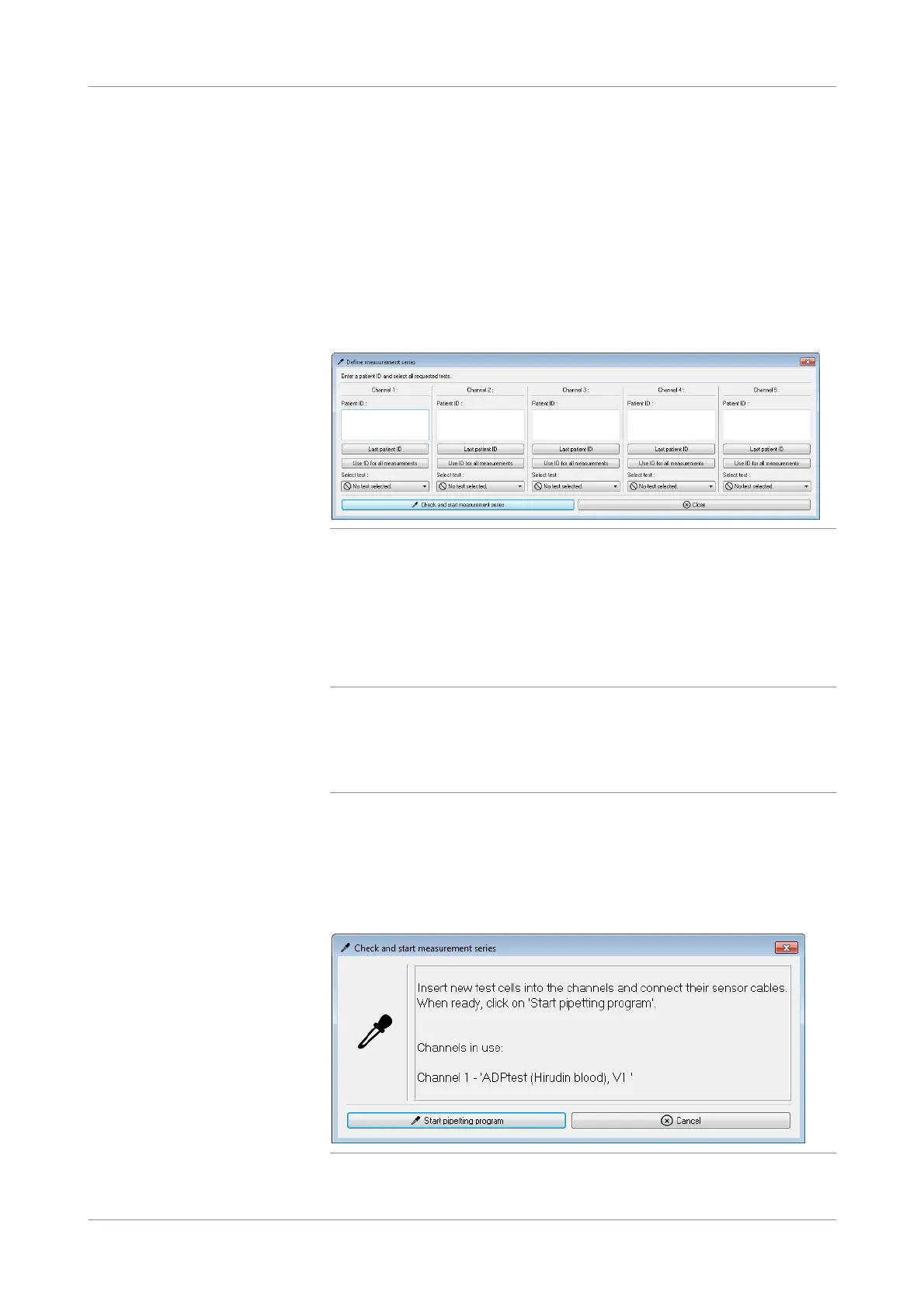
Choose the Auto Pipette button in the main screen.
Figure 5-16 Define measurement series window
2
To enter patient IDs do one of the following:
o Enter the patient ID individually for each channel.
o To reuse the last ID, choose the Last patient ID button.
o To use the entered patient ID for all free channels, choose the Use ID for all
measurements button.
q
o Every measurement is saved as a file (see Data folder (p. 130)) and the patient ID is
added to the file name of this measurement. The Windows operating system does
not support all characters in file names, therefore, do not use the following
characters in patient IDs: /, \, ?, ", ', |, :, *, <, >, return and tabulator.
o The patient ID can have up to 135 characters.
3
For each channel, choose a test from the drop-down list.
4
Choose the Check and start measurement series button to apply the patient IDs
and tests to the channels.
An information window is displayed. The channels that require test cells are listed
in the window.
Figure 5-17 Check and start measurement series window











 To Next Page