Roche Diagnostics
Operator’s Manual · Version 3.0 113
Multiplate® analyzer 5 Operation
Performing a measurement
5
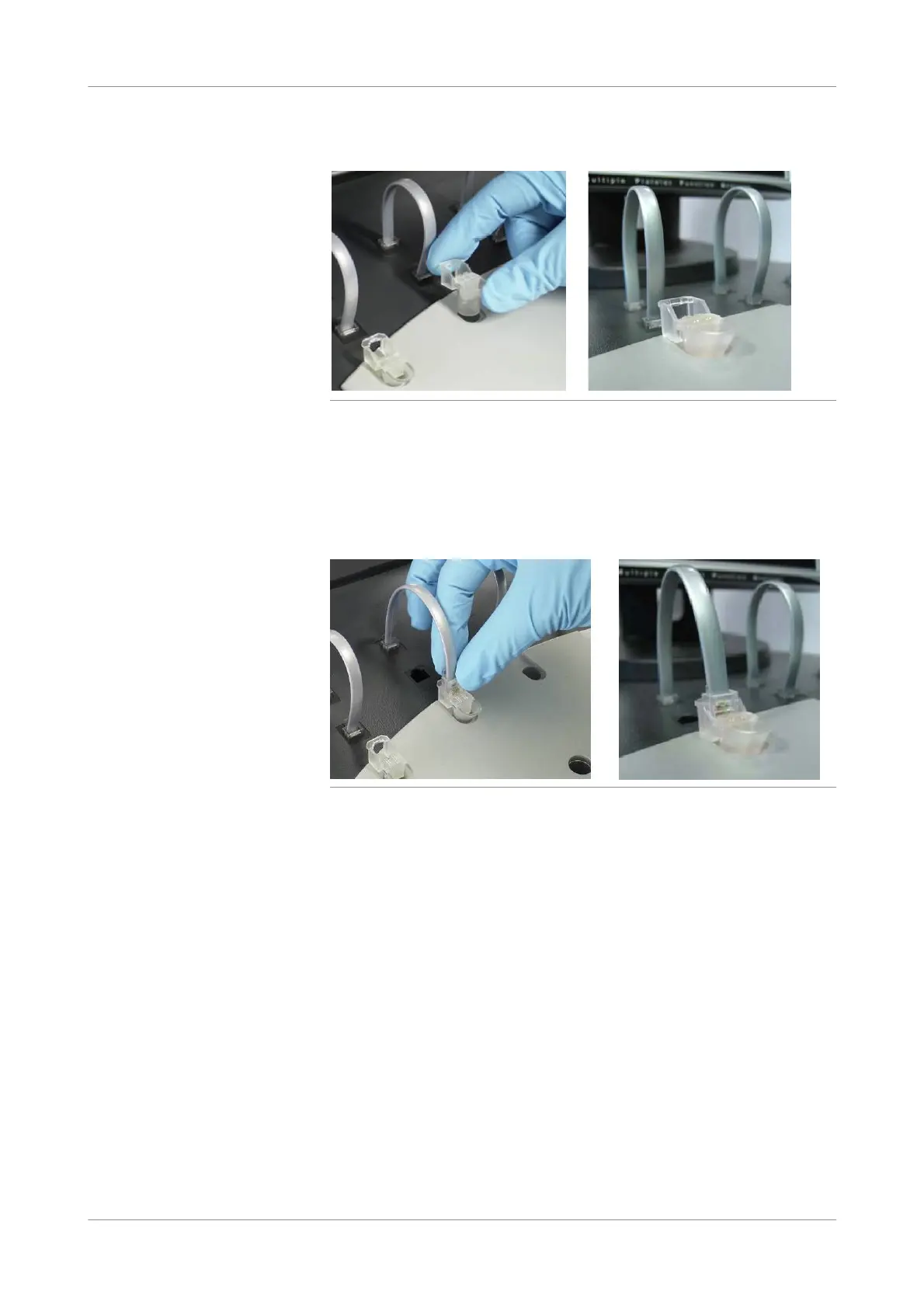
Place the test cells into the measuring positions.
Figure 5-18 Placing test cells
Ensure that the magnetic stirrer is inside the test cell and rotates. If the magnetic
stirrer does not rotate, lock the affected channel and contact your Roche Service
representative.
u See Lock/unlock channels (p. 76).
6
Connect the sensor cable(s) to the test cell(s).
Figure 5-19 Connecting test cells
o Squeeze the rear part of the front plug to loosen it and pull the sensor cable out
of its parking position.
o Push it gently into the jack area of the test cell. The plug should snap firmly
into the test cell.
7
Choose the Start pipetting program button.
Only those channels are started to which a patient ID and a test are assigned.
The Process mea surement series window is displayed.











 To Next Page