Roche Diagnostics
114 Operator’s Manual · Version 3.0
5 Operation Multiplate® analyzer
Performing a measurement
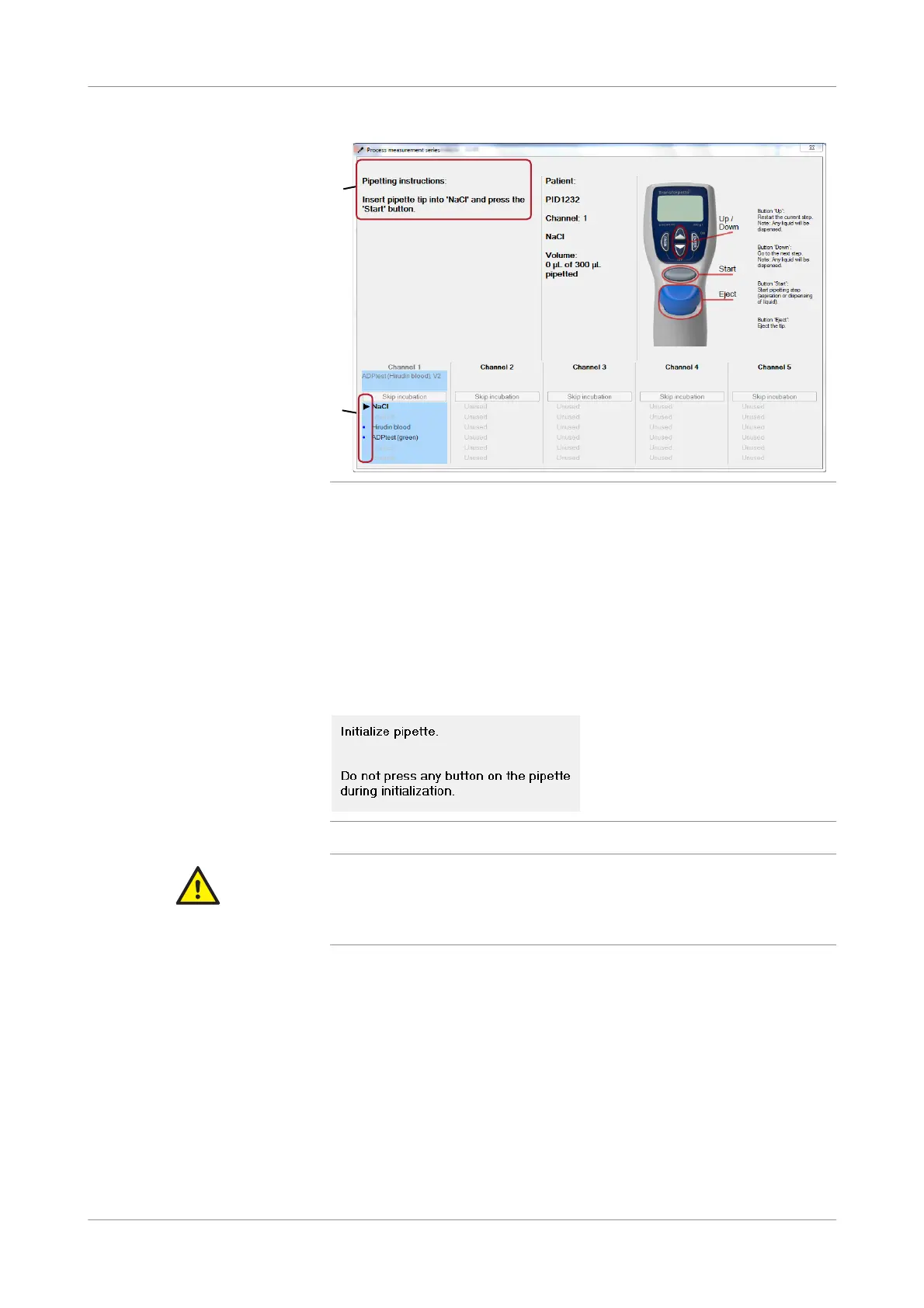
Figure 5-20 Process measurement series window
The right part of the window explains basic pipette operating instructions. The
lower part shows the pipette steps for each channel. An arrow indicates the
current pipette step (B). Subsequent steps are marked with a dot, executed steps
with a tick.
The Pipetting instruction panel (A) contains instructions on how to proceed.
8
Press the Start button on the electronic pipette.
In the Process measurement series window, the next step is indicated.
9
Carefully follow the instructions in the Process measurement series window.
Figure 5-21 Instructions in the Process measurement series window
CAUTION
Dispensing error due to inappropriate operation
Pressing any key on the electronic pipette during initialization of the pipette may cause
dispensing errors and consequently lead to incorrect results.
r Do not press any button on the pipette during initialization.
When the diluent solution and the blood sample have been pipetted into the test
cells, the 3-minute incubation time starts automatically. (The timer starts
individually for each channel.) A countdown display indicates the time necessary
to heat the samples. An acoustic signal sounds at the end of each incubation
period and you are asked to add the appropriate reagent to the test cells.
Measurement starts automatically when the last pipetting step is completed.
Error messages are displayed in a separate window, and if, for example, a step is
not possible because the incubation time or the measurement has already been
started, an acoustic signal sounds in addition. When pipetting is complete for all
channels that were used, the Process measurement series window is closed
automatically and the main screen is shown.
A
B











 To Next Page