Roche Diagnostics
38 Operator’s Manual · Version 3.0
2 Installation Multiplate® analyzer
Setting up the software
9
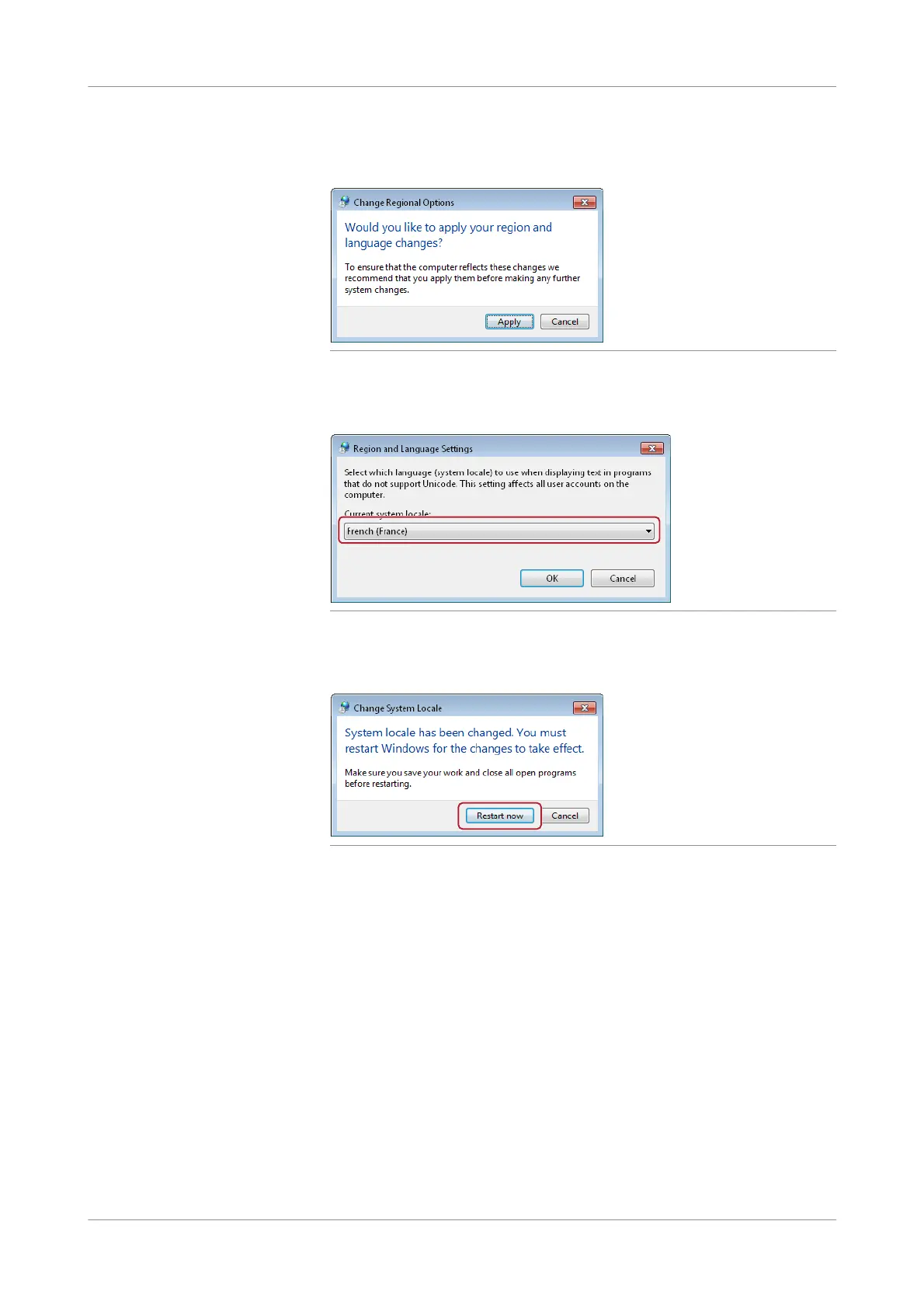
The Change Regional Options window is displayed. Choose the Apply button to
apply the changes made so far.
Figure 2-14 Changing regional options
10
The User Account Control window is displayed. Choose the Yes button. Select
French (France) from the drop-down list and choose the OK button.
Figure 2-15
11
The Change System Locale window is displayed informing you that a a restart of
the Windows operating system is required. Choose the Restart now button.
Figure 2-16
s
p To adjust the system language as an operator
1
Switch on the analyzer and log on to the Windows operating system as operator.
u For details, see Passwords for operating system (p. 149)
If you have trouble entering either user name or password, see Troubleshooting
system language issues (p. 41).
2
Choose Start > Control Panel > Region and Language.
The Regi on and Language window is displayed.











 To Next Page