Roche Diagnostics
Operator’s Manual · Version 3.0 37
Multiplate® analyzer 2 Installation
Setting up the software
7
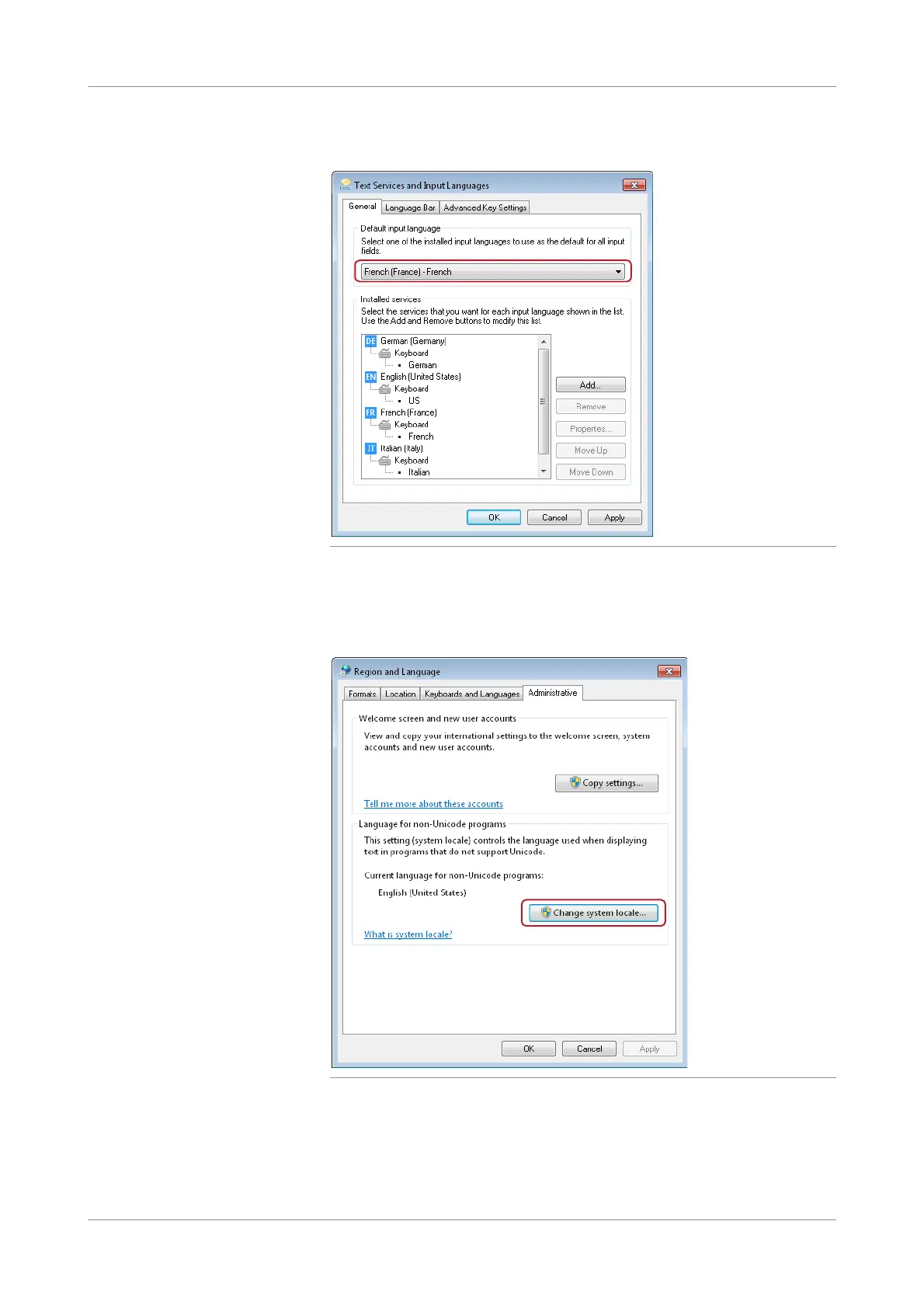
In the Default input language panel, select French (France) - French.
Figure 2-12 Choosing the available keyboard layouts
If you choose the OK button, the Reg ion and Language window will be displayed
again.
8
Choose the Administrative tab and choose the Change system locale button.
Figure 2-13 Defining language options











 To Next Page