Roche Diagnostics
Operator’s Manual · Version 3.0 71
Multiplate® analyzer 4 Software
Main screen
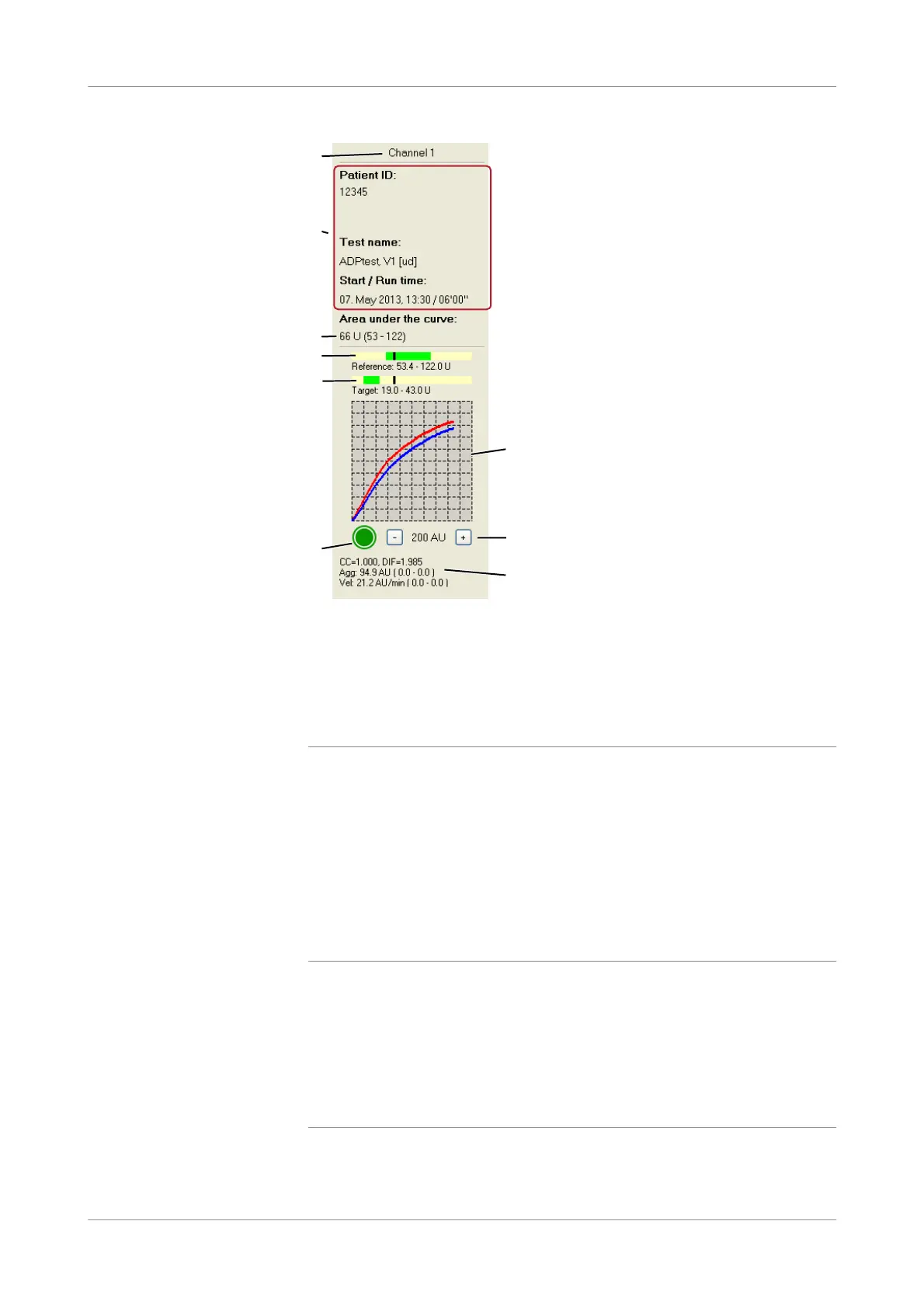
Figure 4-2 Channel display
Information panel The information panel comprises patient ID, test name, date, start time and run time
of the measurement. If a data alarm was triggered during the measurement, it is
displayed here, too.
AUC parameter For each active measurement the associated reference range is shown in brackets next
to the AUC value — provided it was activated in the menu Edit tests. It is also
displayed above the graphic window as a green bar.
u See AUC bars (p. 72).
q
o If reference values for the AUC parameter have to be defined for a special test, this can
be done by choosing Configuration > Edit tests. (See Editing test parameters
(p. 158))
o The AUC (Area Under the Curve) parameter is the recommended parameter for
evaluation and interpretation of the measurement. The AUC result is the arithmetic
mean of duplicate sensor measurements within one test cell.
o Each laboratory should investigate the transferability of the reference ranges to its own
patient population and if necessary determine its own reference ranges.
A Channel number F Status icon
B Information panel (data alarm, patient ID,
test name, start time, and run time)
G Graphic window
C AUC parameter of the measurement H Scaling buttons
D AUC bar with reference range I Internal control, aggregation, and velocity
parameters of the measurement
E AUC bar with target range
G
A
D
F
H
I
B
E
C











 To Next Page