Roche Diagnostics
72 Operator’s Manual · Version 3.0
4 Software Multiplate® analyzer
Main screen
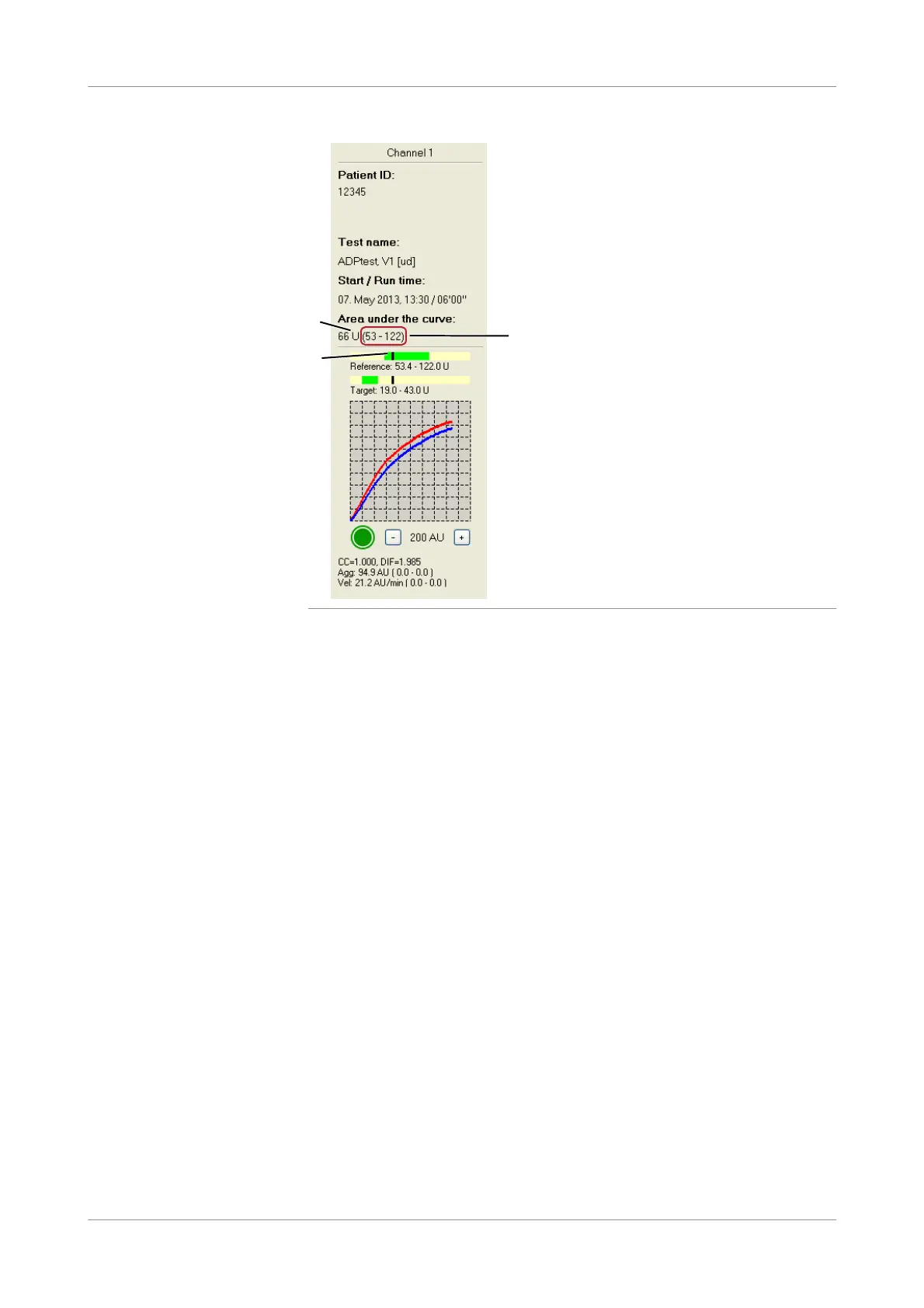
Figure 4-3 AUC parameter display
When first described, the unit for the Area under the curve (AUC) parameter was
[AU*min]. However it became clear that this unit was cumbersome and did not fit in
with traditional diagnostic reporting conventions. In addition, this configuration did
not correspond to the statistical accuracy of the AUC parameter (CV usually between
6-10%). Therefore a new reporting unit for AUC was introduced to simplify result
reporting. The new unit designation is simply [U] or Units (A).
1 U = 10 AU*min
Using the new unit [U], result ranges are usually reported around 100 U. The old unit
of AU*min is still available. Switching between the units is possible by choosing
Configuration > Edit analyzer configuration. (See General analyzer configurations
(p. 155)).
AUC bars Two bars are displayed above the graphic window of each channel. They offer a
simple visual display of AUC results against the programmed reference and target
range. The bars can be enabled for each test in the E dit Multiplate tests window
using the functions Show reference range for AUC and Show target range for AUC .
The programmed reference and target range is shown in green. A black bar within
this bar indicates the AUC result of the current measurement (B). At the beginning of
the measurement it appears at the left side of the AUC bar and moves to the right
during the measurement according to the aggregation signal.
Therefore, if the sample has normal AUC results the black bar appears within the
green zone of the reference range, hyperaggregable platelets display the black bar an
the right side of the green zone and inhibited platelets show the black bar on the left.
C
A
B











 To Next Page