BRP-Rotax
REPAIR MANUAL
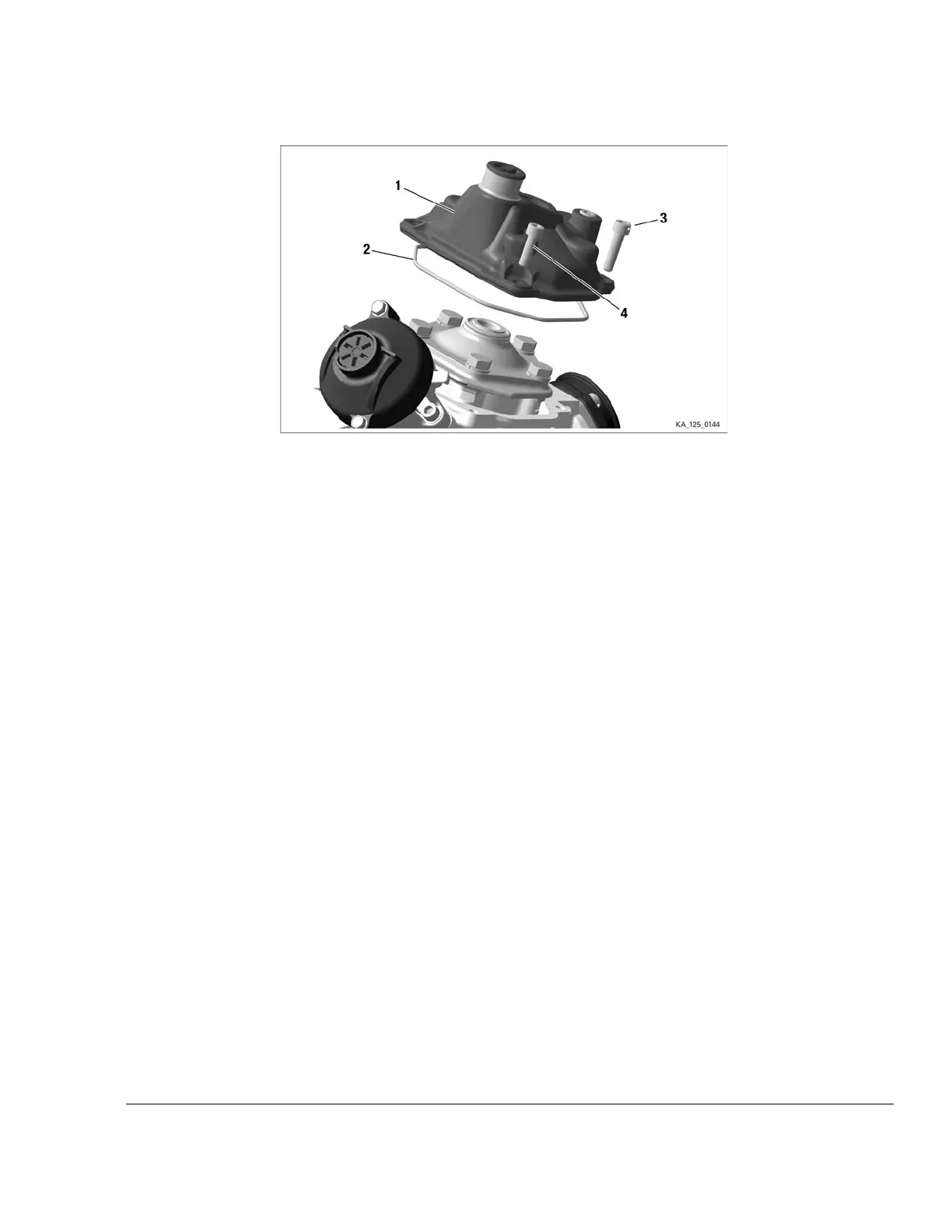
Figure 4.3: Cylinder head cover
1
Cylinder head cover
2
O-ring 105x2.5
3 Allen screw M6x25 4 Allen screw M6x16
______________________________________________________
REMOVAL OF THE THERMOSTAT
Instruction See Figure: Thermostat.
1. Remove the coolant thermostat from the cylinder head cover (1) by removing the 2 TAPTITE
screws M4x8 (6) on the thermostat retaining bracket (5).
2. Remove the compression spring (4).
3. Remove the thermostat (2) from the thermostat holder (3).
Effectivity: 125 MAX evo, Junior MAX
evo, Mini MAX evo, Micro MAX evo
Edition - February 01 2018 /Rev. 0
Chapter 4
Page 5


 To Next Page
 Loading...