ODIN Intercom Matrix Basic Operation 43
Cabling IFL Between Three Or More ODIN Frames
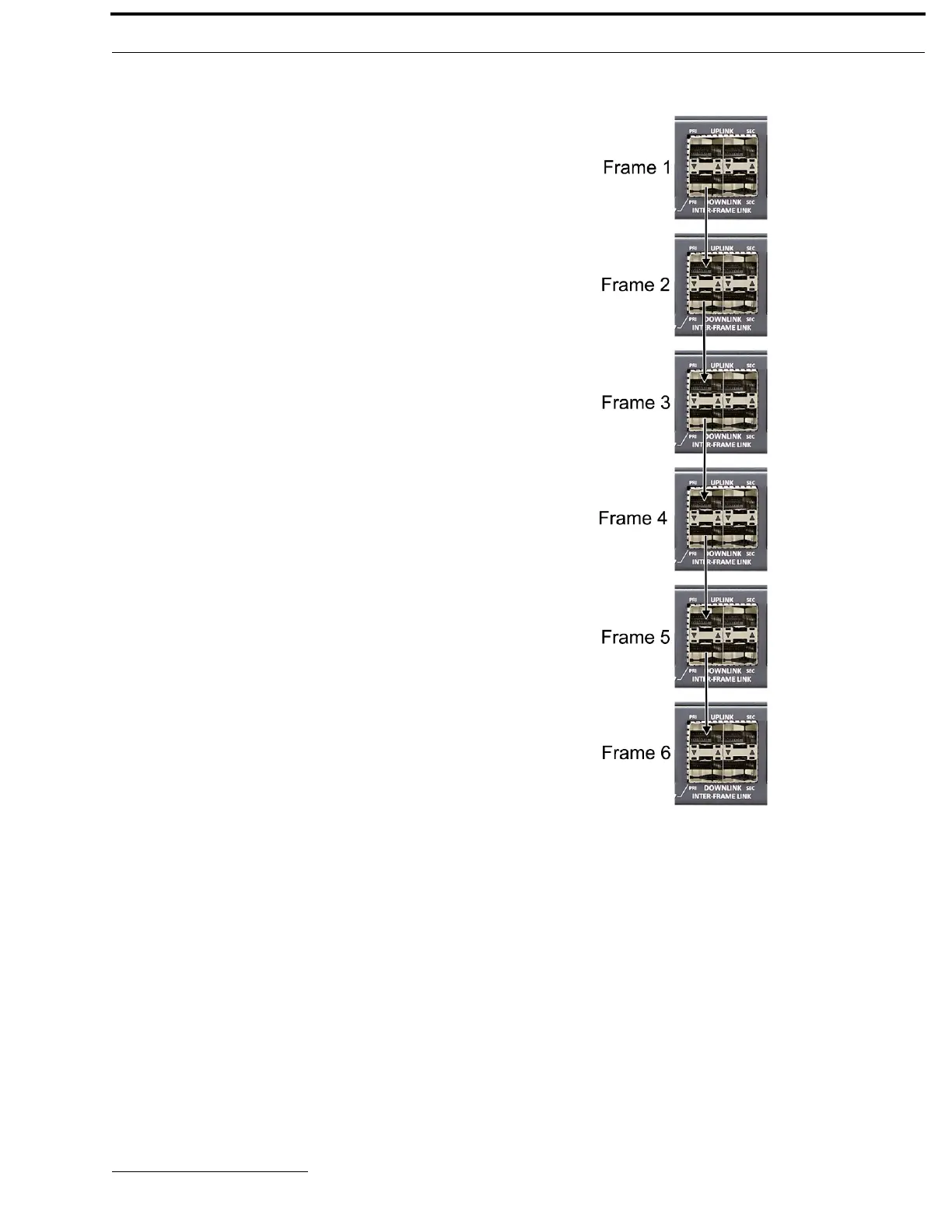
Ring architecture is used when connecting three or more (up to a
maximum of eight) ODIN frames via IFL. In a ring-wiring
architecture, each frame has links to two other frames. These
links are bi-directional
1
, meaning audio is passed in both
directions; thus the system can be viewed as having two
unidirectional rings. In one ring, the audio is sent clockwise
from frame to frame, and in the other ring, the audio is sent
counterclockwise.
When referring to a multi-frame system connected via IFL, the
use of the terms upstream and downstream indicate the
immediate frame above or below the current frame in the IFL
system. For example, frame 1’s downlink is frame 2; frame 2’s
downlink is frame 3. Since IFL uses ring architecture, the last
frame in the system is linked to the first. So, the downlink from
the last frame in the system will be to the uplink in the first
frame.
To set up a 3-to 8-frame IFL system, do the following:
For Non-Redundant Connection
1. On the rear panel of frame 1, connect one end of an
IFL cable to the PRI DOWNLINK connector .
2. Connect the other end of the IFL cable to the PRI
UPLINK on the rear panel of frame 2.
3. Using a second IFL cable, connect one end of the IFL
cable to the PRI DOWNLINK connector on frame 2.
4. Connect the other end of the second IFL cable to the
PRI UPLINK connector on frame 3.
5. Repeat step 3 and step 4 for additional ODIN frames
(maximum eight frames).
NOTE: For simple redundant audio, connect the last frame
to the frame 1. If an audio path is available, the
system will use it.
1. One IFL cable provides bi-directional audio.



 To Next Page