COMMAND RANGING & TELEMETRY UNIT CORTEX
CRT QUANTUM USER'S MANUAL
Ref. DTU 100042
Is.Rev. 5.17
Date: Dec.
03, 2021Sept. 30, 2021
This document is the property of Safran Data Systems.
It cannot be duplicated or distributed without expressed written consent.
4.1.2. Factory Configuration
The CORTEX has been configured in factory in accordance with the required hardware components (electronic
cards, etc…) and software licenses (maximum bit rate supported, data decoding licenses, data processing
license, etc…).
Each CORTEX unit comes with a factory acceptance test book showing the detailed hardware and software
configuration of the unit at delivery.
4.1.3. Software Exit & CORTEX Shutdown
4.1.3.1. Exiting the Monitoring & Control Software
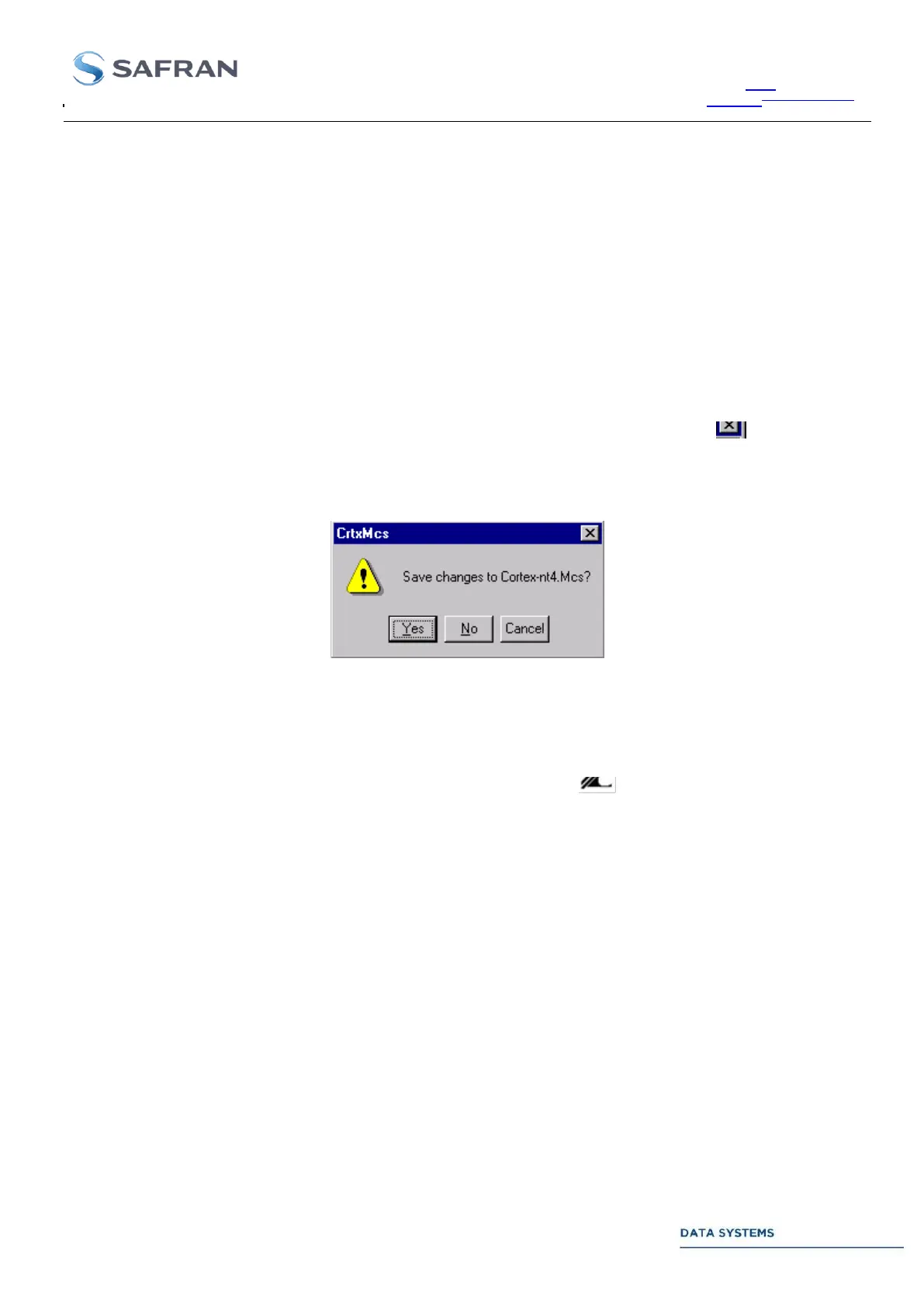
To exit the Monitoring & Control Software, click on File menu and select Exit. Or click on in the upper right
corner of the MCS window. If any configuration parameter has been changed since the MCS Document was
updated on the disk, the following message is displayed:
Click on Yes to update the CTX Document on the disk. Otherwise, click on No or Cancel the command.
4.1.3.2. Exiting the Signal Processing Software
To exit the Signal Processing Software (SPS), click on the SPS icon at the lower right part of the screen
and select Exit.
4.1.3.3. Restarting the SPS & MCS
Assuming the application software (SPS + MCS) has been stopped, click on shortcut menu Start / All Programs
/ Startup / crtxstart to restart it.
To restart the MCS only, click on shortcut menu Start / All Programs / Cortex Signal Processing / Cortex CRT
Monitoring & Control.
To restart the SPS only, click on shortcut menu Start / All Programs / Cortex Signal Processing / Cortex CRT
Signal Processing. In case of multi-configuration menu, this shortcut starts the SPS Menu selection dialog with
the last menu highlighted.



 To Next Page