COMMAND RANGING & TELEMETRY UNIT CORTEX
CRT QUANTUM USER'S MANUAL
Ref. DTU 100042
Is.Rev. 5.17
Date: Dec.
03, 2021Sept. 30, 2021
This document is the property of Safran Data Systems.
It cannot be duplicated or distributed without expressed written consent.
4.2.4.3. MCS Graphical User Interface
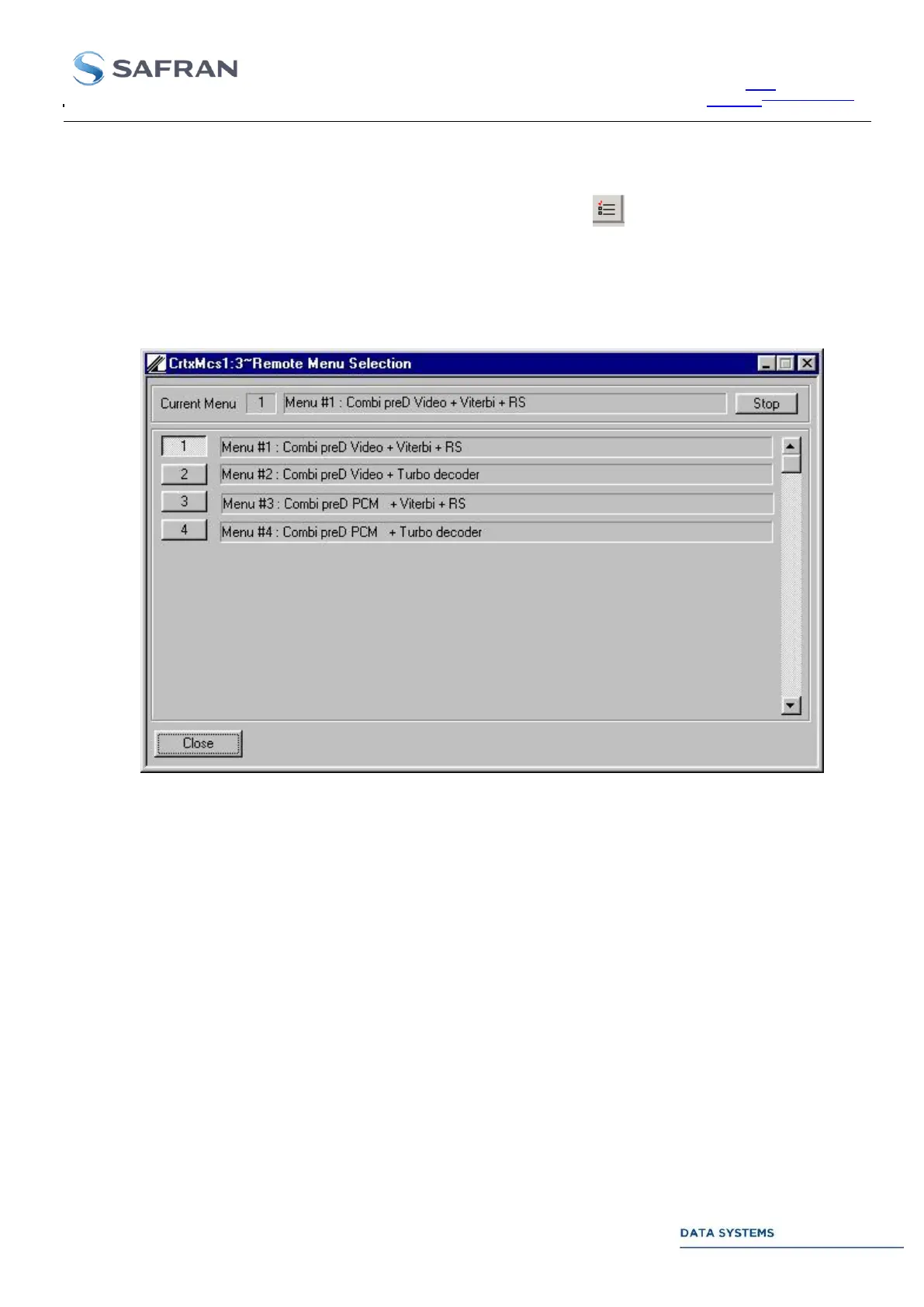
From the SAFRAN DATA SYSTEMS MCS the operator can access the RAC server by clicking successively, in
the upper toolbar, on Window → Menu_Selection, or by clicking on the icon.
Next picture shows the operational scenarios offered by the start-up menu. Use the Stop active menu and Start
new menu pushbuttons to re-configure the CORTEX.
Figure 98: MCS Menu Management Window



 To Next Page