271
Direct Device Configurations (Solar-Log 1200 and 2000)
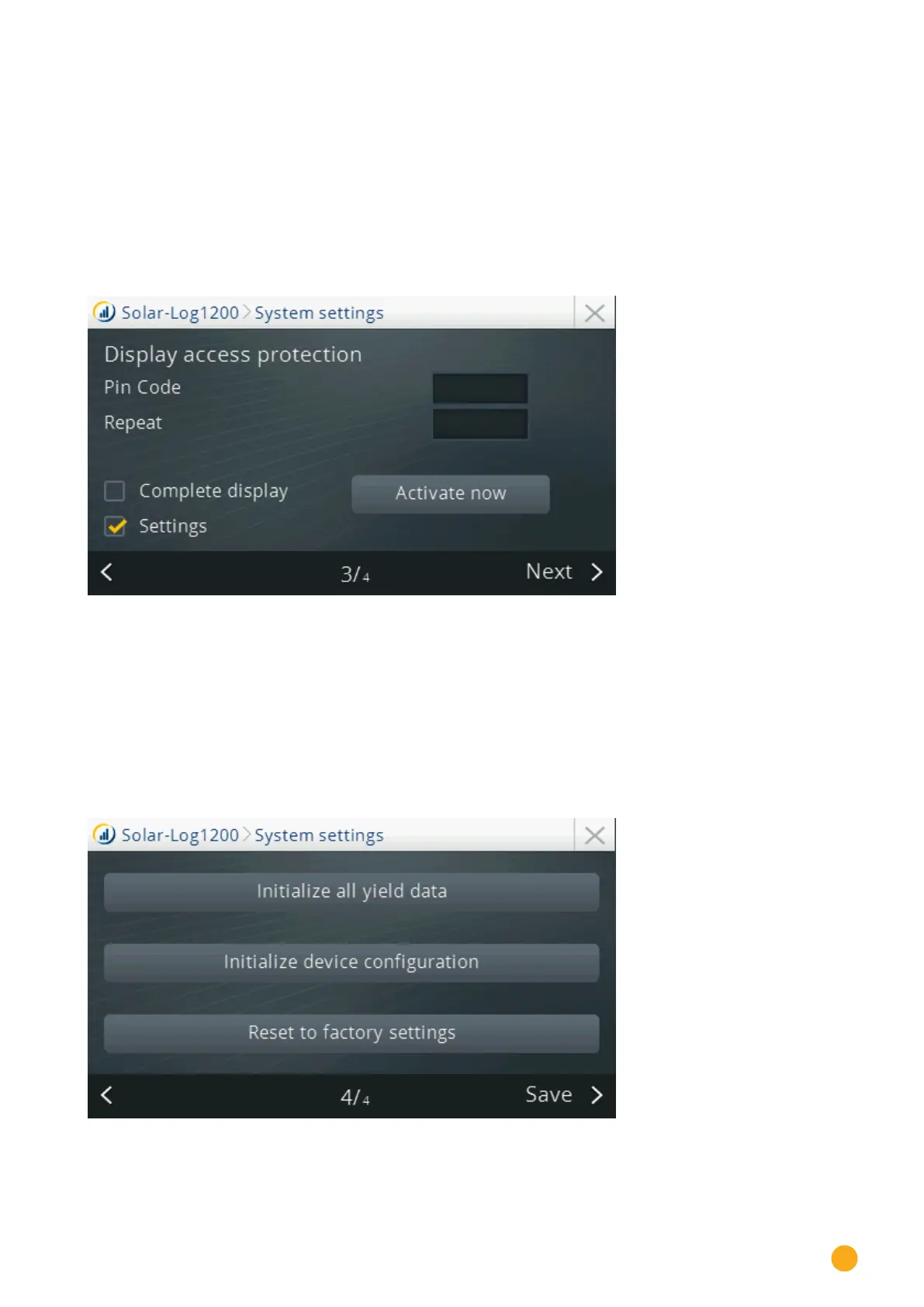
Page 3 - Display access control
This section offers the following three options for access control:
•
PIN code (freely defined PIN code for access to the display. This has to be entered again.)
•
Complete display
The complete display is protected with PIN code entry.
•
Settings
The configuration section is protected with PIN code entry.
•
Activate now
The access control is activated.
Fig.: Display access control
Page 4
The following functions can be performed from this section:
•
Initialize yield data
All the yield data is deleted.
•
Initializing device configuration
The entire device configuration is deleted.
•
Restore factory settings
The Solar-Log™'s factory settings are restored, all of the settings, yield data and device configura-
tions are lost.
Fig.: System settings – Initialize yield data



 To Next Page