NOTE
Access to the settings menu is only available if
the truck is at a standstill and the parking
brake is applied. If the parking brake is re-
leased prematurely, the settings menu will
close.
– Stop the truck.
– Apply the parking brake.
– Press the
button.
– Press the "Settings" softkey
.
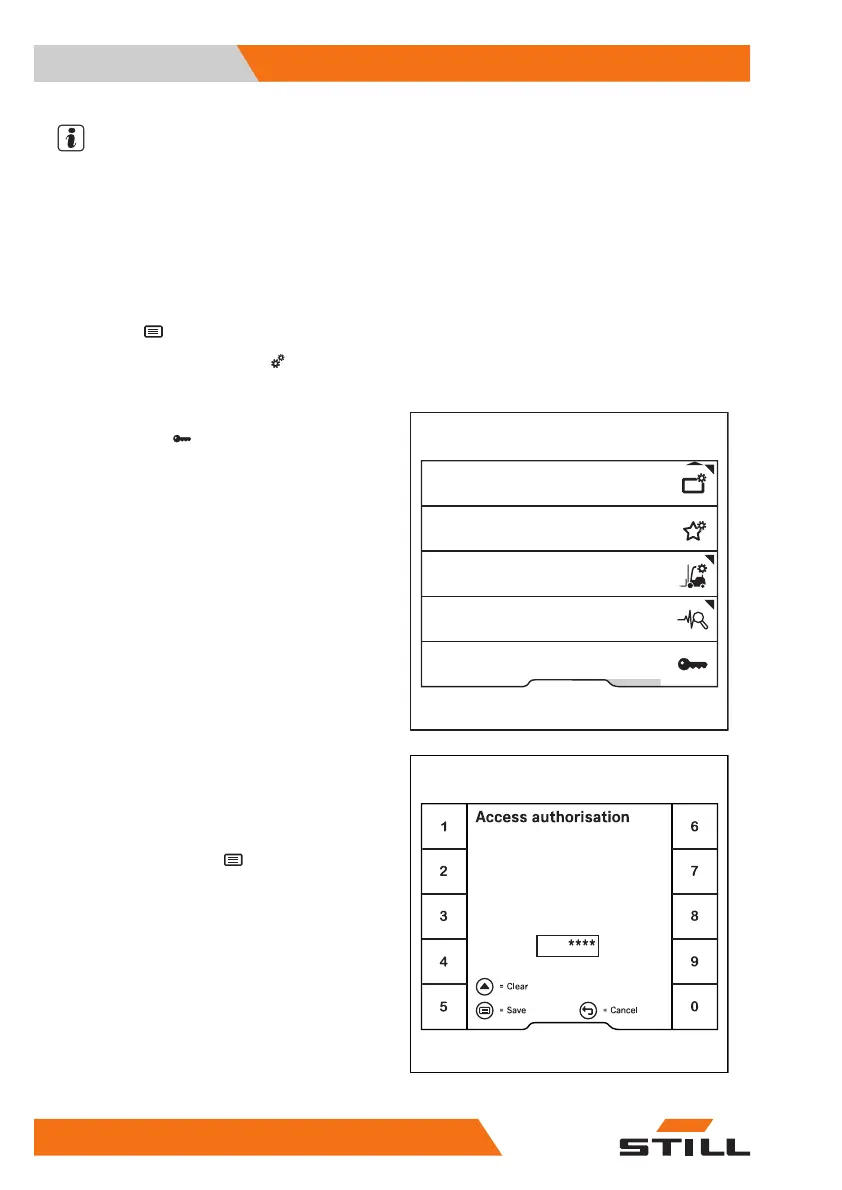
The first menu level appears.
– Press the
Access authorisa-
tion
softkey .
The display changes to the
Access au-
thorisation
menu.
– Enter the fleet manager password using the
softkeys.
– To confirm, press the
button.
Fleet manager
Congure favourites
Truck settings
Service
Access authorisation
Display settings
6219_003-267_V2_en
Enter password
6219_003-208_V3_en
Operation
4
Display-operating unit
126 56368011531 EN - 01/2021 - 05



 To Next Page