DOC-06810 Rev. A 6–23
Objet1000 Plus User Guide
4. Whenthefollowingscreenappears,opentheprinter.
Figure 6-22: Wizard screen during the cleaning process
5. Placethemirroronthebuildtray.
6. Putonthegloves.
7. Soakthecleaningclothwithalcohol.
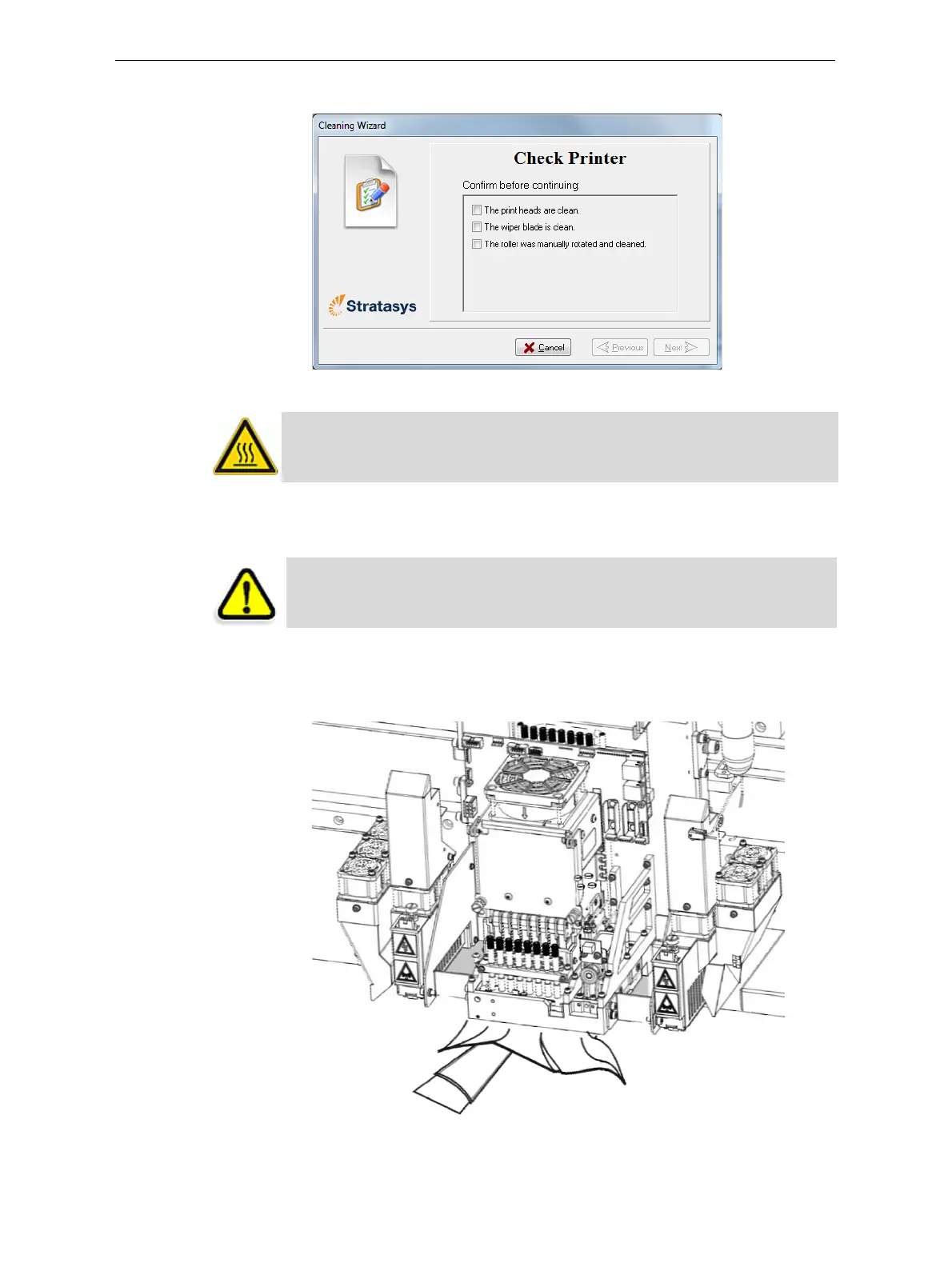
8. Cleantheorificeplates,withaback‐and‐forthmotion.Usethemirror
tomakesurethatyouhaveremovedalloftheresiduematerial.
Figure 6-23: Cleaning the heads
WARNING: The print-head orifice plates (bottom surface) might be hot,
so proceed with caution.
CAUTION: Uncured printing material on the print heads might cause
skin irritation. Use disposable cleaning gloves to protect your hands.













 To Next Page