SVAN 948 USER MANUAL .
4 - 58
4.5. 1/3 OCTAVE ANALYSER
In order to select the 1/3 OCTAVE analysis mode the user has to enter the FUNCTION list by
pressing the <MENU> push-button, selecting by means of the <
>, <
> (or <
>, <
>) push-buttons
the FUNCTION text and pressing the <ENTER>. Then, the user has to open the MEASUR. FUNCTION
sub-list (to select the MEASUR. FUNCTION text using the <
>, <
> (or <
>, <
>) push-buttons and
press the <ENTER> push-button when this text is displayed inversely).
a)
b) c)
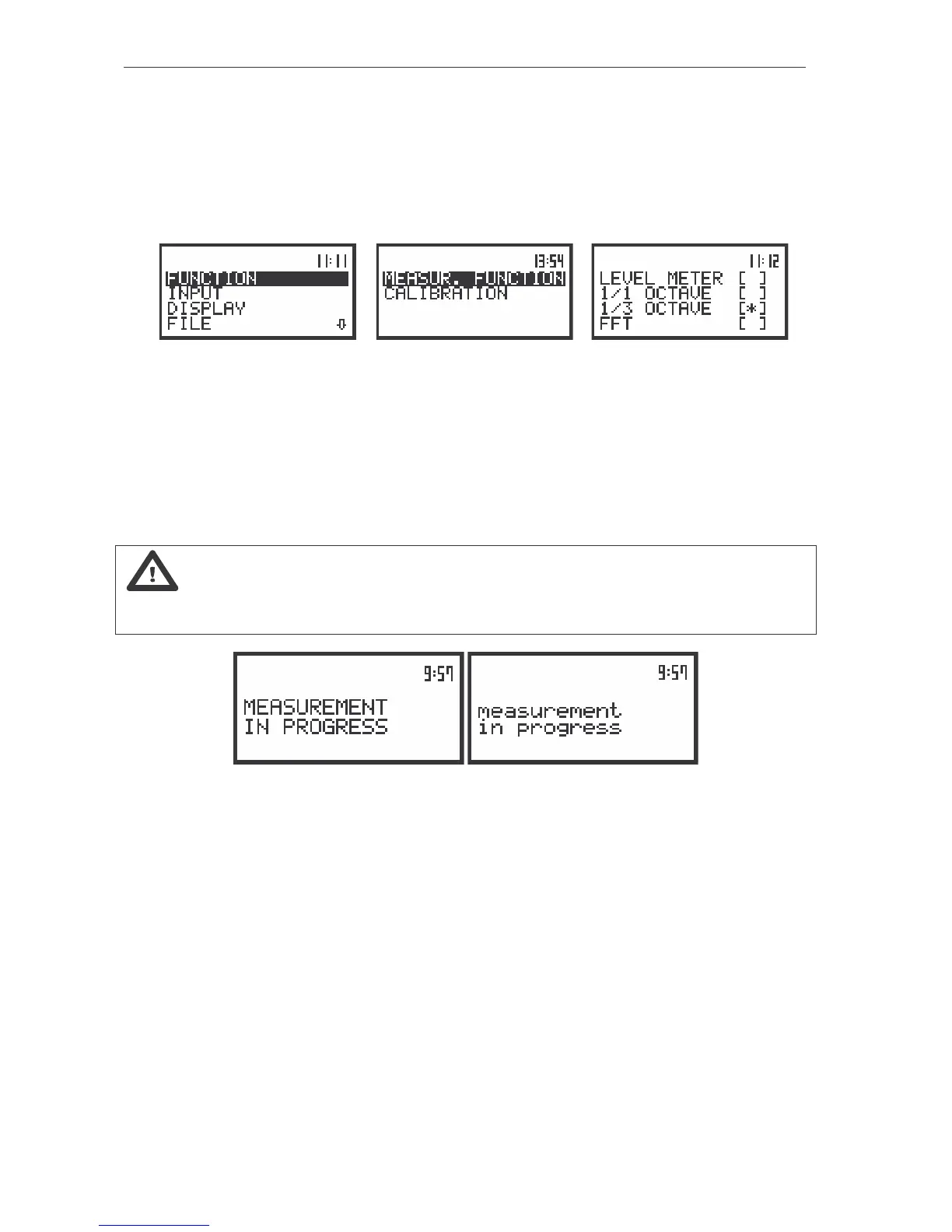
The view of the displays in the main list with the FUNCTION text selected (a), the FUNCTION list (path:
MENU / FUNCTION) opened with the MEASUR. FUNCTION text selected (b), 1/3 OCTAVE analysis mode
selected in MEASUR. FUNCTION sub-list (c)
1/3 OCTAVE mode is selected by placing the special character in the line with 1/3 OCTAVE text. The
position of the character can be changed using the <
>, <
> (or <
>, <
>) push-buttons. After placing
the character in the line with 1/3 OCTAVE text the user has to press the <ENTER> push-button, which
closes the MEASUR. FUNCTION sub-list and confirms the selection. After pressing the <ESC> push-
button the sub-list is also closed but any changes are ignored.
Notice: It is not possible to change the mode during the measurements. The instrument
displays in this case for about 3 seconds the text: “measurement in progress / MEASUREMENT IN
PROGRESS”. In order to change the mode the measurement must be finished!
The view of the displays with the text informing the user about the currently performed measurements



 To Next Page