SVAN 948 USER MANUAL .
4 - 18
By pressing the <
> or <
> push-button the user can switch the display mode (the way of the
measurement results presentation) to:
- One profile,
- 3 PROFILES,
- PLOT (from the channels in which the results of the measurement were stored in the files of the buffer;
the number of the channel is displayed in this case along with the name of the result, i.e. CH1 - PEAK,
CH2 - RMS, CH3 - MAX, etc).
Notice: The user can select the currently active mode of the result’s presentation by means
of the DISPLAY MODES sub-list of the DISPLAY list. The activation of a mode is indicated by the
graphical symbol placed in the proper line of the DISPLAY MODES sub-list. Below the view of the
displays is presented with all active modes ([
√
√√
√
]) and some of them switched off ([ ]). More details about
the display modes are given in the description of the DISPLAY list in the Chapter 5.
a) b)
The view of the displays with the DISPLAY MODES (path: MENU / DISPLAY / DISPLAY MODES) sub-list opened
and active all modes of the measurement results presentation in the vibration level mode (a) and some of the
modes switched off (b)
One profile mode of measurement results presentation
This mode of presentation is treated as main and it can not be switched off. In one profile mode the
selected result is presented in the middle of the display in the easy visible format. The length of the
horizontal bar placed under the digital value corresponds to the measured result. In this mode important
parameters of the result, namely: the channel’s number, the name of the displayed value, the units and
the weighting filter are presented in four lines on the right side of the display just after the vertical line. This
line is straight in the case of vibration level meter mode and doted in other modes.
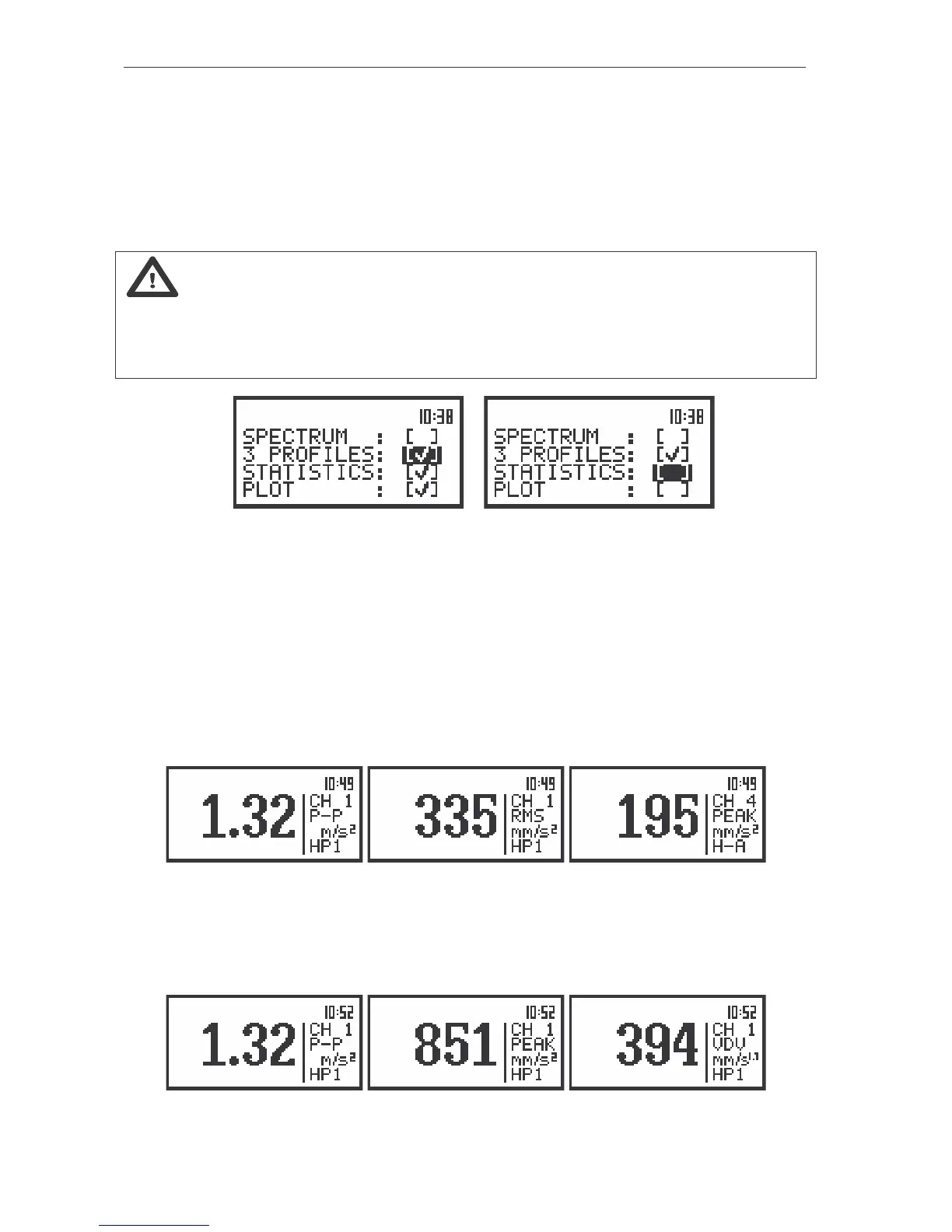
The view of the displays in one profile presentation; the switching between the results in a profile
In this mode of presentation the switching between the simultaneously calculated results is
performed by means of the <
>, <
> push-buttons. After consecutive pressing of the mentioned above
push-buttons the PEAK, P–P, MTVV (or MAX), RMS and VDV results are presented on displays as it is
shown in the figures above and below.
The view of the displays in one profile presentation; the switching between the results in a CHANNEL 1



 To Next Page