SVAN 948 USER MANUAL _
5 - 50
In the case when the instrument memory is empty (no file is stored), after entering the
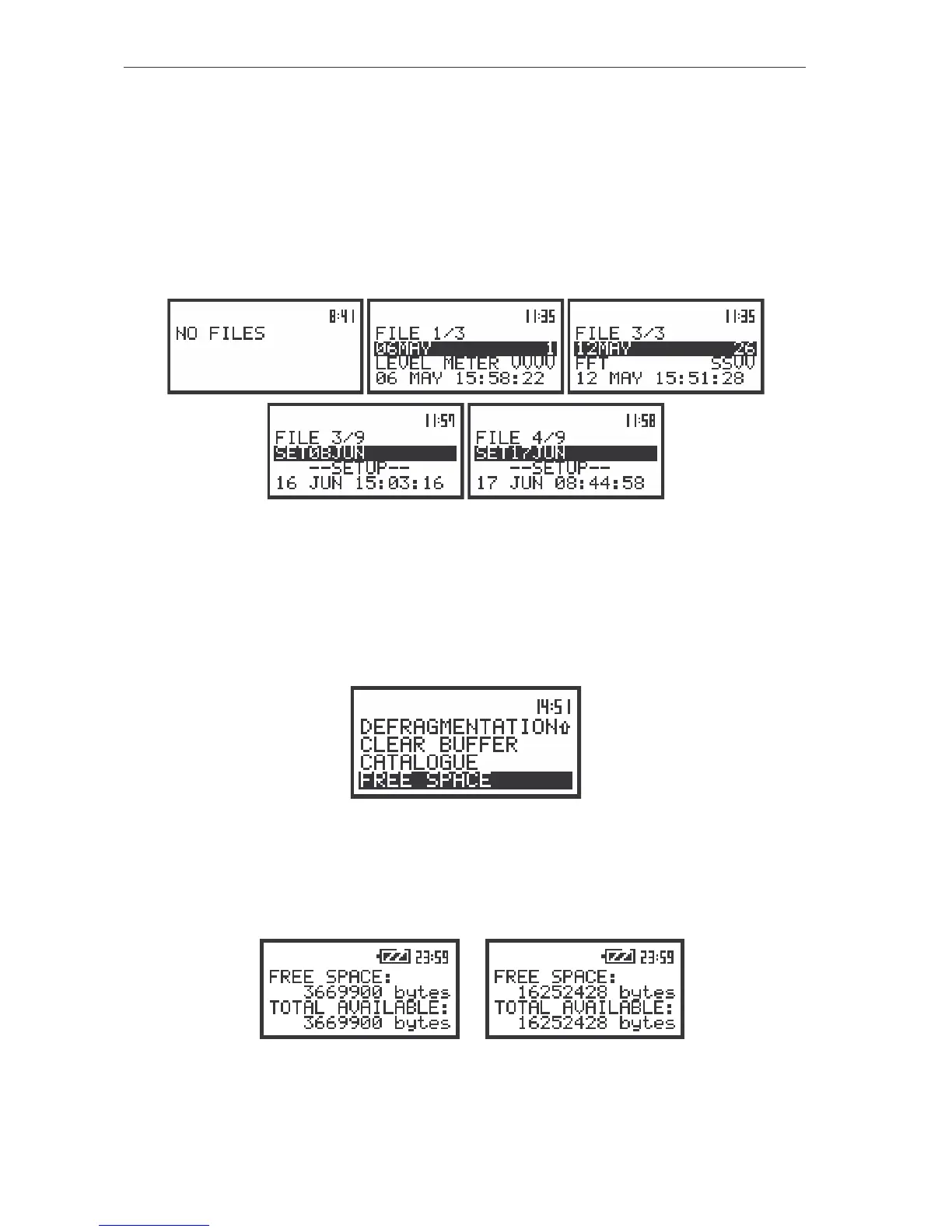
CATALOGUE position the NO FILES text is displayed and the instrument waits for the reaction of the
user. The user should press then the <ESC>, <ENTER> or <START / STOP> push-button.
The same data about the existing in the instrument files as in the LOAD position are displayed on
the display after opening CATALOGUE position. In the consecutive lines of the display the current file
number, the total number of the files, the file name, the file type, date and time of registration are
presented. The change of the current file with the unit step can be done pressing the <
>, <
> push-
buttons. After pressing the <
> with <SHIFT> push-button the first file is available and after pressing the
<
> with <SHIFT> push-button - the last one is displayed. The return to the FILE list is possible after
pressing the <ESC> or <ENTER> push-button.
The view of the displays during the execution of the CATALOGUE operation
Checking the free space in the memory - FREE SPACE
The FREE SPACE (path: MENU / FILE / FREE SPACE) position is used to read out the free space in
the FLASH DISC memory of the instrument. In order to enter this position the user has to select the
FREE SPACE text in the FILE list, using the <
>, <
> (or <
>, <
>) push-buttons and press the
<ENTER>.
The view of the displays in the FILE sub-list with the FREE SPACE text highlighted (displayed inversely)
The number of available space depends on the memory option installed in the unit and the history
of the measurements. The position is closed and the instrument returns to the FILE list after pressing the
<ENTER>, or <ESC> push-buttons or after starting / continuation the measurements (the <PROCEED> or
<START / STOP> push-buttons).
a)
b)
The view of the displays during the execution of the FREE SPACE operation in the units with 8 MB (a)
and 32 MB of internal memory (b)



 To Next Page