SVAN 948 USER MANUAL
2 - 1
2. MANUAL CONTROL OF THE INSTRUMENT
The control of the instrument is developed in the fully "conversational" way. The user can
"programme" the operation of the instrument selecting the proper option from the MENU. Thanks to it the
number of the control push-buttons of the instrument is reduced to 9.
2.1. CONTROL PUSH-BUTTONS ON THE FRONT PANEL
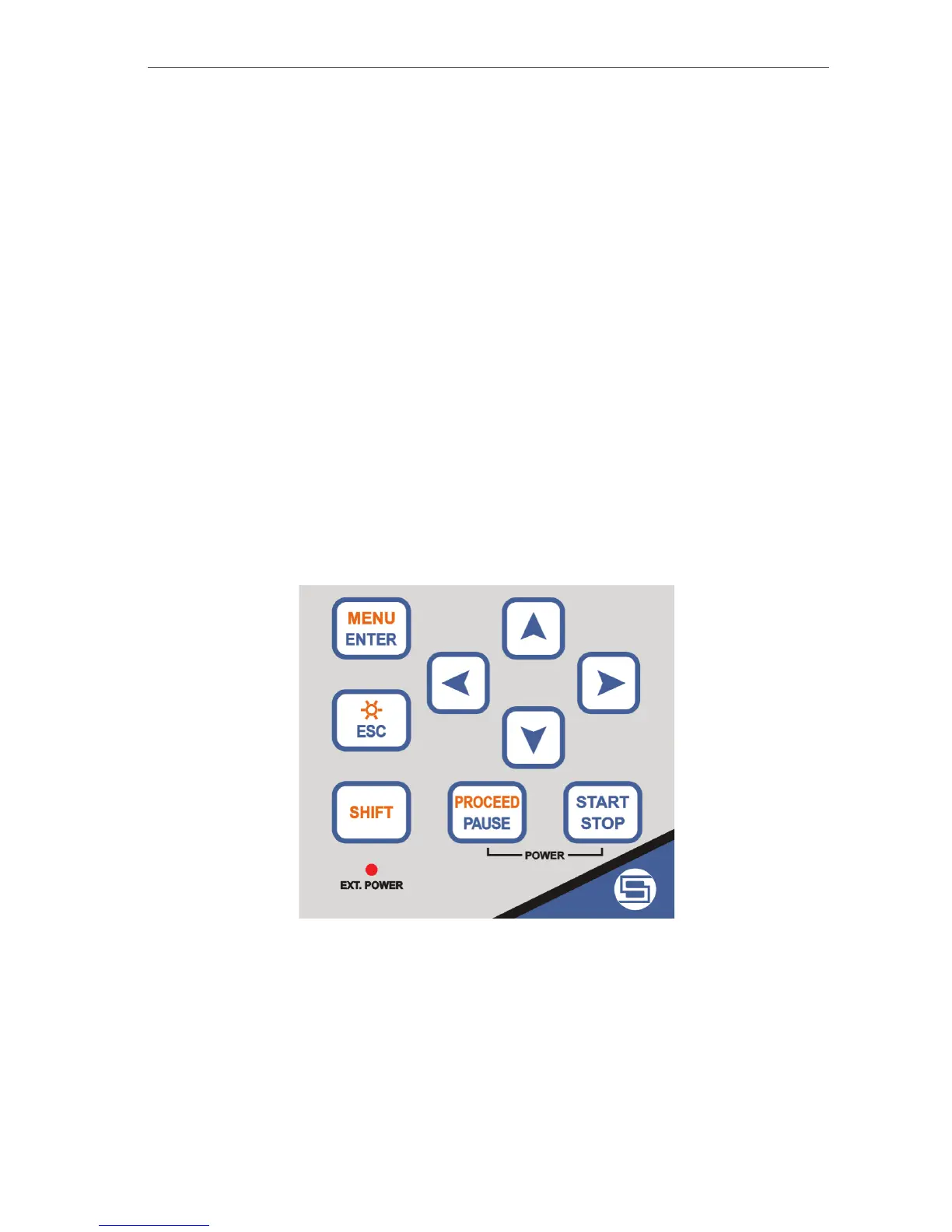
On the front panel of the instrument there are located the following control push-buttons:
1. <ENTER>, (<MENU>),
2. <ESC>, (<›
››
› >),
3. <SHIFT>,
4. <i>
5. <g>,
6. <h>,
7. <j>,
8. <PAUSE>, (<PROCEED>),
9. <START / STOP>,
The name given in brackets (...) denotes the second push-button function which is available after
pressing in conjunction (or in sequence) the <SHIFT> push-button.
The view of the control push-buttons of the SVAN 948 instrument
<SHIFT>
The second function of a push-button (written in red colour on a push-button) can be used when the
<SHIFT> push-button is pressed. This push-button can be used in two different ways:
• As SHIFT in the keyboard; both push-buttons must be pressed in parallel;
• As 2nd Fun; this push-button must be pressed and released before pressing the second one.



 To Next Page