SVAN 948 USER MANUAL .
4 - 30
and 10.0 s. The selection of the required detector is made with the <
>, <
> push-buttons. The user can
pass to the selection of the next parameter from the CHANNEL x sub-list pressing the <
>, <
> push-
buttons. After pressing the <ENTER> push-button any changes made in the sub-list are confirmed and the
sub-list is closed. The return to the CHANNELS SETUP sub-list ignoring any changes made in the sub-list
is made after pressing the <ESC> push-button.
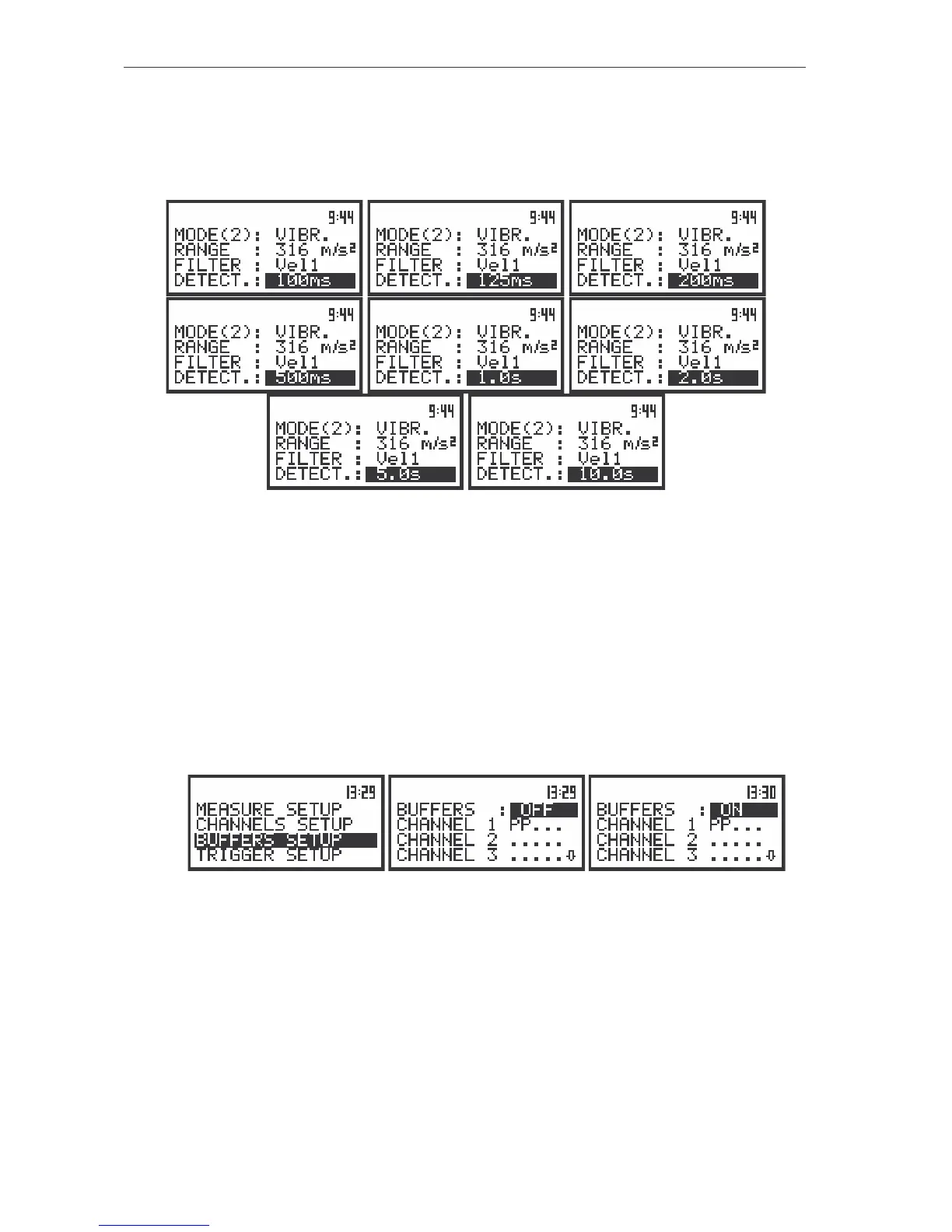
The view of the displays in the CHANNEL 2 sub-list; the selection of the detector time constant
Selection of measurement parameters - BUFFERS SETUP
Selection of the result to be saved in the buffer’s file - BUFFERS
The measurements results from each channel can be saved in the buffer’s file of the instrument’s
SLM or VLM mode. The selection of the OFF option means that no result from the described channel
have to be saved in the buffer’s file. User can switch OFF or ON BUFFERS position by pressing the <
>
or <
> push-buttons. After pressing the <ENTER> push-button any changes made in the sub-list are
confirmed and the sub-list is closed. The return to the BUFFERS SETUP sub-list ignoring any changes
made in the sub-list is made after pressing the <ESC> push-button.
The view of the displays in the BUFFERS SETUP sub-list (path: MENU / INPUT / BUFFERS SETUP); the selection
of the BUFFERS store
The user can select the following results, which can be saved: PEAK, MAX, MIN and RMS in the
case of SOUND measurement or PEAK, P–P. MAX and RMS in the case of VIBRATION measurement.
The selection of the parameter from the CHANNEL x sub-list is made by pressing the <
>, <
> push-
buttons. After pressing the <ENTER> push-button any changes made in the sub-list are confirmed and the
sub-list is closed. The return to the BUFFERS SETUP sub-list ignoring any changes made in the sub-list
is made after pressing the <ESC> push-button.



 To Next Page