SVAN 948 USER MANUAL _
5 - 14
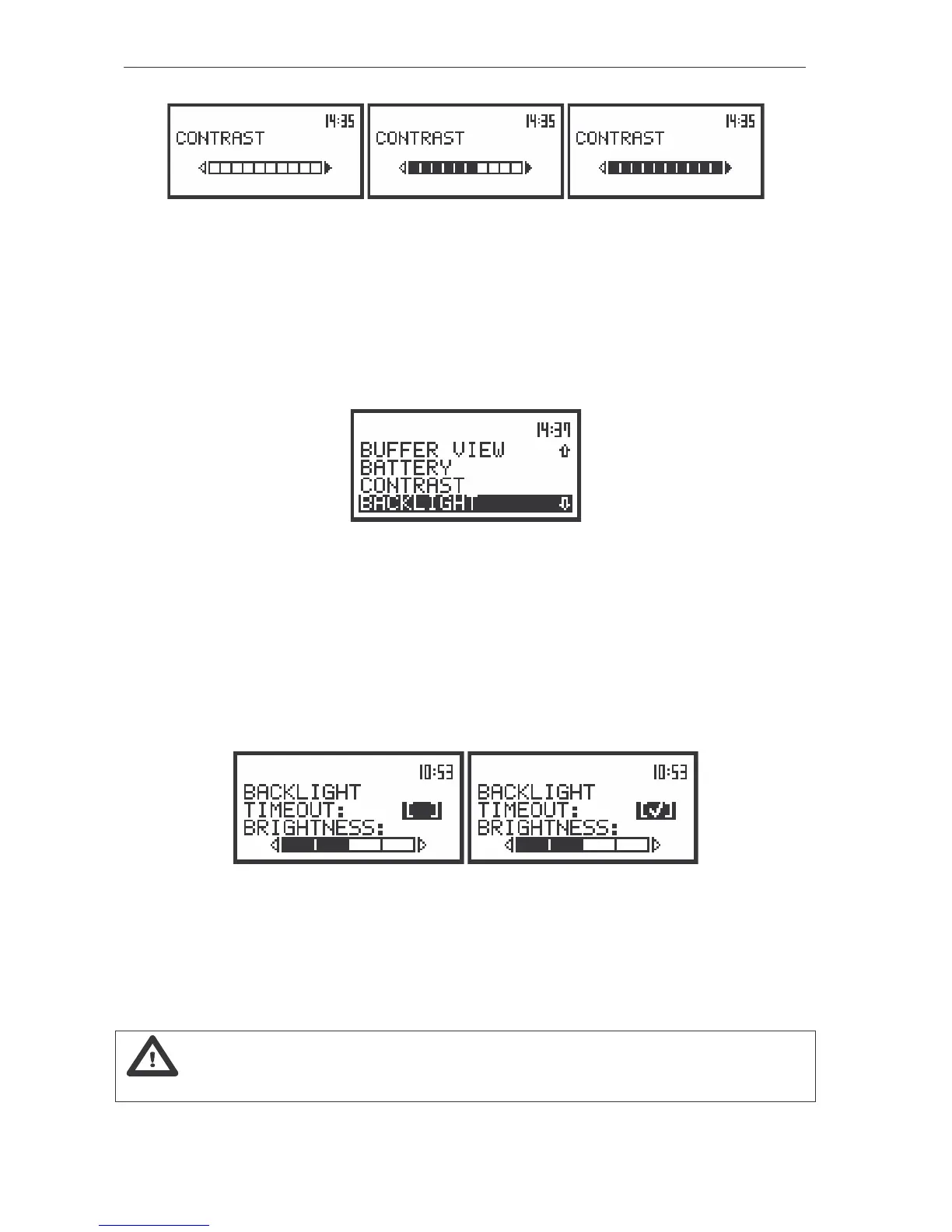
The view of the displays with the CONTRAST position; the change of the display contrast
Setting the backlight parameters - BACKLIGHT
The BACKLIGHT (path: MENU / DISPLAY / BACKLIGHT) sub-list enables one to set the parameters
of the backlight of the display and the keyboard (using the <
>, <
> or <
>, <
> push-buttons). The
user can switch on the automatic switch off of the backlight after a certain period as well as set its
brightness. The sub-list is opened after pressing the <ENTER> push-button on the highlighted (displayed
inversely) BACKLIGHT text.
The view of the display with the DISPLAY list, the BACKLIGHT text highlighted
Automatic switch off of the backlight - TIMEOUT
Taking into account the saving of the internal source of the instrument power the backlight should
be used relatively rare. It is possible to set the automatic switch off of the backlight. In the case when this
option is set, after 30 seconds from pressing any push-button the backlight is switched off. If it
happened, the first pressing of any push-button would cause the switch on of the backlight. The
confirmation of the selection is made by pressing the <ENTER> push-button. The return without taking
into account any change is made after pressing the <ESC> push-button.
The view of the displays in the BACKLIGHT sub-list; the TIMEOUT position active
Setting the brightness of the backlight - BRIGHTNESS
It is possible to change the brightness of the backlight using the <
>, <
> pushbuttons. The user
can select five different values of this parameter.
Notice: The new value of the brightness is confirmed after each pressing of the <
> or <
>
push-buttons (new value is selected without any confirmation from the <ENTER> push-button).



 To Next Page