SVAN 948 USER MANUAL _
5 - 24
Selection of few push-buttons mode - SHIFT MODE
The SHIFT MODE (path: MENU / SETUP / SHIFT MODE) sub-list enables the user to programme the
operation mode of the <SHIFT> and <START / STOP> push-buttons.
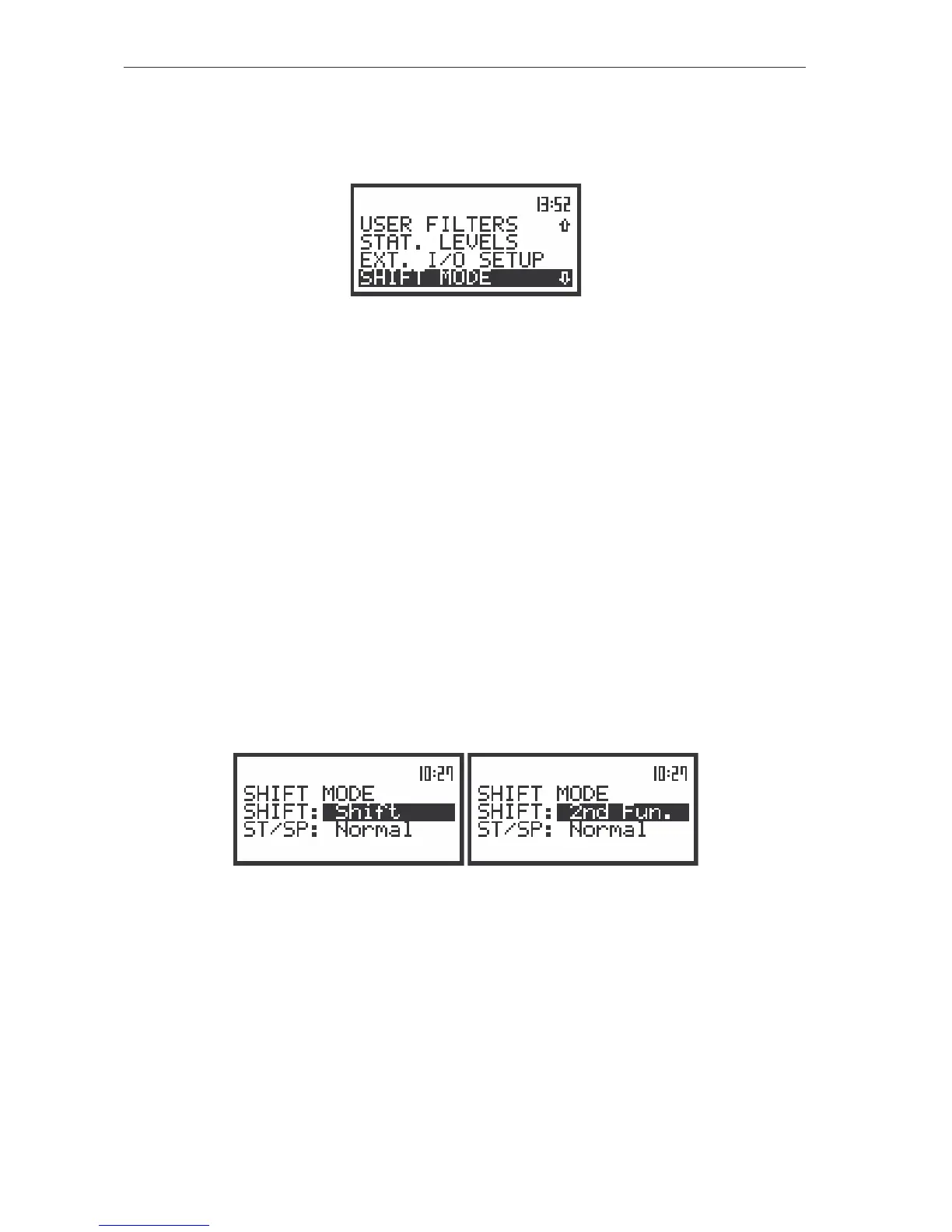
The view of the display in the SETUP list the SHIFT MODE text highlighted (displayed inversely)
In order to enter this position the user has to select the SHIFT MODE text in the SETUP list, using
the <
>, <
> (or <
>, <
>) push-buttons and press the <ENTER>. The selection of a parameter in
both positions is done by means of the <
>, <
> push-buttons and confirmed by the <ENTER> one.
Selection of the working mode of <SHIFT> push-button - SHIFT
In the SHIFT (path: MENU / SETUP / SHIFT MODE) position the user can choose between Shift and
2nd Fun.. When the Shift text is selected the push-button with this name operates as in the keyboard of a
computer – in order to achieve the desired result the second push-button has to be pushed in conjunction
with the <SHIFT> one.
When the 2nd Fun. text is selected the <SHIFT> push-button operates in the sequence with the
other one. This mode is additionally signalled by the flashing 2n dF text placed instead of the Clock icon.
This flashing starts after pressing the <SHIFT> and lasts till pressing any other push-button with double
meaning.
In order to select a desired mode of the <SHIFT> push-button the <
>, <
> should be pressed. In
order to confirm the selection the <ENTER> push-button has to be pressed. Such pressing closes the
sub-list. After pressing the <ESC> push-button the sub-list is also closed but all changes which were
made are ignored.
The view of the displays in the SHIFT MODE sub-list; the available settings in the SHIFT position
Selection of the working mode of <START / STOP> push-button - ST/SP
In the ST/SP (path: MENU / SETUP / SHIFT MODE) position the user can choose between Normal
and Inverse. When the Normal text is selected the <START / STOP> push-button operates as it is
described in Chapter 2 – the instrument reacts on each of its pressing, starting or stopping the
measurements.
When the Inverse text is selected the <START / STOP> push-button operates in conjunction or in
a sequence with the <SHIFT> one. The measurements are started or stopped after pressing both push-
buttons.



 To Next Page