SVAN 948 USER MANUAL .
4 - 86
If the user selects a wrong MODE, it shows the text: VEC. DISABLED IN: x ,BAD MODE before
the execution of measurement on the display and measurements of dose will not be done. Otherwise the
measurement continues.
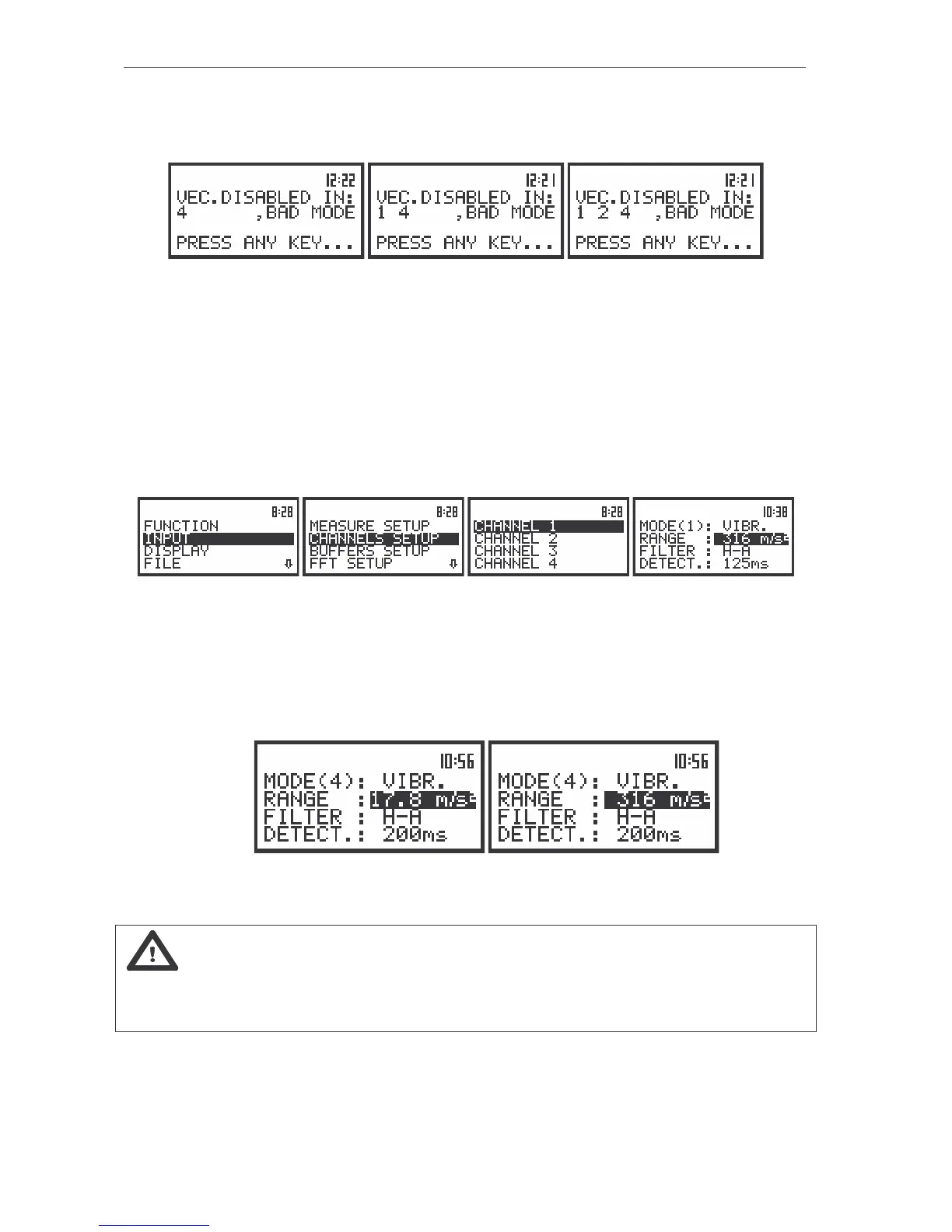
The view of the displays informed about wrong selected setting in the case of one, two and three bad
mode of channels
Selection of the measurement range - RANGE
The selection of the input range is possible after entering the RANGE position (path: MENU / INPUT
/ CHANNEL x / RANGE) (from the INPUT/ CHANNEL x list by means of the <
>, <
> (or <
>, <
>)
push-buttons and pressing the <ENTER> one. The input ranges specified in Appendix C. The return to the
CHANNEL x list is made after pressing the <ESC> push-button (ignoring the changes) or <ENTER>
push-button (confirming the selection).
The view of the displays with the RANGE (path: MENU / INPUT / CHANNEL x / RANGE) position selected
In the case of vibration signal the instrument operates in two input ranges 17.8 m/s
2
and 316 m/s
2
,
which can be selected in the range position. In order to change the mode of the range the user should
press the <
>, <
> push-buttons.
The return to the CHANNEL x list is made after pressing the <ESC> push-button (ignoring the
changes) or <ENTER> push-button (confirming the selection).
The view of the displays with the RANGE (path: MENU / INPUT / CHANNEL x / RANGE) position selected
in the case of VIBRATION signal
Notice: It is not possible to change the range of the measurements during the execution
of the measurements. It is possible to open different lists and sub-lists but the positions in these lists are
not displayed inversely and so - not accessible. The “Loudspeaker” icon indicates that the instrument is
in the measurement process. In order to change the range the measurement must be finished!



 To Next Page