SVAN 948 USER MANUAL
5 - 49
in the buffer. In order to enter this position the user has to select the CLEAR BUFFER text in the FILE
list, using the <
>, <
> (or <
>, <
>) push-buttons and press the <ENTER>.
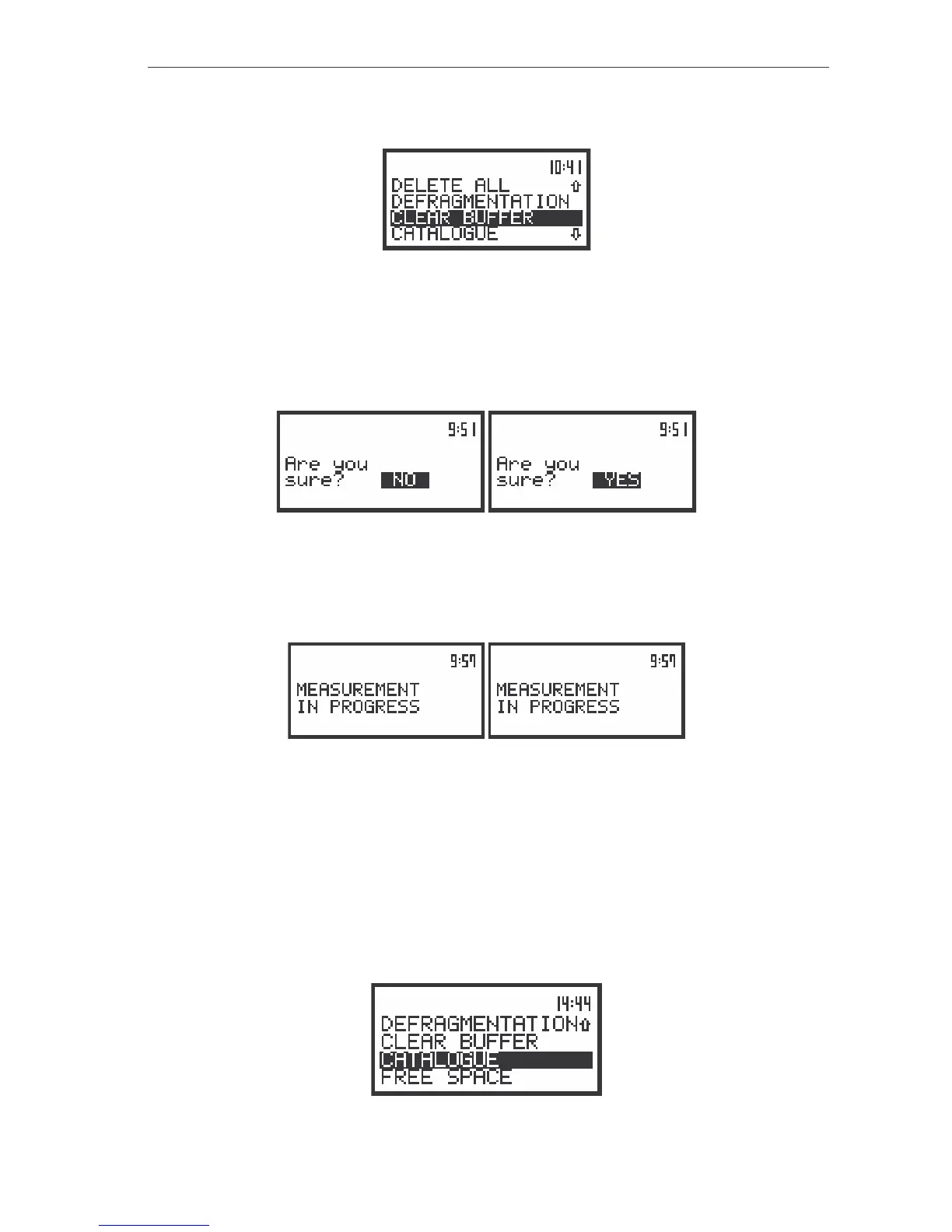
The view of the displays in the FILE sub-list with the CLEAR BUFFER text highlighted (displayed inversely)
The instrument requests the confirmation of the operation after entering this position (after pressing
the <ENTER> push-button). The next pressing of the <ENTER> push-button, when the NO option is
selected, causes the closing of the position and the return to the FILE list. The selection of the NO or
YES option is possible using the <
>, <
> push-buttons. The return to the FILE list is possible after
pressing the <ESC> push-button.
The view of the displays during the execution of the CLEAR BUFFER operation
After pressing the <ENTER> push-button the instrument checks its current state. In the case when
the measurements are performed, the execution of the CLEAR BUFFER operation is not possible. In
such case the message with the changing letters is displayed (see below) and the instrument returns after
few seconds to the list from which the CLEAR BUFFER position was called.
The view of the displays with the message stating the reason for unfeasibility of the required operation
The instrument returns to the FILE list after the successful execution of the CLEAR BUFFER
operation.
Checking the contents of the memory - CATALOGUE
The CATALOGUE position is used for checking the contents of the memory (the list of the files). In
order to enter this position the user has to select the CATALOGUE text in the FILE list, using the <
>,
<
> (or <
>, <
>) push-buttons and press the <ENTER>.
The view of the displays in the FILE sub-list with the CATALOGUE text highlighted (displayed inversely)



 To Next Page