SVAN 948 USER MANUAL _
5 - 30
Selection of the vector coefficient - VECTOR DEF.
The VECTOR DEF. position (path: MENU / SETUP / VECTOR DEF.) is used to select the coefficient
needed to calculate vibration vector. The values presented below are taken into account during the
calculations of the measurement results. VECTOR is calculated like following:
2
44
2
33
2
22
2
11
xkxkxkxkVECTOR +++=
Where k
1
, k
2
, k
3
and k
4
are coefficients and x
1
, x
2
, x
3
and x
4
are RMS results for different channels.
It is important that the user should choose only coefficients corresponding with the proper channels. The
user should switch on three from the four possibilities. The VECTOR influences the calculated results. If
the user selects all k-vectors, the result will be incorrect.
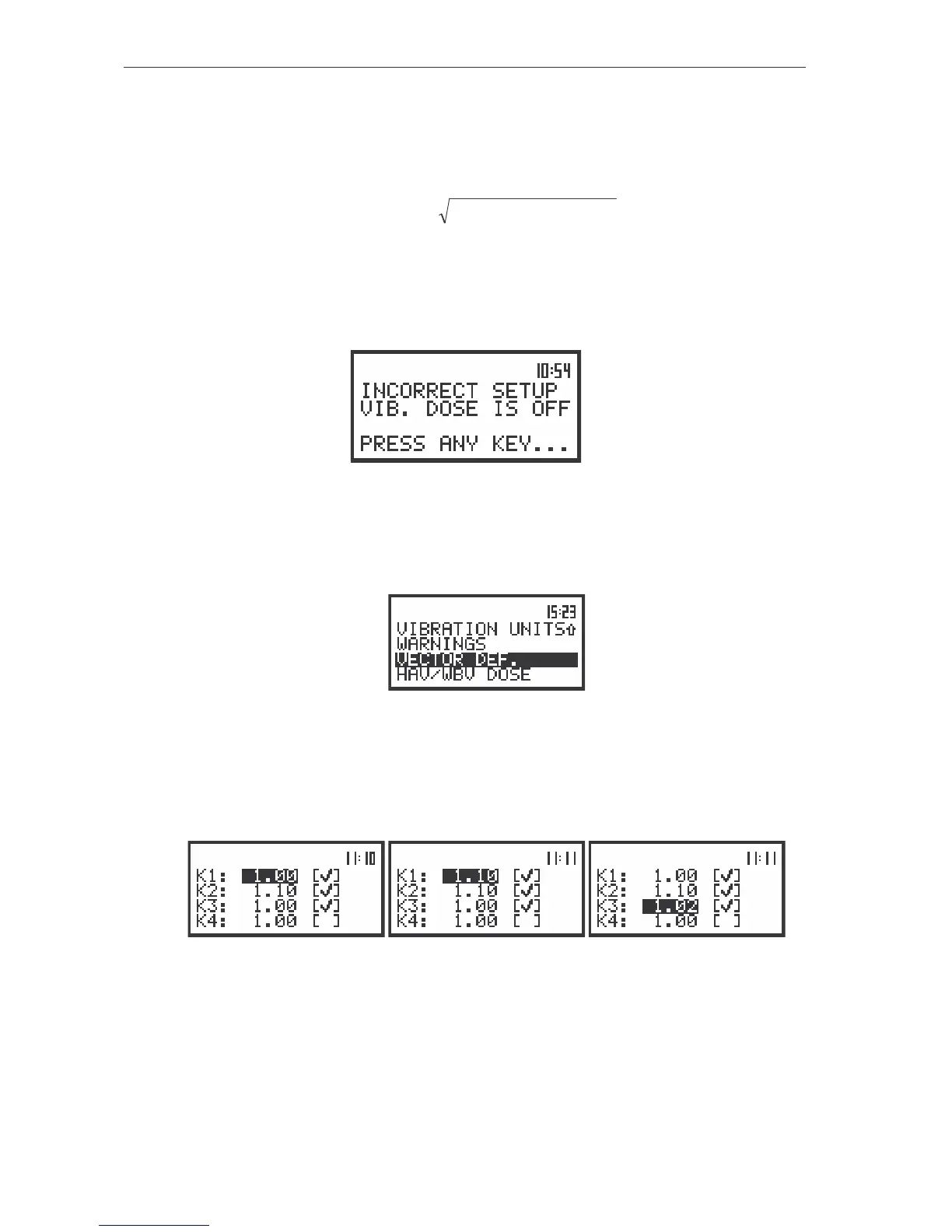
To obtain correct results, the user has to select suitable filters in CHANNEL x. If the filters are
incorrect, it appears on the display the message presented below:
The view of the display in the starting measurements when user selects incorrect filters in INPUT/
CHANNELS SETUP/ CHANNEL x
In order to enter this position the user has to select the VECTOR DEF. text in the SETUP list, using
the <
>, <
> (or <
>, <
>) push-buttons. After the selection the <ENTER> push-button must be
pressed.
The view of the display in the SETUP list, the VECTOR DEF. text highlighted (displayed inversely)
The selection of the position in the set is performed by means of the <
>, <
> push-buttons. The
value is introduced by pressing the <SHIFT> and <
> or <SHIFT> and <
> push-buttons. The sub-list is
closed and the instrument returns to the SETUP sub-list after pressing the <ENTER> (with the
confirmation of all settings made in the sub-list) or <ESC> push-button (ignoring all settings made in the
sub-list).
The view of the displays in the VECTOR DEF. (path: MENU / SETUP / VECTOR DEF.) position;
the setting of the value coefficient
The user can select the following coefficients: K1, K2, K3 and K4, The selection of the parameter
from the VECTOR DEF. sub-list is made by pressing the <
>, <
> and <
>, <
> push-buttons. In
order to switch on the displaying of vector’s parameters the user has to place, by means of the <SHIFT>
and <
> or <SHIFT> and <
> push-buttons special character in the chosen position; available values:
[√
√√
√] or [ ]. The user can pass to the selection of the next parameter from the VECTOR DEF. sub-list
pressing the <
>, <
> and <
>, <
> push-buttons. After pressing the <ENTER> push-button any



 To Next Page